Whether you want to change your voice for a mix of fun or identity anonymity in Valorant, voice-changing tools simply make you sound like a robot, an anime character, a cute girl, etc. It is necessity to find out a really capable Valorant voice changer that ensures smooth performance and consistent voice transformation without disturbing your gameplay. We have tested a set of tools and picked the best 3 voice changers for Valorant, from desktop software to Chrome extension, helping you achieve high-quality effects for audio modification.
Valorant Voice Changer: iTop Game Voice Changer and Recorder
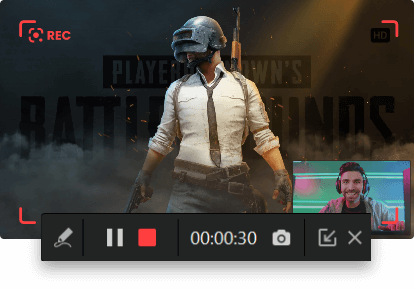
iTop Screen Recorder, a traditional screen recorder for PC, packed with a Valorant voice changer within, was designed to be a special tool for capturing in-game moments with ease. It can get access to the microphone, helping record your own voice when playing a game. Plus, a voice-changing feature is integrated with the program to transform your original voice into that of someone else, making it an ideal Valorant voice changer for recording. Valorant players can take full advantage of the screen recorder to create viral clips with a funny voice for better engagement and privacy protection over the internet.
All the pre-made voice models in the iTop Screen Recorder’s library sound expressive and emotional. In the following, we round up the most Valorant-friendly voice types and useful features for game voice transformation.
- Types of Voices You Can Choose:
1. Male to female: Change voice from male to female tailored to e-girl gamer character. Keep the character consistent and create more interactive content.
2. Female to male: A deeper male voice sounds more neutral to certain audiences. Sometimes, using a male voice can avoid different treatment or even ignorance of female players.
3. Girl: Some audiences interact more when they hear a girl’s voice. This girl voice changer for the Valorant game anchors helps increase views and engagements of your game content.
4. Minion: The Valorant voice changer includes the popular Minion voice to create funny trolling moments for going viral on TikTok, YouTube, etc.
5. Lolita: Change your voice to sound like Lolita with the cute voice changer, which often gets strong reactions from audiences.
- Built for Gameplay Voice Changing:
1. Gameplay Boost: Once you turn on the “Boost” option, iTop Screen Recorder automatically optimizes the system configuration and hardware parameters for a smoother gaming experience.
2. Noise Reduction: A denoiser removes background noises, wind sounds, microphone echoes, and other disturbing audio to achieve clearer voices.
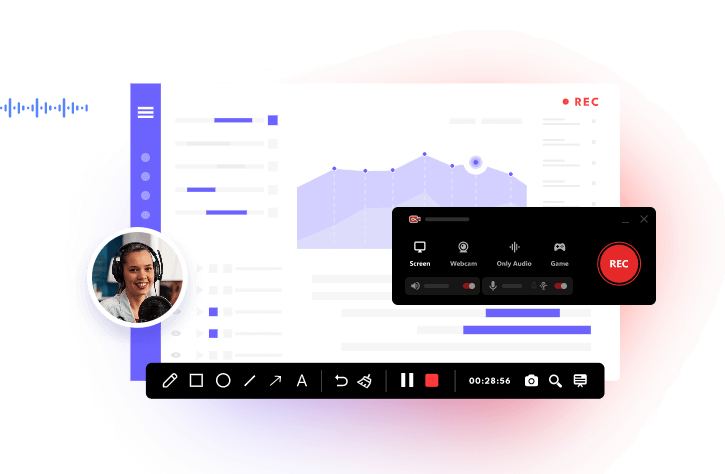
3. Webcam Recording Feature of Game Anchors: iTop Screen Recorder has the ability to capture gameplay with a webcam at the same time. So, game anchors can narrate the game story with themselves more engagingly.
4. Free Gameplay Recording in High FPS and Resolution: iTop Screen Recorder is a powerful free game recorder for PC, ensuring a smooth process for high FPS/resolution game recording with no cost.
How to Change Your Voice in Valorant Gameplay?
The Valorant voice changer and game recorder have an easy-to-navigate interface. You can learn how to change your voice while recording gameplay without guesswork. Here is a step-by-step tutorial of how to change your voice for Valorant gameplay recording.
Step 1. Get the Valorant voice changer download and installed on your Windows.
Step 2. Open Valorant and launch iTop Screen Recorder.
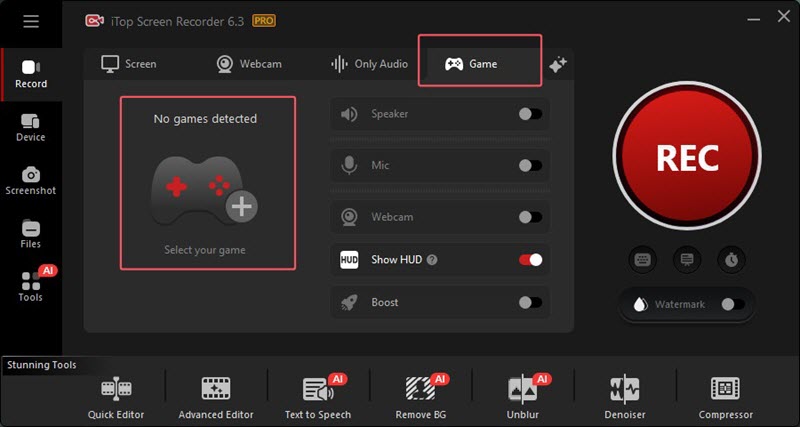
Step 3. Click the “Game” tab. By default, iTop Screen Recorder detects and adds your game automatically. If not, click the “+” button to select your game manually.
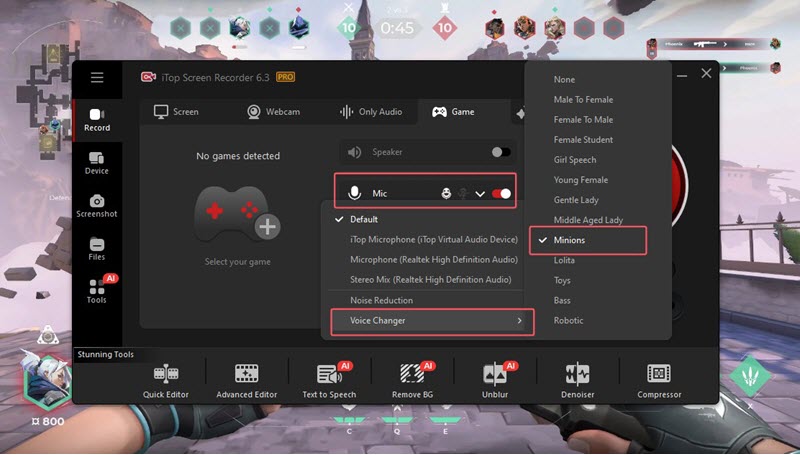
Step 4. Turn on “Mic” and click the down arrow icon. Select your microphone. Go to Voice Changer and choose from the voices.
Step 5. Click the REC button to start recording with the changed voice.
Step 6. A mini control bar showing the process appears 3 seconds later. Click on the “Done” button on the bar to stop recording.
You can find the resulting file in Files > Video. Click the “Edit” icon and get access to the Quick or Advanced video editor to enhance the Valorant clip at one stop.
AI Valorant Voice Changer: Free Game Voice Changer in Real Time
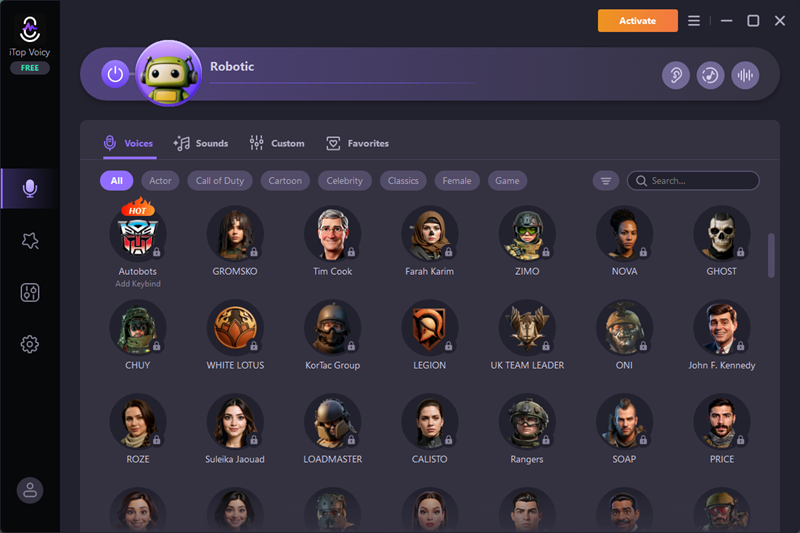
iTop Voicy is another recommendable voice changer for Valorant for free, which alters your voice in real time for in-game chatting. It has an enriched voice library where you can explore a lot of voice models, ranging from real humans to game/cartoon characters. A set of sound effects is made for pranks that build your team up during gameplay. Feel free to adjust the pitch, timbre, and volume of a voice for your preference.
Can’t find a preferred voice? The free real-time voice changer empowers you to create custom voices. Fine-tune essential parameters to imitate voices of different personalities and genders, making them sound energetic, deep, warm etc., tailored to certain cases. In addition, you can upload an audio file or record your own voice and change your voice instantly for voice-over creation.
Pros:
1. Real-time Valorant voice changer with no latency;
2. Hundreds of pre-made voices and sound effects;
3. Studio-quality voice and natural-sounding voices;
4. The support of changing voice in files and recordings.
Cons:
1. Only available for Windows 11 and 10;
2. Limited voices and effects in the free version.
Valorant Voice Changer Online Free: Chrome Extension
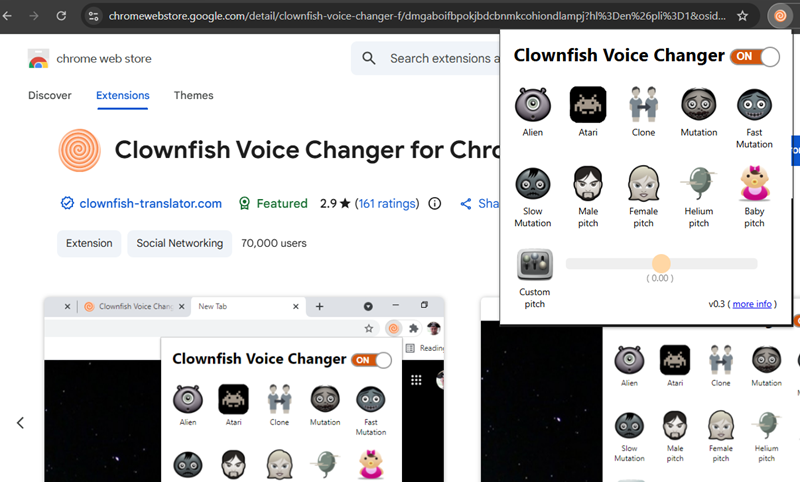
If you prefer a Valorant voice changer online rather than installing voice changer software on a desktop, give Clownfish Voice Changer for Chrome a chance. It is compatible with any web application that uses an audio capture device, altering your voice in the web version of Discord, TeamSpeak, and other chat apps, perfect for gaming groups.
The free voice changer for Valorant straightforwardly lists all trendy voices, including alien, atari, male/female/baby, fast/slow mutation, and helium. Choose a favorite voice or clone someone’s voice to diversify voice options. Drag the slider to customize pitches to high or low if needed. Clownfish is fairly welcomed for its simple interface and workflow, with no skills needed. It is also recognized as one of the best voice changers for Roblox.
Pros:
1. Lightweight Valorant voice changer;
2. High accessibility and ease of use;
3. Basic voice effects and customizable pitch.
Cons:
1. Inconsistent performance - It often doesn’t work. You should reload the page and restart it many times.
2. Very few voice models and minimal customization options compared with other Valorant voice changers;
3. Limited compatibility - It only works for Chrome and Chromebooks, with no support for any other browsers.
4. Mixed experience with reporting bugs, random, and even malicious behavior when installing/using.
Is Valorant Voice Changer Bannable?
Riot Games, the developer of Valorant, rolls out a strict policy on cheating with “third-party software”. Generally, it isn’t considered violating the terms of service with a Valorant voice changer since the game data hasn’t changed. However, you probably get a Valorant voice changer bannable for intentionally harassing or trolling others.
In short, a voice changer is potentially allowed when it is used for fun without disrupting other players. But it leads to penalties if using a voice changer to bother or abuse someone else. In addition, an unreliable voice changer may be bannable in that the bad performance could interfere with the game’s core processes, causing a detection by the anti-cheat system.
Conclusion
Valorant voice changer works to modify your voice when you are playing or recording Valorant. It intelligently captures the sound of your microphone and applies different effects to your voice. If you are seeking a trusted voice changer for Valorant, check out our recommendations. iTop Screen Recorder ensures good experiences in changing voices for recording, while iTop Voicy boasts real-time voice transformation for in-game chatting. Now, pick a Valorant voice changer that fits you need and swap your voice for free.