A cute voice changer is a tool designed to modify the pitch, tone, or someone’s voice to make it sound adorable and sweet. It often comes with various preset options and customization features, allowing you to add different effects and create funny voices. People often use cute voice changers to add fun to online chats or hide their real voices for privacy. Whatever your purpose for using a cute voice changer, this article will show you some good options for free cute anime voice changers for PC/mobile/online.

Top 2 Cute Voice Changers for PC
We picked two cute anime voice changers for PC users: one is iTop Screen Recorder, and another is VoiceMod. iTop Screen Recorder is a top pick for its ease of use, huge library of voices (including cute/girl/cartoon), and powerful audio/screen recording feature, while Voicemod is a strong AI alternative for specific kid/cute voices with great performance. Whichever do you choose to use, here are specific introductions of each one.
1. iTop Screen Recorder - Best Cute Voice Changer for Recording
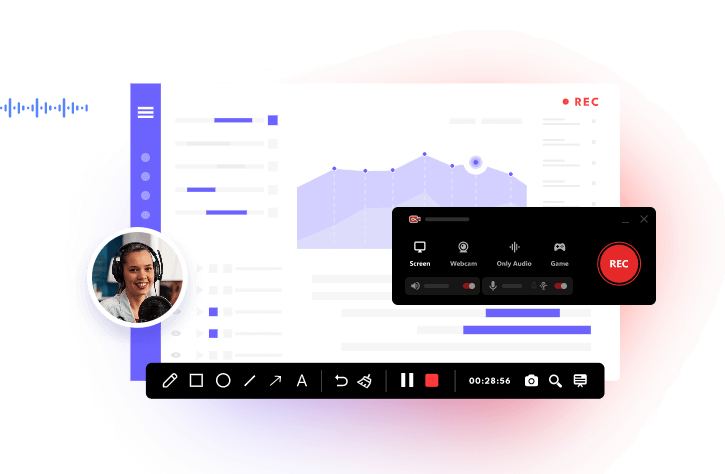
If you’re looking for a comprehensive, cute voice changer free, then iTop Voicy is exactly what you need. iTop Screen Recorder offers many AI-powered voice changers with filters like “young female,” “robotic,” and “minions,” letting you alter your voice in real-time during recordings for gaming or content creation. Before changing your voice, you can even adjust pitch, build unique voices by importing and tweaking parameters, or reduce background noise.
What’s the best part of iTop Screen Recorder? It works seamlessly with screen and webcam recording, letting you apply effects in real-time while capturing your screen, webcam, and microphone audio simultaneously. This is helpful when you want to record Zoom meeting but want to mask your voice.
Why We Picked It
- It has specific cute voice filters like the Lolita voice.
- It allows for real-time voice changing while recording.
- It allows you to preset and tweak parameters like pitch, timber, and emotion to generate your own custom voice models.
- The voice changer feature is integrated into the iTop Screen Recorder, so you don’t have to switch applications when you want to record your screen while changing your voice simultaneously.
- It includes a background noise reducer and audio enhancer to eliminate background noise and microphone echoes.
More Features of iTop Screen Recorder
- Records anything that happens on your screen, whether to screen record protected videos or other screen activities.
- Captures your screen and webcam simultaneously.
- Supports HD and up to 4K resolution recordings.
- Allows you to trim, split, merge, and add elements to your recording.
- Serves as a screen recorder for restricted apps.
2. VoiceMod
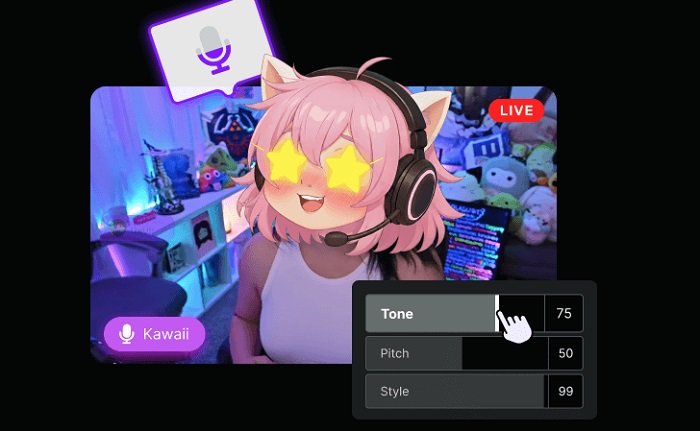
If you want more diverse, real-time, and high-quality cute/female voices, you can go for VoiceMod. VoiceMod is known for real-time AI voice modulation, and it offers many fun, cute, and AI voices ( like anime girls, chipmunks) that work across Discord, games, and more. If you want to change your voice in real time, then don’t hesitate to choose VoiceMod.
Why We Picked It
- Instantly changes your voice with AI, no waiting or training needed.
- Offers a huge library of voices.
- Works seamlessly with Discord, Zoom, and various games.
- Allows you to tweak effects.
- Offers soundboards for playing clips and effects like "Magic Chords" for musical fun.
3 Free Cute Voice Changers Online
Now that we’ve explored the benefits and uses of desktop-based cute voice changers, let’s dive into our top picks for 3 free cute voice changers available online.
1. ElevenLabs
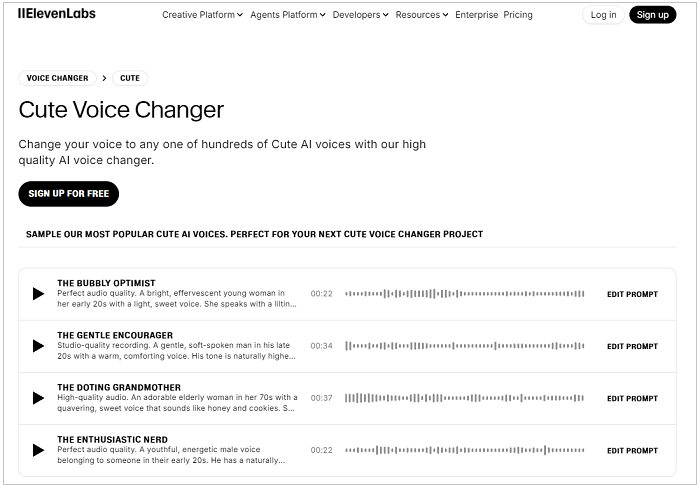
ElevenLabs is a cute voice changer online that allows you to change your voice to any of hundreds of cute AI voices. It offers some popular, cute voice samples for you to listen to before changing your voice. Such samples include the bubbly optimist, which is something like a light, sweet voice. Or you can also change your voice to an adorable elderly woman, whose voice sounds like honey and cookies. Anyway, you can directly upload your audio files and change your voice to any cute voice to your preference.
Why We Picked It
- It allows you to build a voice from scratch by defining age, tone, and genre.
- It allows you to tweak an existing voice to sound young, bubbly, soft, or childlike.
- It captures subtle human elements like whisper, laughter, and emotional delivery.
- It changes your voice while preserving your original performance's natural flow and emotion.
- It allows you to add tags for specific actions or control speed and pitch.
2. Murf AI
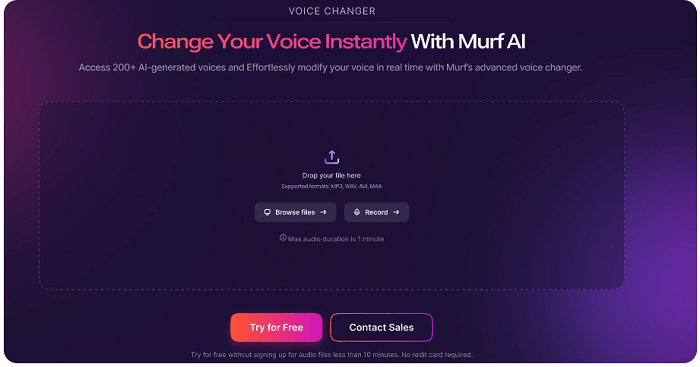
Another online option for a cute voice changer is Murf AI, which, strictly speaking, is not a cute voice changer, but it allows you to raise the pitch slider to create a more playful, child-like, or “cute” sound for characters. Moreover, it offers more than 200 voices across many languages and styles (including different ages and genders), so you can change your voice to cater to diverse projects.
Why We Picked It
- It allows users to fine-tune the emotional expression of the voice.
- Users can control the pitch and speed of the generated voice.
- It offers specific child AI voices within its library.
- It allows users to upload their own recordings and transform them using the available AI voices.
3. Fineshare FineVoice
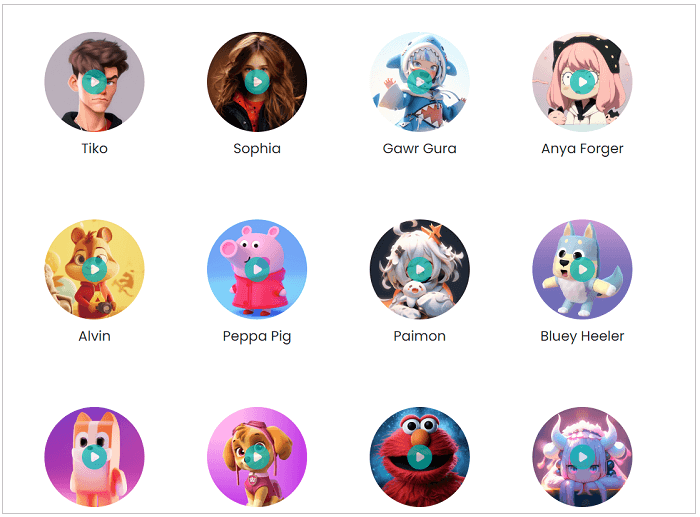
The last recommendation for an online cute voice changer is Fineshare FineVoice, which offers a wide selection of voice effects, ranging from cartoon to celebrity. You can change your voice for gaming or streaming in real time. Despite the great features it offers, it also comes with limitations. Some advanced features require purchases to use.
Why We Picked It
- It boasts a large collection of cute voices, including cute, cartoonish, robotic, and character voices.
- It works in real-time with other applications.
- It allows you to clone voices for unique audio content.
- It can be used for podcasts, audiobooks, and AI song covers.
Best Cute Voice Changers App for Mobile Phones
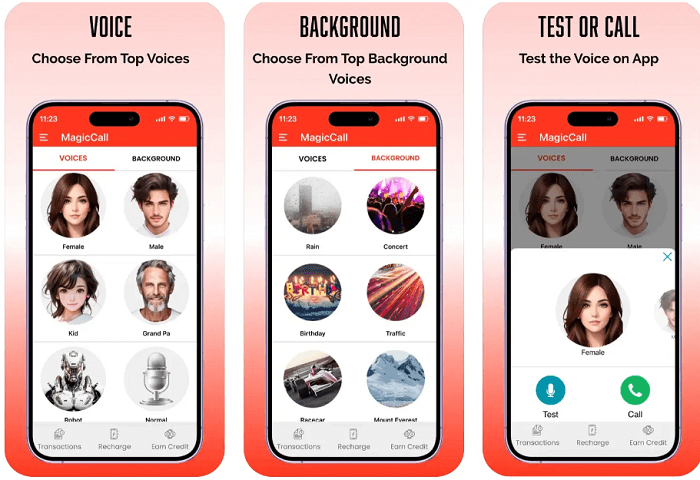
For iOS and Android users, MagicCall is a good option for real-time voice changing on calls. As a popular cute voice changer app, MagicCall offers some cute voice options like kid, female, and cartoon voices, plus some fun backgrounds and sound emojis. Whether you’re an iOS user or an Android user, this app is for you.
Why We Picked It
- It offers kid, female, and various cartoon voices filters
- It allows you to change your voice during a call without delays
- It adds realism with sounds like a birthday song or traffic
- It works seamlessly on both Android and iOS devices
How to Make Your Voice Sound Adorable Using iTop Screen Recorder
Now that you’ve learned about all the recommendations for the best cute voice changer, let’s see how to make your voice sound adorable with iTop Screen Recorder. By the way, this screen recorder not only serves as a voice changer, but it also works as a screen recorder for WhatsApp view once. So you can also use it for WhatsApp recording.
Step 1. Download and launch iTop Screen Recorder on your PC.
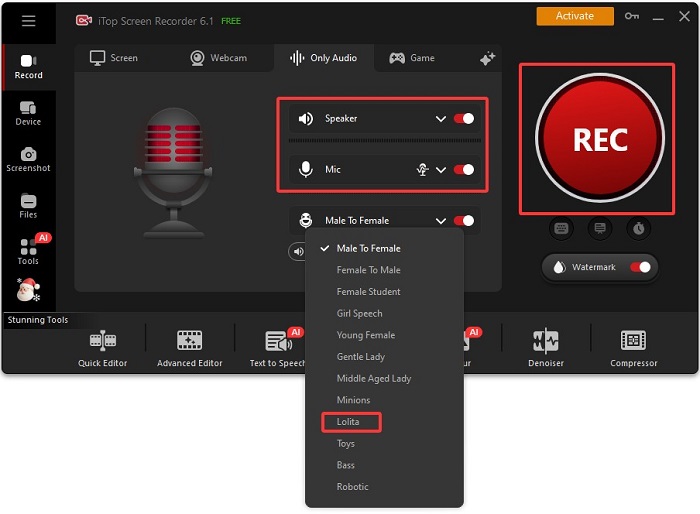
Step 2. Open iTop Screen Recorder and select Only Audio from the home screen. Enable the Speaker option to change the voice from your computer, and enable the Mic option to change the voice from your microphone. Once done, select the voice you want your voice to sound like. For example, you can choose Lolita. Then, click REC to start recording.
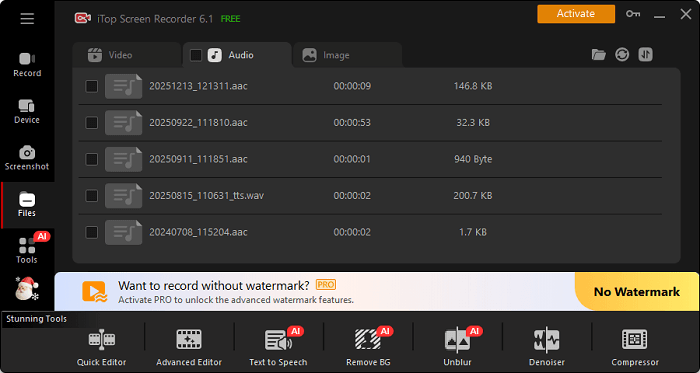
Step 3. After capturing what you want, click the stop icon to stop recording. Then, you can find your recordings in Files > Audio.
The Bottom Line
In this guide, we covered the best six cute voice changers that add a playful twist to your online interactions, whether for gaming, chatting, or content creation. With a variety of options to choose from, you can easily find the perfect voice changer to match your style. For an enhanced experience, don't forget to download iTop Screen Recorder. It's the ideal companion for capturing your fun moments while using these voice changers and sharing them with friends! Moreover, you can also use it to record TV shows or other screen activities to your preference.