Fed up with sounding the same in every Discord call? Want to mess around with your friends’ expectations or just have a laugh? A voice changer can totally make things different - robot, monster, or silly cartoon, whatever mood fits. You can do it without paying a cent. Here’s a list of the top free voice changer for Discord tools you can try right now on PC, iPhone, Android, and online.
3 Real-Time Free Voice Changers for Discord on PC
If you want to switch up your voice on Discord and sound like a cartoon character, a robot, or a mysterious deep voice, the following tools make it easy on PC. Here are three top options to try.
Voicemod Voice Changer for Discord
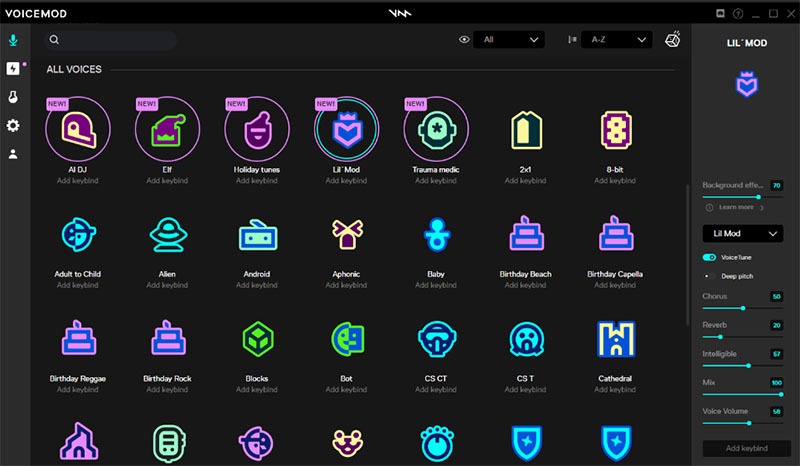
Voicemod is the most approachable and versatile free voice changer for Discord options on Windows 11/10. The software offers a library of 200+ voices and sound effects. You can switch your voice mid-call, combine effects, or even layer background noise to create a fully immersive experience. It integrates seamlessly with Discord with other plugins like Loupedeck and Stream Deck. Voicemod also has a recorder to help you capture audio from YouTube, Twitch, etc.
Pros:
- Intuitive interface ideal for beginners.
- Constantly updated library of voices and effects.
- Supports other platforms like OBS and Zoom.
Cons:
- Free version limits the number of available voices.
- Can be resource-heavy on older computers.
Also Read: Free Voice Changer for Roblox: Elevate Your Gaming Experience >>
Voice.ai Voice Changer
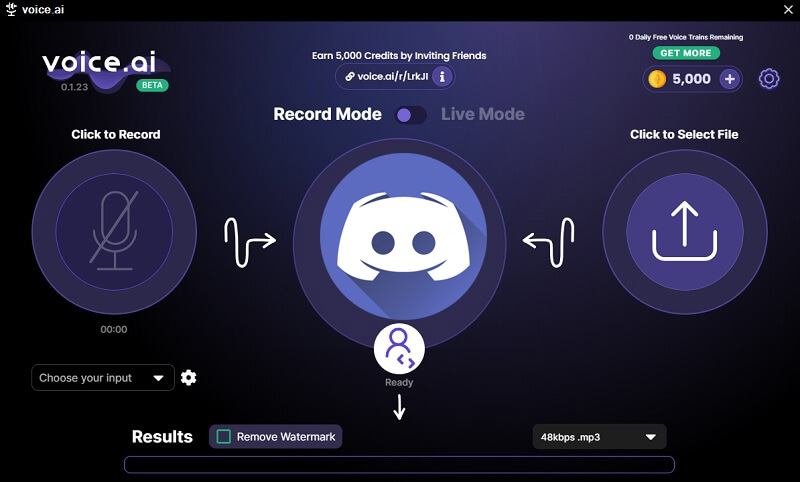
Voice.ai takes a more realistic approach, using AI to reshape your pitch, timbre, and tone in real-time. It’s a great choice if you want your voice to sound natural yet different. You can get subtle transformations for gaming streams or playful shifts during conversations. Hundreds of voices are included, such as anime, singers, aliens, and more. The software works with Discord and accepts various microphone input, games, roleplay, livestreams, calls, etc.
Pros:
- Highly realistic voice modulation and a large voice effects library.
- Low latency, great for live chats.
- Free version available for basic effects.
Cons:
- Full range of voices requires a subscription.
- Performance may not be stable on older PCs.
MorphVOX Voice Changer
MorphVOX is a classic free Discord voice changer tool that has been refined over years of use, offering both dramatic and subtle voice modifications. The software includes presets for a variety of scenarios, from gaming to fun social calls. MorphVOX has background noise cancellation feature to ensure higher quality voice changing result. Advanced audio tools are built into it, for example, vocal visualization, equalizers, voice comparison, vocal tract filters, and audio alarms.

Pros:
- Extensive preset library and customization.
- High-quality audio output.
- Multiple advanced audio tools and utilities.
- Compatible with Discord, TeamSpeak, Skype, etc.
Cons:
- Premium features require purchase.
- Interface feels a bit dated compared to newer tools.
2 Mobile Voice Changers for Android and iOS
While PC options are powerful, sometimes the easiest way to change your voice for Discord is right from your phone. Mobile free voice changer Discord apps let you tweak your sound on Discord, in gaming chats, or even while recording short clips. They’re preferred for quick, on-the-go fun and flexibility. Here are two picks for Android and iOS users looking for a free voice changer for Discord.
Dubbing AI
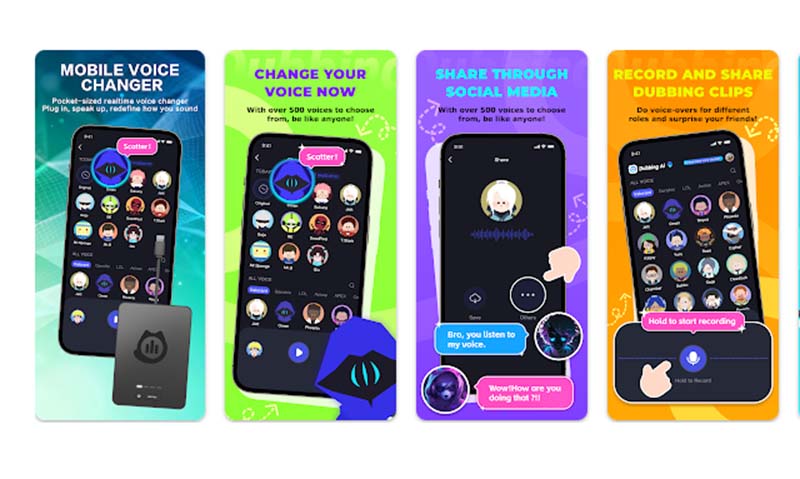
Dubbing AI combines AI with a simple interface to help you modify your voice in real-time on mobile without noticeable delay. The voice changer free for Discord is versatile, providing everything from pitch shifts to more complex transformations that can make you sound like a celebrity, a robot, or even an animated character.
Pros:
- Real-time fast voice changing with minimal lag.
- Wide range of effects suitable for casual or Discord use.
- Supports both Android and iOS.
Cons:
- Some premium voices require in-app purchases.
- Unnatural sound due to AI accuracy.
MagicCall
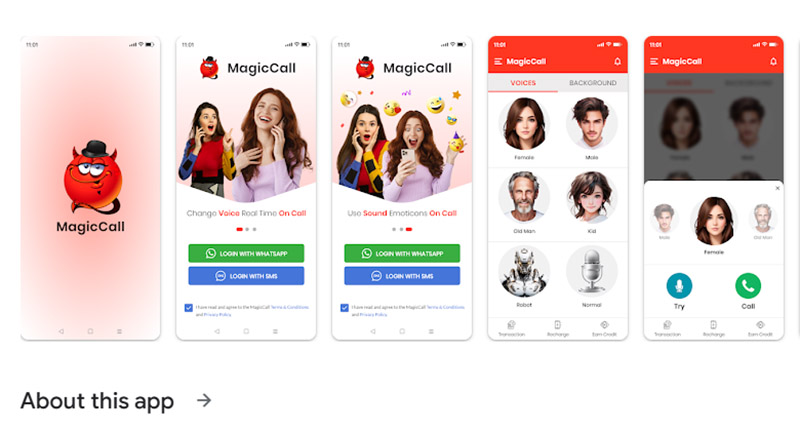
MagicCall is all about quick, playful voice changes. Its main focus is live calls and chats, so if you want a free Discord voice changer that works on mobile without complex setup, this app meets your needs. You can switch between voices mid-call, and the library includes fun options like cartoon characters, deep voices, sound emoticons, and funny effects.
Pros:
- Instantly change your voice during calls.
- Clean interface and easy setup.
- Includes themed voices for pranks and roleplay.
Cons:
- Free version limits call duration and some effects.
- Ads appear unless you upgrade.
2 Easy Free Discord Voice Changers Online
Sometimes, you don’t want to install software or apps just to tweak your voice. Online voice changers are suitable for creating ready-to-use audio clips for Discord. These tools let you access a variety of voices directly from your browser without software downloads. Below are two top platforms for anyone looking for a free voice changer for Discord online.
ElevenLabs AI Voice Changer
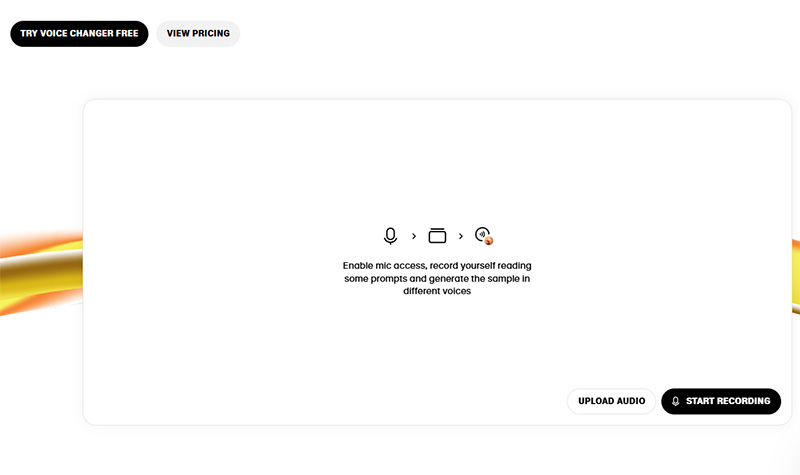
ElevenLabs allows to type in text or record short phrases, then adjust pitch, tone, or style to create a fully customized clip. It’s intuitive enough for beginners but flexible for those who want to experiment with nuanced voice effects. The extensive voice library is in 29+ languages with different categories like social media, character voices, entertainment, etc. The tool also supports real-time recording and rapid audio generation.
PlayAI Voice Changer
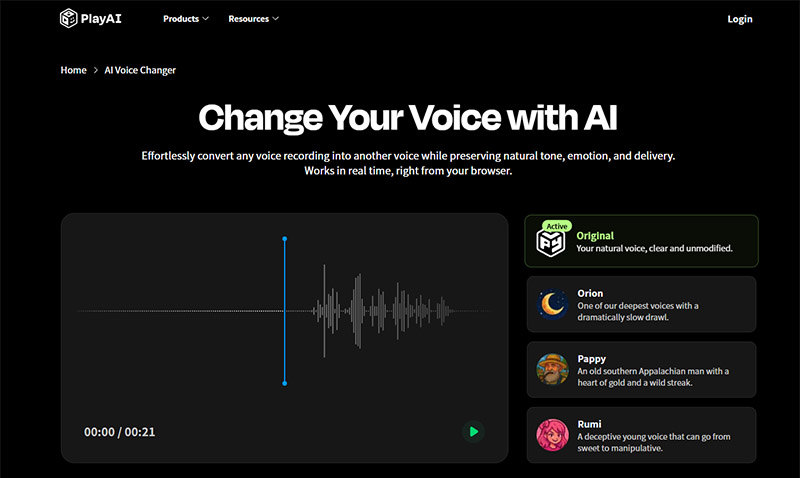
PlayAI Voice Changer focuses on quick, playful voice recording conversion to a different voice. With its library of AI character voices and adjustable parameters, you can get clips that sound like cartoons, robots, or deep cinematic tones. The best free voice changer for Discord is especially handy for making and editing shareable audio content for Discord.
Free Voice Changer for Discord Screen Recording
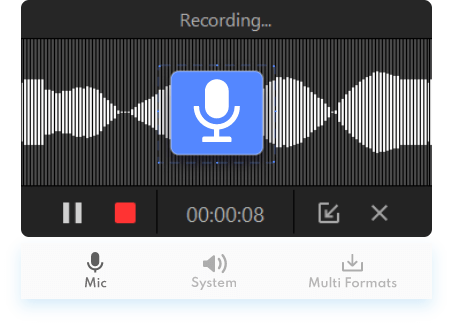
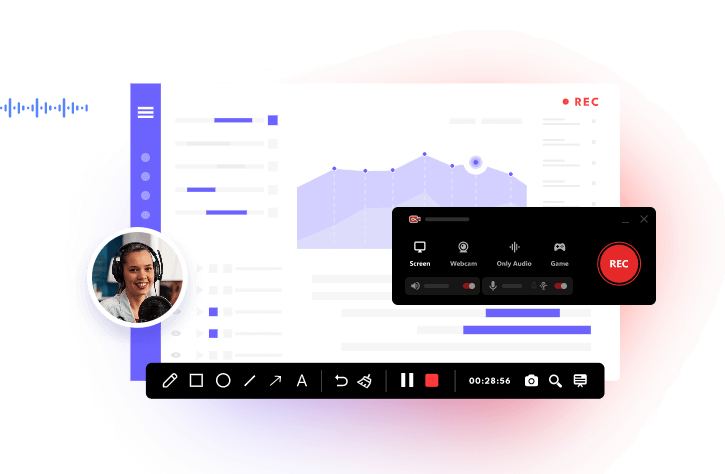
Recording your Discord calls, gaming sessions, or online meetings can be fun, but adding a twist with a voice changer makes it even more entertaining. That’s what iTop Screen Recorder does. The recorder isn’t just for capturing your screen, it comes with a built-in free voice changer for Discord, allowing you to tweak your voice in real-time smoothly without delay while recording any activity. Download iTop Screen Recorder for free!
Explore the highlights of iTop Screen Recorder.
- Dozens of Voice Styles: iTop Screen Recorder has a wide array of pre-set voices, from minions and robotic to bass or minions voices. You can apply voice change to every recording.
- Advanced Noise Reduction: With the denoise tool, background noise is removed automatically, so your Discord voice changes come through clearly without echoes or static interruptions.
- Custom Screen/Audio Recording: iTop Screen Recorder can record full screen, specific windows, or just audio from Discord and other apps, with options to adjust volume and microphone input separately for precise control.
- All-Around Video/Audio Toolkit: Beyond recording and voice changing, you can edit, trim, or export your clips to popular formats, making sharing and post-production simple and hassle-free.
How to Change Your Voice in Real Time for Discord Recording
Follow the step-by-step instructions on how to use voice changer on Discord with iTop Screen Recorder.
Step 1. Download and launch iTop Screen Recorder.
Step 2. Select what you want to record - Screen, webcam, or only audio. This guide takes Only Audio as an example. You can apply a custom voice to the microphone, the voice-over from the computer, or both.
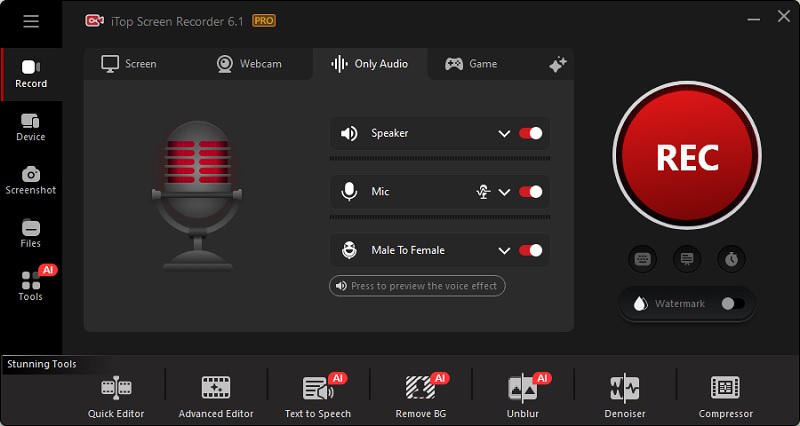
Step 2. Select the voice style you want from the drop-down options.
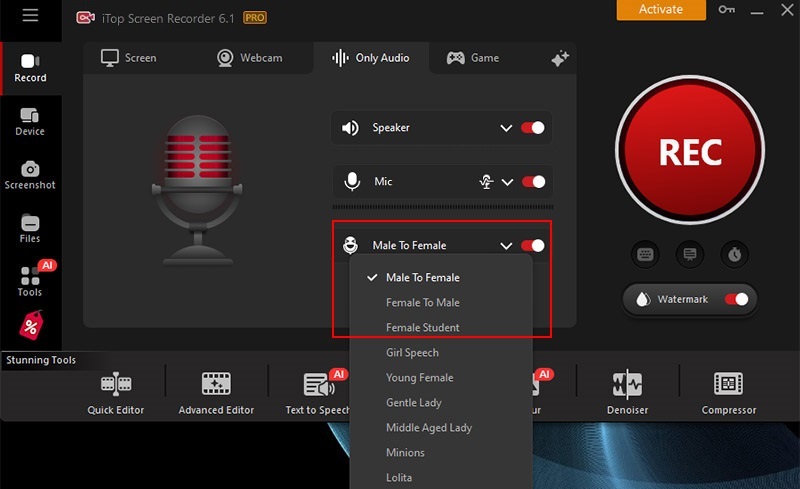
Step 3. Hit “Record” and start your Discord session. Speak naturally and your selected voice will overlay live during recording. Stop the recording and preview your clip. Edit or export as needed.
Also Read: How to Record a Zoom Meeting on Windows and Mac >>
Discord Voice Filters: the Built-in Voice Effects
Discord also offers a selection of built-in voice filters that let users add playful or dramatic effects during calls. These filters, free to use, include options like pitch shifts, echo, robot, and more.
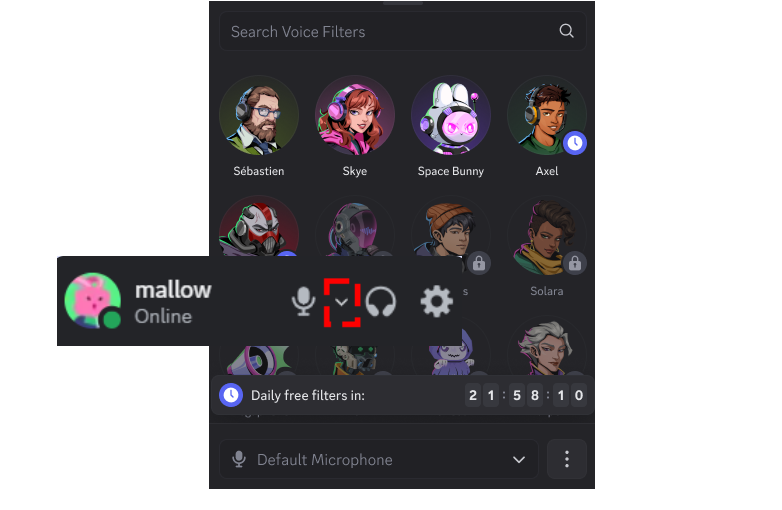
You can access them by clicking the arrow near the microphone icon, and selecting a custom voice style. Note that some users may not see these filters because Discord rolls them out gradually or restricts them to Nitro tiers. For more advanced options, try a free voice changer for Discord or a voice changer for Discord mobile app for real-time fun across platforms.
The Bottom Line
Discord itself provides a handy free voice changer for Discord, but it can be limited in variety and availability. For richer customization and all-in-one Discord recording, use a dedicated tool like iTop Screen Recorder. The tool allows real-time voice changing, flexible recording, and easy editing. It gives you control over dozens of voice styles and every recording is high-quality and ready to share. Free try the screen recorder and voice changer now.