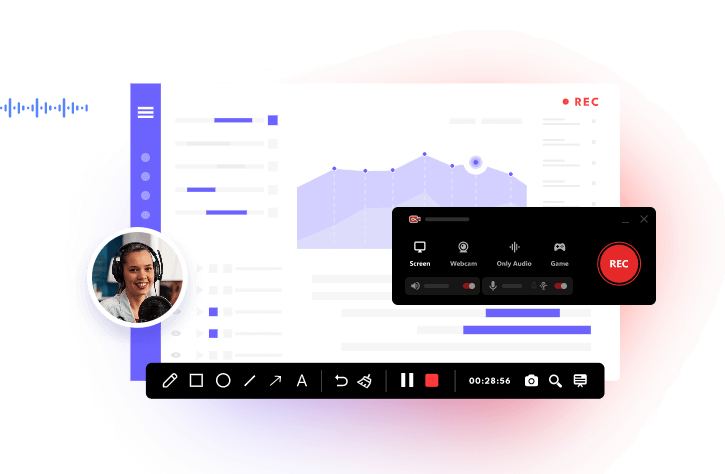
Voice changer software is used across a variety of scenarios, ranging from casual entertainment and content creation to professional and privacy-oriented applications. Based on their different uses, voice changers can be divided into real-time voice changers and offline voice changers. No matter what kind of voice changer you want, this article has you covered. Before proceeding, you can briefly learn about real-time and offline voice changer software to more accurately choose the tool you need.
Realtime Voice Changer VS Offline Voice Changer: How to Choose?
Voice changers, also known as voice transformers, often vary widely depending on the software or hardware used. Some are real–time voice changers that are used in live situations like online gaming, streaming, or video conferencing. They typically process audio instantly, allowing users to speak in a modified voice during live interactions. While others are offline voice changers that are designed for pre-recorded audio files. They allow for more detailed manipulation and precise application of effects to existing vocal tracks. No matter what kind of voice changer software you’re looking for, follow us to explore the best free voice changer software for PC, mobile, and online.
Top 5 Voice Changer Software for Windows
There are five voice changers for PC for you to choose from. Each comes with its unique features and applicable scenarios. Based on your needs, choose the best one to use.
1. iTop Screen Recorder - Free Voice Changer Software for Recording
Supported OS: Windows 7, 8, 10, and 11
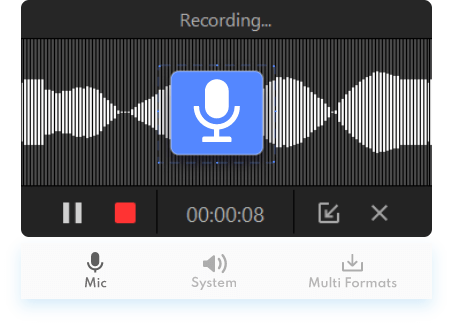
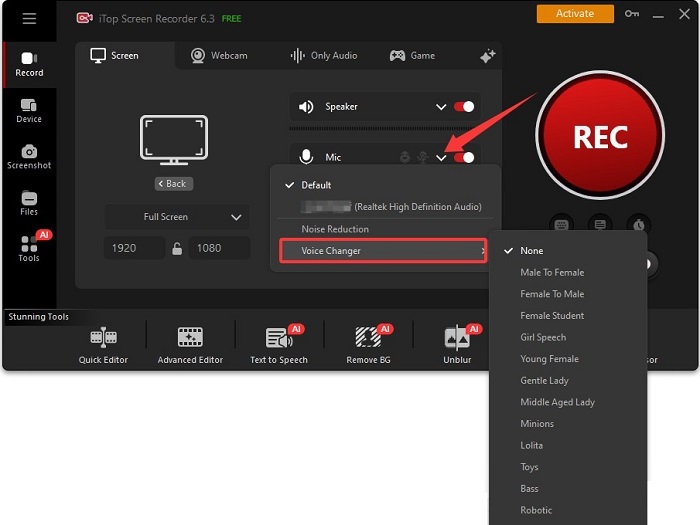
iTop Screen Recorder is a screen recorder with various AI tools, including a voice changer. Such voice changer PC software enables you to modify your voice during screen recordings, live streams, and gaming sessions. There are over 10 different filters available for choosing. These filters include a robot, minion, young female, male, Lolita, or giant, as well as altering basic pitch (bass/higher). What makes it superior to its competitor is its integrated screen recorder, which allows for gameplay recording without needing separate apps. By the way, it features an audio denoiser that allows you to remove background noise and microphone echo, ensuring you have clear audio quality.
With its voice changer, you can change your voice while screen recording a screen. For example, you can change your voice in a Zoom meeting and record Zoom meeting using its screen recorder, if needed.
Pros:
- The interface is intuitive and easy to use for quick setup and application of voice filters.
- Offers a seamless workflow from recording to editing and applying effects, all within one platform.
- The various filters and effects help create more engaging and entertaining content for platforms like YouTube or Twitch.
Cons:
- Compared to dedicated voice changer applications, the iTop Screen Recorder may offer fewer advanced customization options or fine-tuning capabilities for the voice effects.
- No Mac version.
2. iTop Voicy - Simple and Intuitive Design
Supported OS: Windows 10 and 11
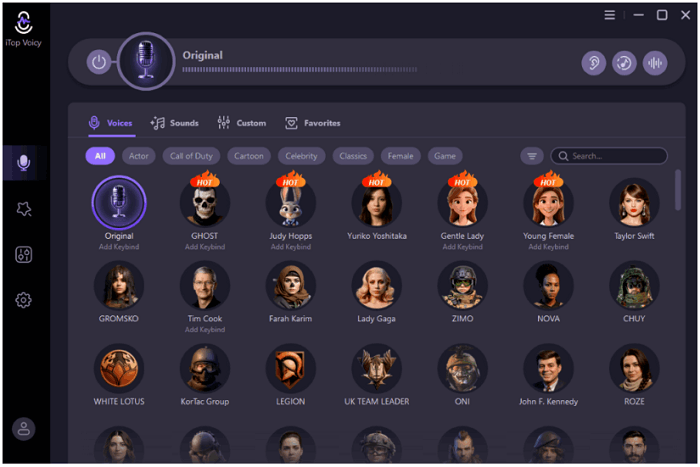
iTop Voicy is an AI-powered free voice-changing software designed for Windows PCs, offering real-time voice transformation with no latency for use in gaming, streaming, and content creation. It features a large library of preset voices and advanced customization options. So, you can add over 100 pre-packaged AI voice effects, including options like "Minions," "Robotic," "Female," and "Male.”
Like many other voice changers, which come with noise reduction and audio enhancement, iTop Voicy also enables you to eliminate background noise and microphone echoes, ensuring clear, studio-quality sound for recordings.
Pros:
- Real-time voice modulation
- Large voice library
- Ease of use and free
- Work seamlessly with OBS, Discord, and various PC games
Cons:
- Potential for unnatural-sounding voices
- Limited function on its free version
- Limited customization for professionals
3. MorphVOX Junior - Background Noise Reduction
Supported OS: Windows XP/Vista/7/8/10
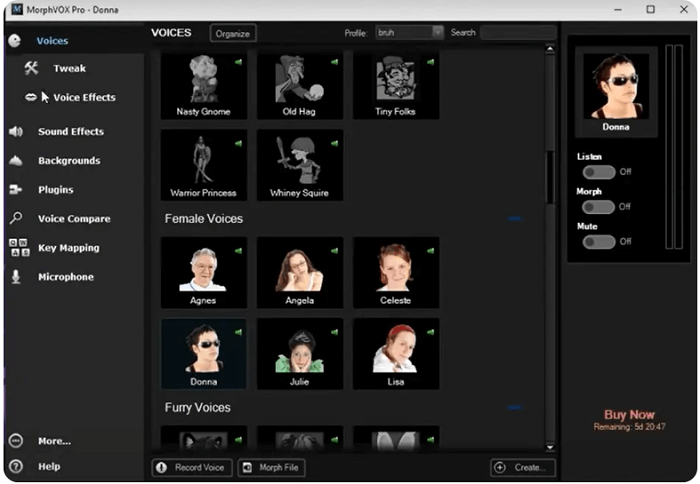
MorphVOX Junior is a real-time voice changer that offers basic voices, such as male, female, or Tiny Folks, as well as simple sounds like an alarm or cuckoo. For people who don’t need many complex features but just want to alter their voice during a game or prank their friends, this voice changer is sufficient. But for those who want voice control and options for adding sound effects, this voice changer is probably not the best option.
Pros:
- Ease of use and free
- Low resource usage
- Modifies your voice instantly during live calls and gameplay
Cons:
- Limited voices/effects
- No customization
- Lack of updates
- Lacks advanced features
- Potential compatibility issues
4. Clownfish Voice Changer - Wide Compatibility
Supported OS: Windows Vista, 7, 8, 8.1, 10, 11
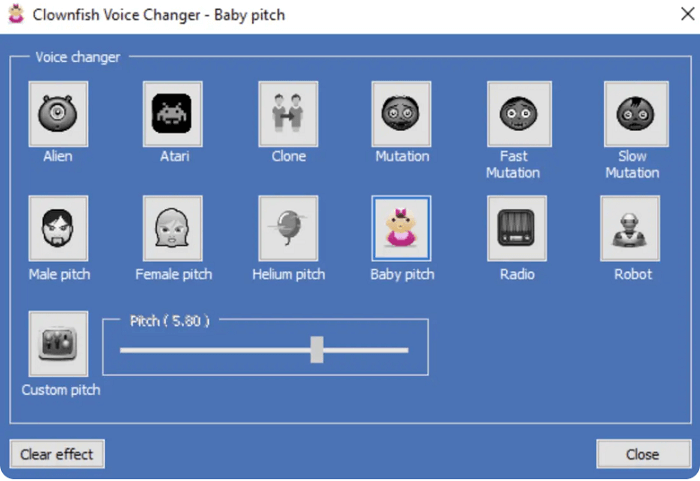
Clownfish Voice Changer is a free, system-wide voice changer for Windows. It can be widely used for voice transformation during live calls, streams, or gaming sessions with minimal latency. Users can select from a variety of preset voices and effects, including Alien, Robot, Male Pitch, Female Pitch, etc. Besides, it includes extra features like a built-in music player, a soundboard to play pre-recorded sounds, and a text-to-speech converter. For more advanced users, it offers support for Virtual Studio Technology (VST) plugins, allowing for enhanced audio control and the creation of custom effects.
Pros:
- Completely free of charge
- Widely compatible with various applications
- Lightweight and does not consume excessive system resources
- Allows for real-time voice modification with minimal delay
Cons:
- Limited customization
- Potential setup issues
- The user interface is basic
- Limited sound quality
- Lack frequent updates/support
5. Voicemod - Real-Time Voice Effects
Supported OS: Windows 10 and 11
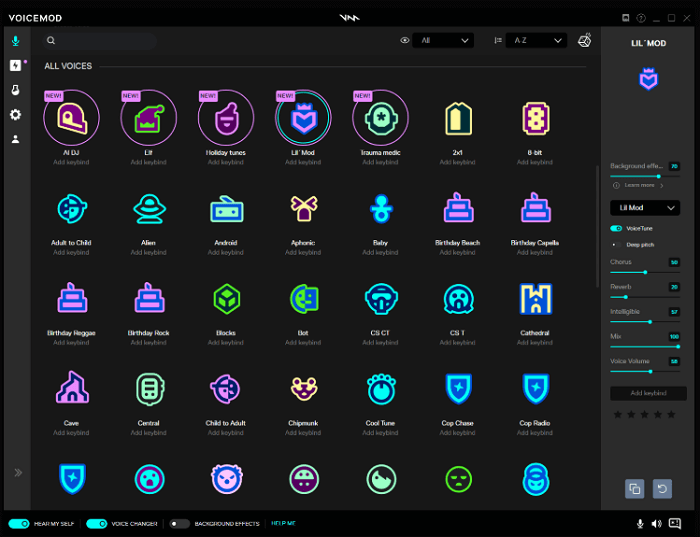
Vociemod is a real-time AI voice changer and soundboard software for Windows and macOS. It is primarily designed for voice transformation during games, streams, and online communication. It provides over 200 preset voices, ranging from robots and demons to anime characters and chipmunks. Free users get a rotating selection of 7 voices daily. It includes a custom voice generator that allows you to create your own unique voices from scratch. Users can assign MP3 or WAV audio clips to hotkeys for instant playback during streams or calls. Like many other voice changers, Voicemod is also compatible with most popular platforms and peripherals, including Stream Deck, Twitch, and many other games.
Pros:
- Easy to set up and use
- Huge library of high-quality, convenient voices
- Powerful customization with the Voicelab feature
- Ultra-low latency
- Active community
Cons:
- The free version is very restrictive, with limited, rotating voices and sound slots
- Pro features are behind a subscription paywall
- Some voices sound like gimmicks
- Causes minor CPU/FPS drops
- The Voicelab feature can be complex and is not beginner-friendly
Top 2 Voice Changer Software for Mobile
Whether you're using an iPhone or an Android, there's a range of exciting options available. In this section, we’ll introduce you to the best voice changer apps tailored for your mobile experience.
1. Voicemod for iOS - AI-Powered Voice Modulation
Supported OS: iOS 16.0 or later
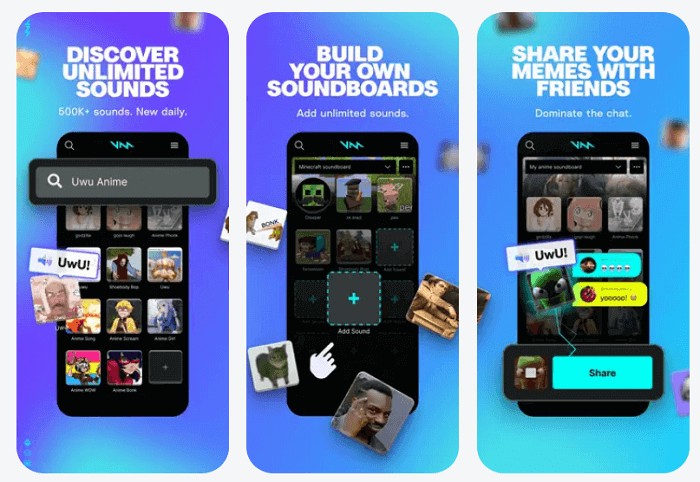
Voicemod for iOS, technically speaking, is a mobile soundboard and voice message recorder/sender, rather than a real-time voice changer for live calls or games. But if you want to enjoy its real-time functionality, you can connect to the desktop to use it. It offers an extensive soundboard library and allows users to create unlimited personalized soundboards by uploading their own MP3 or WAV files. You can use the various voice effects to record short audio clips and share them instantly via messaging apps and social media platforms.
Pros:
- User-friendly interface
- Massive library of meeme sounds and effects
- Excellent companion for the desktop app
- Easy sharing of recorded voice messages to various social media and communication platforms
- Great for casual fun
Cons:
- No real-time voice changing on iOS devices
- Limited functionality
- Some users report glitches
- Most features are limited or locked
2. MagicCall - Voice Changer App (Android) - Live Voice Changing
Supported OS: Android 8.0 or higher
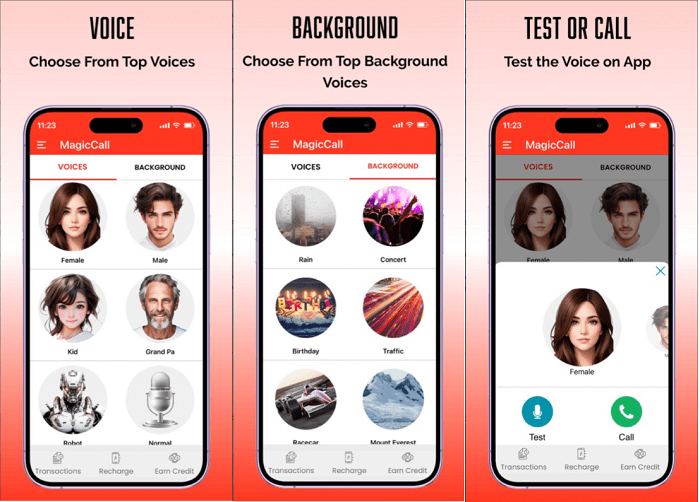
The MagicCall is a voice changer app for Android that allows users to modify their voice in real time during phone calls. It offers a range of voice effects, background sounds, and sound emoticons for entertainment and prank calls. So, you can change your voice to a male, female, kid, grandpa, robot, or cartoon. Users have the flexibility to switch between different voices and background effects even while a call is in progress. What makes it different is that it supports making international calls at nominal rates.
Pros:
- Real-time functionality
- Simple to use
- High-quality effects
- Fun for pranks
- Cross-platform compatibility
Cons:
- Limited free credits
- Costly for long–term use
- Small voice selection
- Occasional technical issues
- Potential for misuse/scam concerns
Top 3 Online Voice Changers
In this part, we'll focus specifically on online voice changers, exploring the best platforms available that allow you to modify your voice effortlessly through your browser. Whether for fun, gaming, or creative projects, let's take a closer look at the features and benefits of these convenient online tools.
1. Voice.ai - Integration with Various Apps
Supported OS: web browser
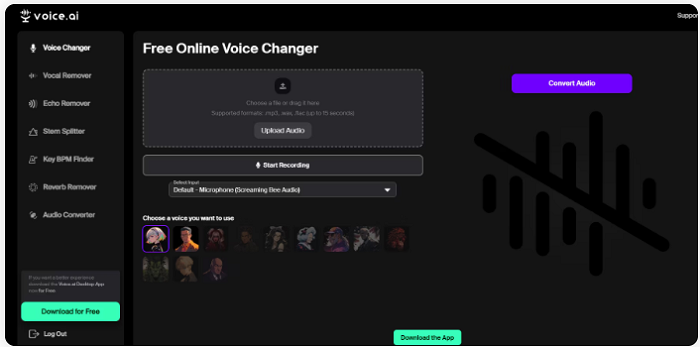
Voice.ai is an AI-powered voice changer that uses speech-to-speech conversion technology to transform voices in real-time. It routes your microphone through a virtual audio device, allowing for instant voice modification in applications like Discord, Zoom, OBS Studio, and popular online games. Users get access to a large, expanding library of over 10,000 community-generated AI voices, including character and celebrity voices. Unlike traditional voice changers that just alter pitch, Voice.ai uses advanced AI to maintain the original speaker's emotion, emphasis, and speech patterns, resulting in more natural-sounding voices.
Pros:
- Extremely realistic voices
- Large and diverse
- User-friendly interface
- The free version is available
- Supports various languages
- Real-time voice cloning
Cons:
- Requires a powerful GPU
- Inconsistent performance
- Privacy and billing concerns
- Limited utility for professional business integrations or compliance needs
- Lacks subtle emotional control
2. Murf AI - Audio-to-Text Capabilities
Supported OS: web browser
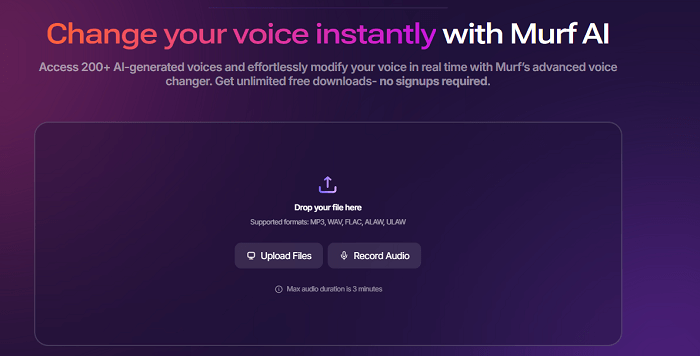
The Murf AI is an advanced tool that allows users to transform recorded audio into professional, human-like AI voices with extensive customization options. It is specifically designed for pre-recorded content transformation, not real-time voice modulation. It includes an extra audio-to-text tool, which allows you to upload a recorded audio file and transcribes the speech into editable text. Additionally, it allows you to choose from multiple emotional and conversational styles to match the context of the content. If needed, you can even combine the AI voiceover with background music, images, or video clips directly within the Murf Studio for seamless content creation.
Pros:
- High-quality, realistic voices
- Significantly reduces the need for expensive studio time
- User-friendly interface
- Offers granular control over various speech elements
- Provides a reliable and consistent voice output quality across large volumes of content
Cons:
- Limited real-time use
- The free plan has significant limitations
- The AI may occasionally mispronounce specialized words, brand names, or complex jargon
- Some users report occasional bugs with certain features
3. VoiceChanger.io - Best quick option
Supported OS: web browser
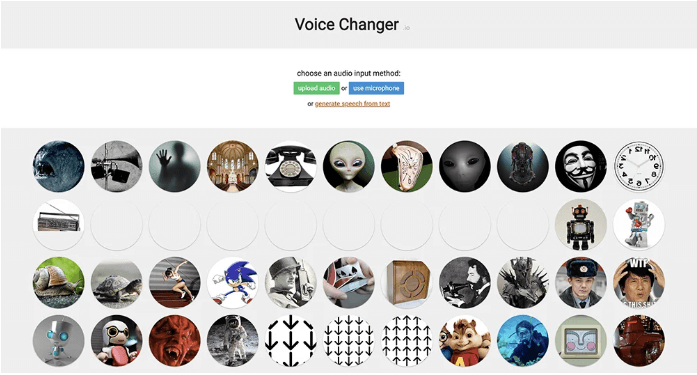
VoiceChanger.io is one of the best voice changer for online users. It features over 50 voice effects, including Chipmunk, Alien, and Underwater. You can also create a custom voice by adjusting the pitch of effects. The steps are simple. All you need is to record audio on the site and upload a clip.
Pros:
- Easy to use
- 100% free of charge
- Creative voice effects and realistic voices
Cons:
- The Site is not updated regularly
- No audio editing or restoration feature
How to Change Your Voice Using iTop Screen Recorder
Now that you know that there are many voice changer software available for modulating your voice, let’s see how to change your voice using iTop Screen Recorder. If you want to learn how to screen record protected videos or other screen activities, you can check our previous guide to learn about it.
Step 1. Get iTop Screen Recorder from its official website and install it.
Step 2. Launch iTop Screen Recorder and click Audio. Enable the option for Speaker and Mic. Click the down arrow next to the Mic to display the voice changer. Select the filter you want and click REC to start recording.
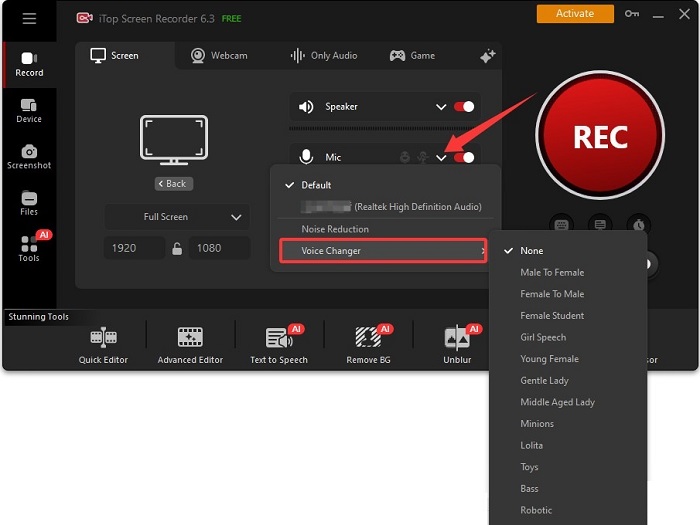
Step 3. Once it completes, click the end icon to stop recording.
The Bottom Line
In summary, this guide has introduced you to 10 excellent voice changer software or voice changer programs, allowing you to enhance your audio experience. For seamless recording and voice modification, you can download iTop Screen Recorder and start creating amazing content. In addition to modulating your voice, iTop Screen Recorder can also screen record Instagram DM without hassle. So, don’t miss this powerful tool.