Scrolling through the Twitter app, it’s hard to miss how often GIFs and short videos steal the spotlight, be it a reaction clip, a meme, or a quick highlight. It’s no surprise that many users want to keep these moments offline. This article rounds up six online Twitter GIF downloader tools, extensions, and apps, along with simple methods to download X GIFs on both mobile and desktop for free.

Disclaimer: This content is for informational and educational purposes only. We do not encourage or support downloading private or copyrighted Twitter GIFs/videos without permission. Please always respect creators’ rights, privacy, and intellectual property when downloading or sharing online content.
Why Do You Need a Twitter GIF Downloader?
A Twitter GIF downloader is a tool that lets you save GIFs from Twitter onto your device to view or reuse them anytime, even without an internet connection.
While Twitter makes sharing easy, it doesn’t offer a built-in option to download GIFs directly, which can be frustrating when you come across something worth keeping. People often want to save reaction GIFs, memes, or short clips for personal collections, presentations, or reposting on other platforms. Using a Twitter GIF downloader removes that limitation and gives you full control over how and where those animated moments are stored and used.
4 Best Free Online Twitter GIF Downloader Sites
Finding the right Twitter GIF download tool can make saving GIFs from Twitter much easier. Below are four reliable and free online options.
1. ConvertICO Twitter GIF Downloader
ConvertICO is picked for its fast Twitter GIF download speed and flexibility. It lets you grab GIFs from public tweets in seconds, then save them either as MP4 or convert them into true animated GIFs.
Beyond that, ConvertICO also supports formats like PNG, JPEG, and WebP, making it more than just a basic GIF downloader for Twitter. It also includes handy extras like a built-in Twitter to GIF converter, file size preview, and support for downloading multiple images in one go.
How to Download GIFs from Twitter:
Step 1. Open the ConvertICO Twitter GIF downloader, then copy and paste the URL of the tweet that includes the GIF you want to download.
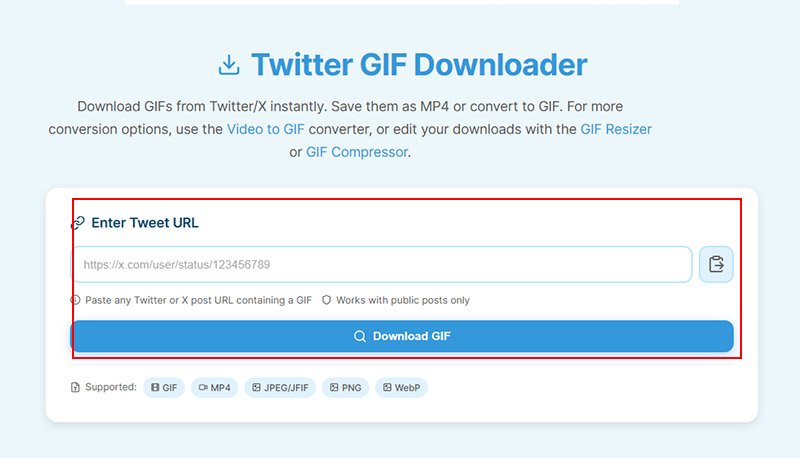
Step 2. Paste the URL into ConvertICO’s input box and click the download button.
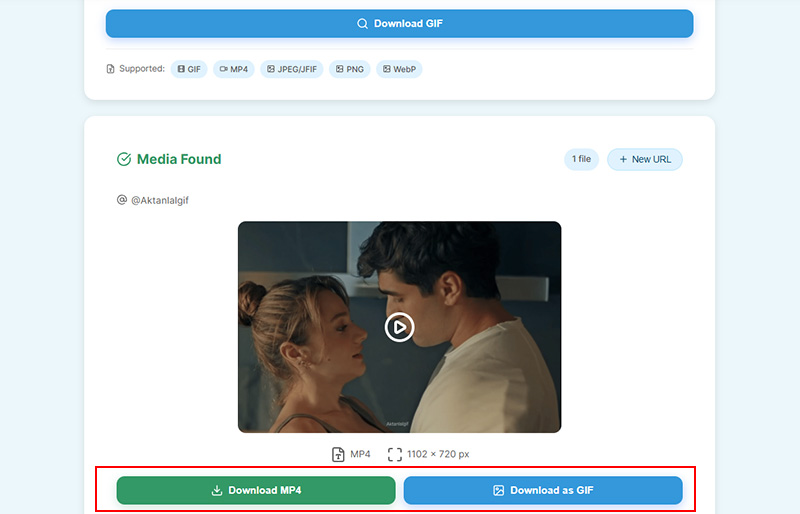
Step 3. Preview the file, then choose MP4 or GIF, and click the related download button.
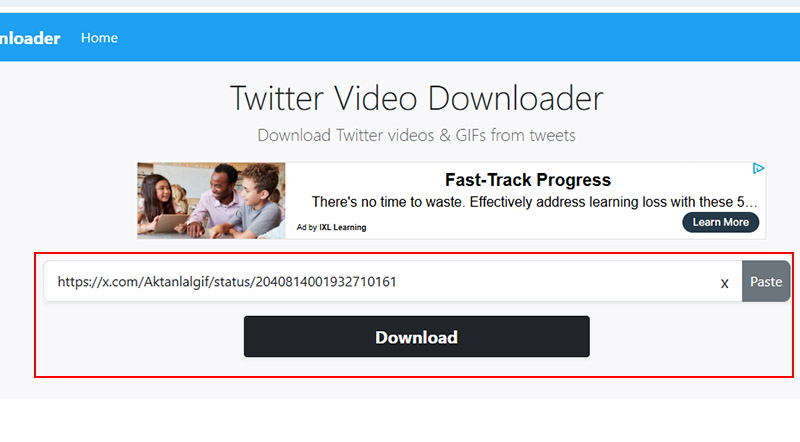
2. Twitter Video Downloader
If you want something straightforward that handles both Twitter video and GIF download posts, Twitter Video Downloader is another Twitter GIF downloader website. There’s nothing to install and you don’t need an account for Twitter GIFs or video downloads. What about Instagram, WhatsApp, Facebook videos or GIFs? Check how to screen record Instagram DM without others knowing.
How to Download GIF/Video from X Online:
Step 1. Open the tweet containing the GIF or video and copy its URL.
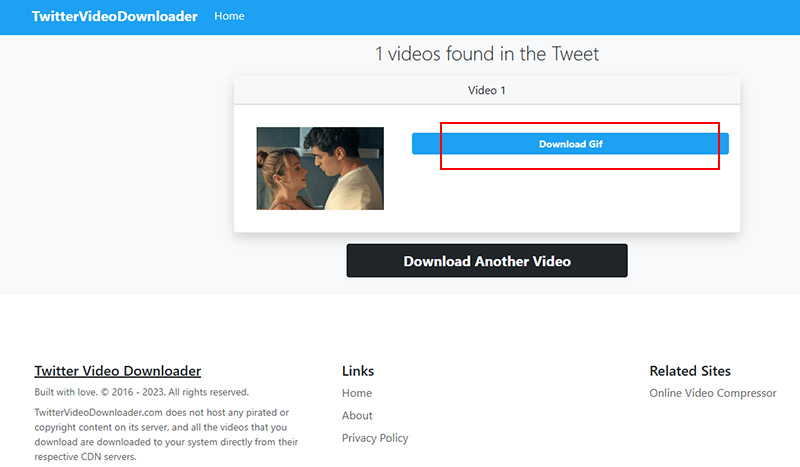
Step 2. Paste the Twitter GIF link into the URL field on the online Twitter video downloader.
Step 3. Click download, then choose the available MP4 file and save it.
3. BrandBird Tweet GIF Downloader
It’s designed with simplicity, but still covers the essentials that users actually care about, like quality, speed, and privacy. One of the X GIF downloader's advantages is that downloads retain the original quality, with no watermarks added. For users who want to go further, BrandBird Twitter to GIF downloader integrates with its own design studio, allowing quick edits like adding mockups or backgrounds after downloading.
How to Grab GIFs from Twitter Online Free
Step 1. Copy the tweet URL where the GIF is located so the BrandBird online Twitter downloader can process it.
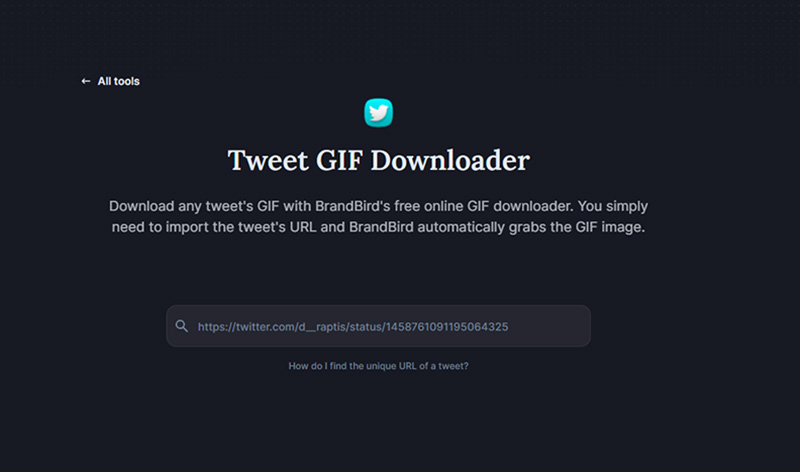
Step 2. Paste the copied tweet URL into the input box on BrandBird’s Twitter GIF downloader page.
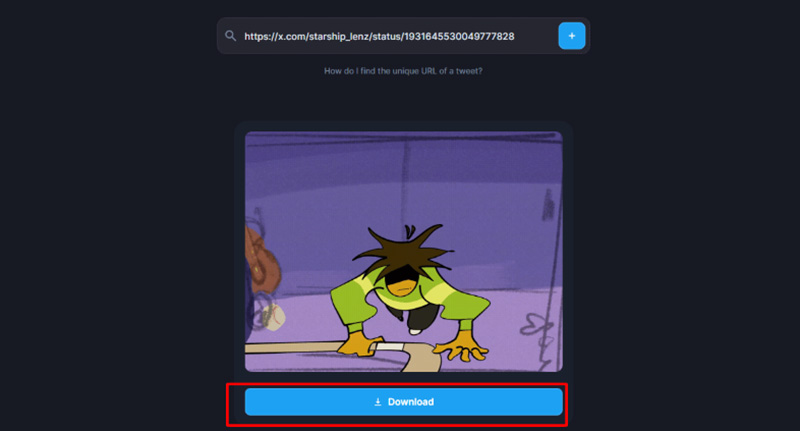
Step 3. Click the download button to save the Twitter GIF free online via BrandBird Tweet GIF Downloader.
4. Picyard Twitter X GIF Downloader
Picyard saves GIFs from Twitter without unnecessary steps or distractions. As an online Twitter GIF downloader, it focuses on speed and ease of use. Whether it’s a reaction GIF, a short visual clip, or an informative animation, the GIF downloader Twitter handles the process smoothly across both desktop and mobile devices.
How to Download Twitter GIFs Online
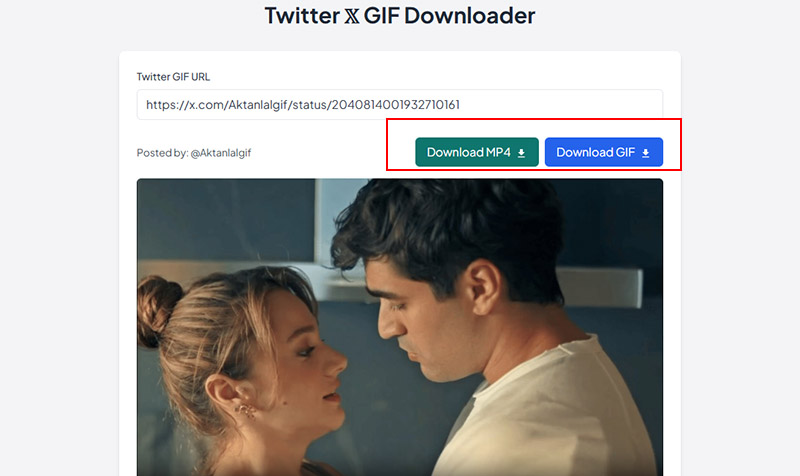
Step 1. Copy the Twitter GIF URL you’d like to download via the Picyard site.
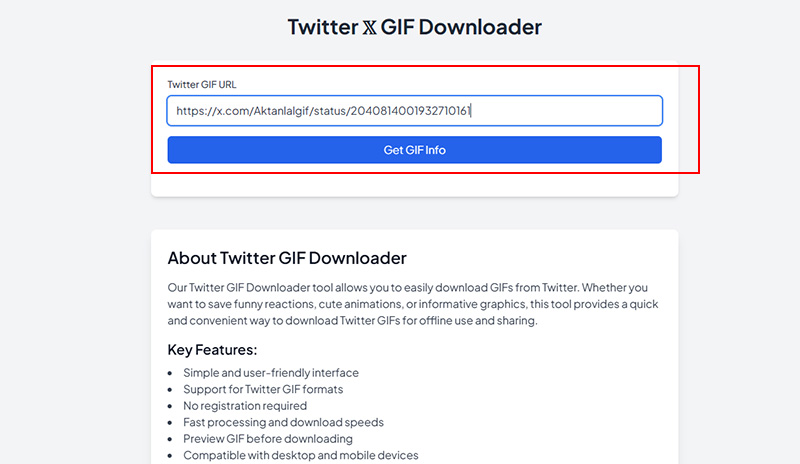
Step 2. Paste the URL into the input box on the Picyard website, and click Get GIF info.
Step 3. Click “Download MP4” or “Download GIF”.
Read more: How to record TikTok live when you want to save streams for offline viewing and rewatch your favorite moments later.
Save X GIFs with Twitter GIF Downloader Extensions
Browser extensions can save time by skipping copy-and-paste steps. A good Twitter GIF downloader in extension form works right inside your browser. This approach is especially useful for frequent downloads.
Video DownloadHelper (Firefox/Chrome)
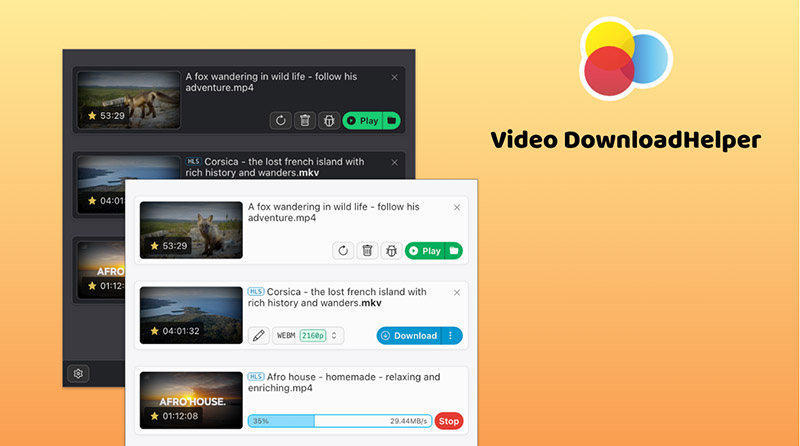
Video DownloadHelper is a popular choice that downloads videos and GIFs from 1000+ sites in MP4, MOV, FLV, etc. with support for m3u8 and MPD streams. It works smoothly across both Chrome and Firefox. For online meetings, refer to how to record zoom meeting without permission.
How It Works to Download X GIFs:
Step 1. Install Video DownloadHelper from your browser’s extension store.
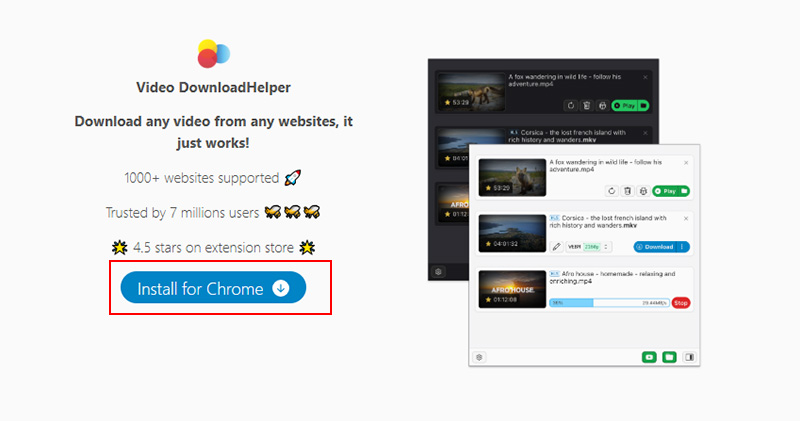
Step 2. Open the Tweeter GIF and play it so the extension can detect the media.
Step 3. Click the icon, select the detected file (usually MP4), and download it.
Twitter GIF & Video Downloader (Chrome)
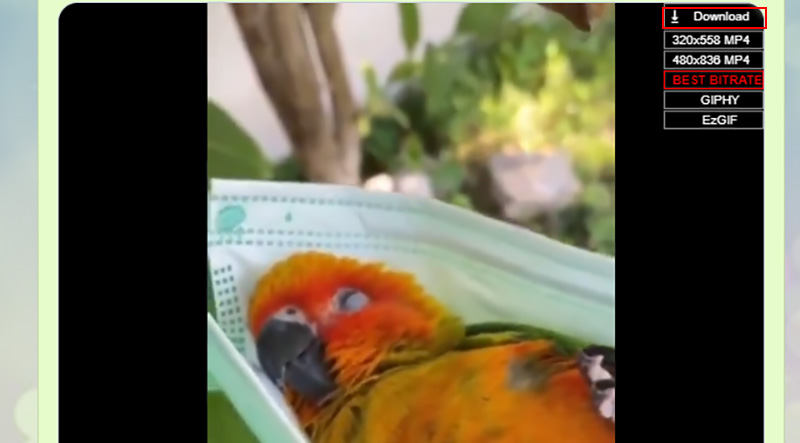
Twitter GIF & Video Downloader is also a GIF downloader for Twitter browser extension that works directly on the page and saves GIFs, videos, and images without switching tabs or pasting links elsewhere. The extension automatically detects media in tweets. Images display a download button on hover, while videos and GIFs include a quick access option with available resolutions.
How It Works to Save Twitter GIFs:
Step 1. Install the extension from the Chrome Web Store.
Step 2. Open a tweet with a GIF and hover over the media.
Step 3. Click the download button and choose the file to save it instantly.
Best GIF Downloader for Twitter on iPhone/Android
For iPhone Users
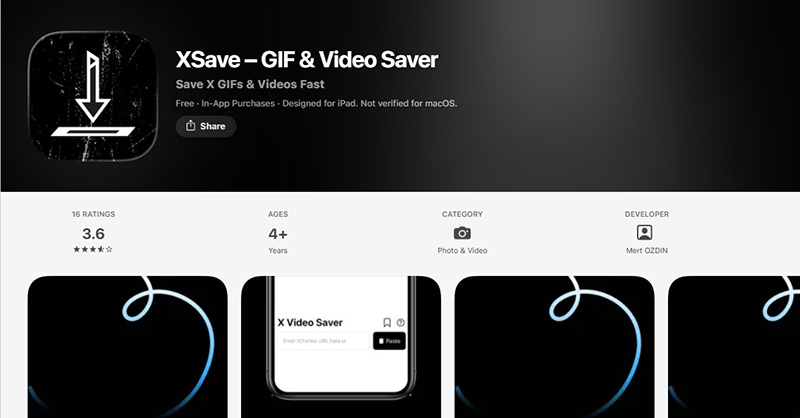
XSave – GIF & Video Saver is a highly rated free iPhone and iPad app for Twitter video download that easily saves videos and GIFs from tweets. It allows you to save GIFs, videos, and memos from X in just a few taps. Files are stored locally, so you can access or share them anytime without needing to reconnect.
How to Use It:
Step 1. Get the XSave – GIF & Video Saver app from App Store. Open X, find the tweet with the GIF, and copy its link.
Step 2. Tap to open the XSave – GIF & Video Saver app on your iPhone and paste the Twitter GIF URL into the GIF Twitter downloader app.
Step 3. Tap download to save the Twitter GIF to your iPhone.
For Android Users
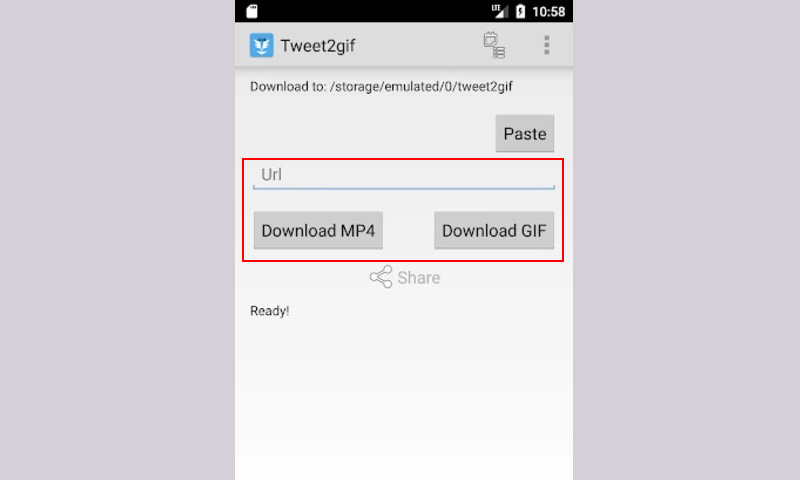
Tweet2Gif is a widely used app for Twitter video download on Android that offers fast and flexible Twitter downloads. It supports saving GIFs as MP4 or GIF format, and works with x86 and arm device. Check how to download GIF from Twitter below.
How to Use It:
Step 1. Download Tweet2Gif for Android, then copy the tweet link with the GIF.
Step 2. Open Tweet2Gif and paste the link into the input field.
Step 3. Choose your preferred format and download the file directly to Android.
Preserve Your Favorite GIF/Video HD with Screen Recording
Not every GIF on X is easy to download, especially when tools fail to detect certain posts or formats. In these cases, screen recording offers an easy workaround. Instead of relying on a traditional Twitter GIF downloader, you can capture exactly what you see on Twitter, no broken links, no compatibility issues.
One reliable option for this is iTop Screen Recorder, a free screen recorder designed for smooth, high-quality Twitter GIF recording on PC.
Why Is It the Best Alternative to Twitter GIF Downloader?
- Record Any X GIFs Free with No Restrictions
iTop Screen Recorder can record any Twitter GIF or video directly from your screen without limits. There’s no need to worry about unsupported links or playback errors, and the screen recorder avoids common issues like black screens during recording.
- Save Ultra-HD Twitter Content as GIF/MP4
The software captures Twitter images and videos in high definition (up to 4K UHD). You can export Twitter content in multiple formats, including MP4 and GIF, with this 1080p screen recorder, ensuring great compatibility across different platforms and devices.
- Flexible Screen Capture on Twitter GIFs
The screen recorder for restricted apps supports full-screen recording, selected areas, or fixed aspect ratios like 4:3, 1:1, and 9:16. This flexibility enables you to capture exactly what you need on Twitter GIFs. You are free to screen record protected videos without black screen from Netflix, Peacock, Hulu, Instagram, etc.
- More Advanced Tools for GIF Editions
Built-in editing tools allow quick trimming, cutting, adding effects/filters/text, and adjustments. Features like text-to-speech and simple enhancements help refine Twitter GIF recordings.
How to Screen Record Twitter GIF as MP4 on PC
Step 1. Download and install iTop Screen Recorder for saving Twitter GIFs and videos.
Step 2. Open the tweet with the GIF and set your recording area.
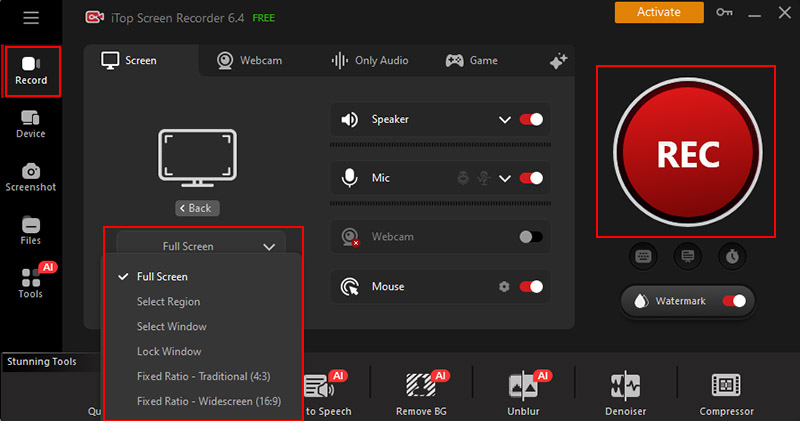
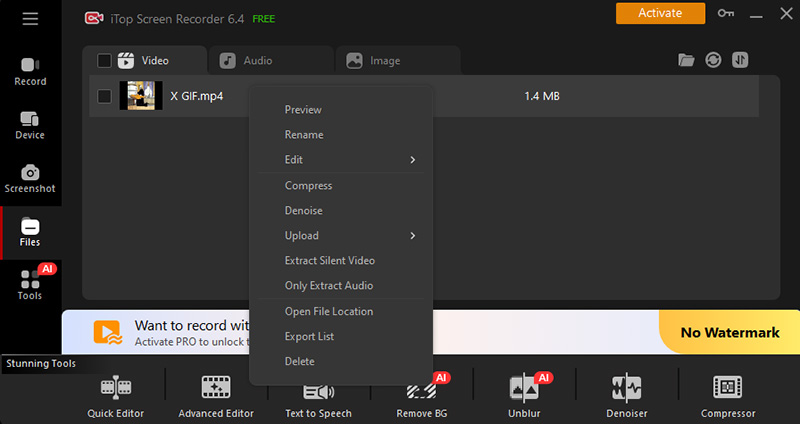
Step 3. Click REC button to start recording, play the Twitter GIF, then stop and save the file as MP4.
How to Record Twitter GIF/Video from Mobile Devices
Step 1. Open the iTop Screen Recorder screen mirror feature. Click Device, and select the device.
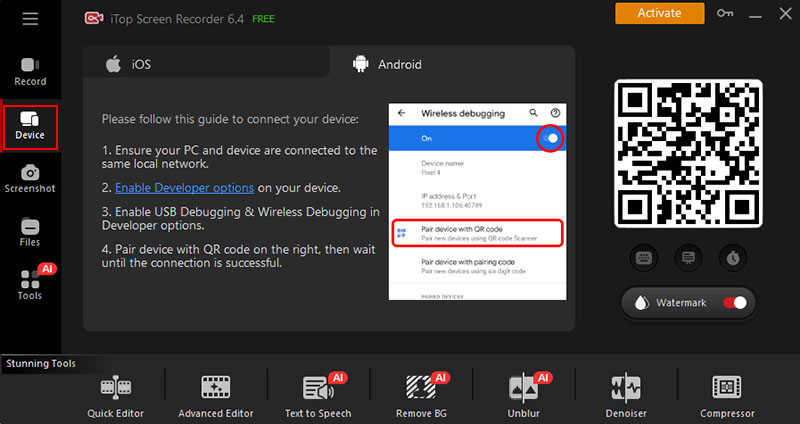
Step 2. Connect your phone to the computer via wireless casting or USB, and mirror your mobile screen to the PC.
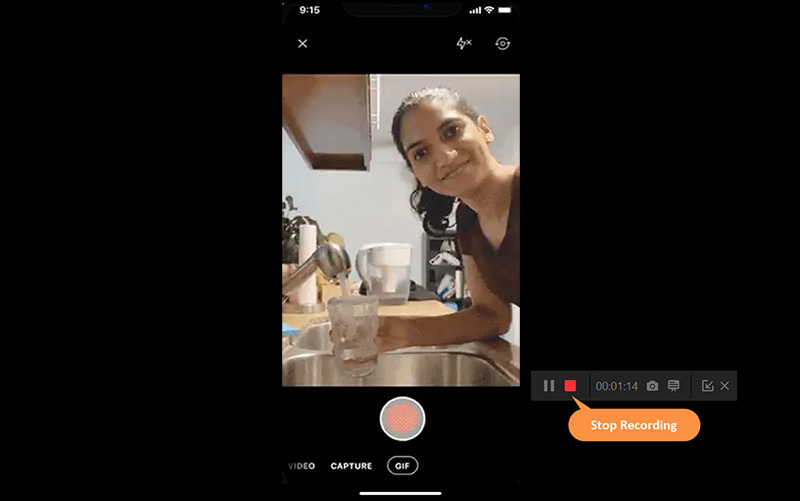
Step 3. Play the GIF or video on your phone, click REC on iTop Screen Recorder, and save the Twitter content recording.
Final Thoughts
From online Twitter GIF saver tools and extensions to mobile apps, there are many ways to save content from Twitter. A standard Twitter GIF downloader works well in most cases or public posts, but screen recording offers a dependable backup when Twitter GIF downloads fail. If you want full control and HD Twitter GIFs, images, and videos, iTop Screen Recorder is worth trying. Get iTop Screen Recorder download and save unlimited Twitter GIFs and videos.