Telegram has grown far beyond a simple chat platform. People use it to share all kinds of media, especially videos, through group chats, public channels, and private communities. In many cases, videos posted in private channels cannot be saved directly, which leaves users searching for practical ways to keep a copy.
As a result, interest in Telegram private video download solutions has increased significantly. Below are 7 free ways to save videos shared in private Telegram channels on both mobile devices and computers.
Disclaimer: Information in this post regarding Telegram private video download services is for informational purposes only. While we strive to provide accurate, up-to-date information, we do not encourage or support downloading private or copyrighted videos without permission. Users are responsible for complying with applicable laws and platform policies. Always respect creators’ rights, privacy, and intellectual property when accessing or sharing online content.
Understanding Telegram Private Video Download
Before trying different tools or methods to perform Telegram private video download, let’s understand what private Telegram videos are and whether they can actually be saved from restricted channels.
What Is a Telegram Private Video?
A Telegram private video usually refers to a video shared inside a private channel, private group, or direct chat where the content is not publicly accessible. Videos posted in these spaces are visible only to members, which is why they often cannot be downloaded as easily as regular media shared in open channels.
Can You Download Telegram Videos from Private Channel?
In many cases, Telegram allows users to save videos directly if the channel owner has not restricted downloads. However, some private channels disable the default saving option to prevent redistribution. So you have to rely on third-party apps to download private videos.
5 Methods for Telegram Private Video Download Free (Online/Android/iOS)
Below are five common approaches to Telegram video download private used across web browsers, Android phones, and iPhones to complete a Telegram private video download without paying for specialized software.
Method 1. Use Telegram Private Video Downloader Bots
Some of these tools function as a Telegram private video downloader, allowing users to retrieve videos that normally cannot be saved through the default download button. A widely shared example is the Telegram private video downloader bot called “Save Restricted Content.”
Since these bots rely on Telegram’s messaging system, they may limit the number of requests within a certain time period.
Step 1. Open Telegram and search for the bot named “Save Restricted Content,” or visit: https://t.me/Save_Restrict_bot
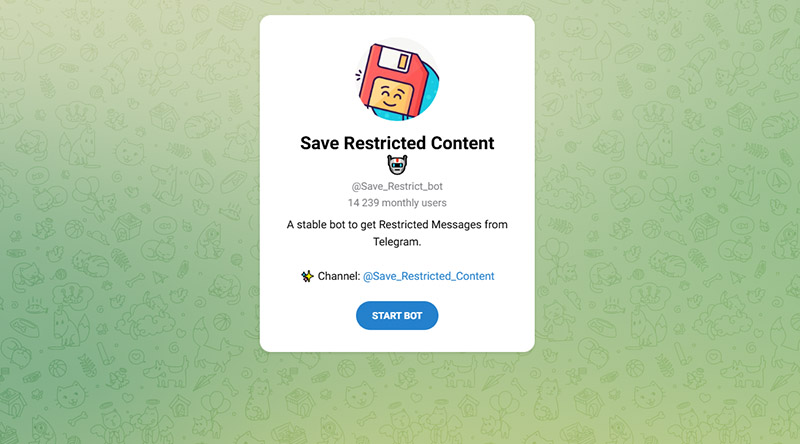
Step 2. Start the bot and follow the login instructions, which usually involve confirming your Telegram number and verification code.
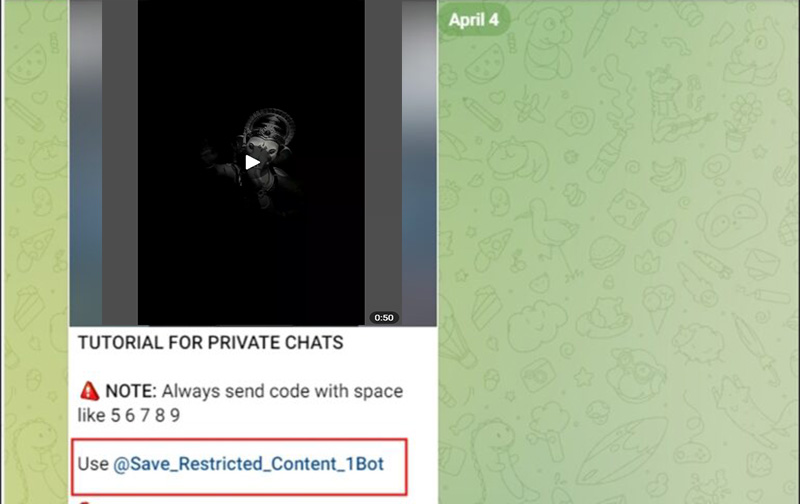
Step 3. Go to the private channel containing the video, copy the message link, and click “Use @Save_Restricted_Content_1Bot”, then “START”, and send that link to the bot. It will process the request and return a downloadable version of the video.
Method 2. Download Telegram Private Videos in Extension
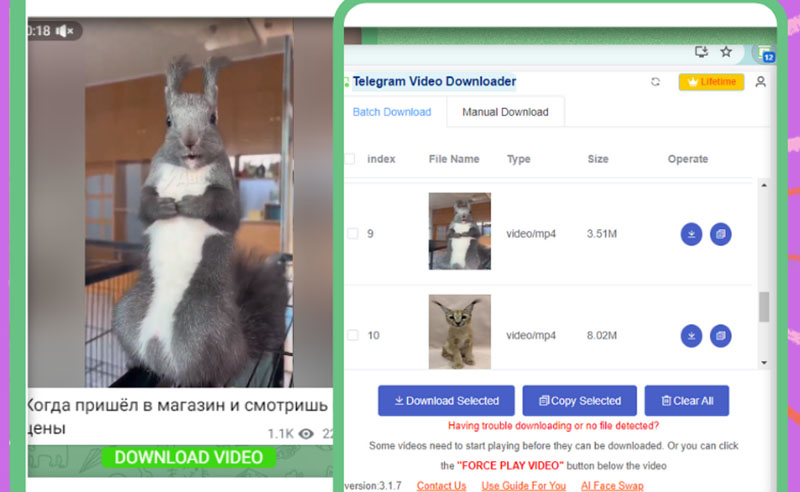
For users searching for how to download video from Telegram private channel in PC, extensions like Telegram Video Downloader offer a quick solution when the normal download button is unavailable.
Step 1. Open the Chrome Web Store and install the Telegram Video Downloader extension.
Step 2. Visit Telegram Web and log in to your account, then open the private channel containing the video.
Step 3. Play the video in the browser. The extension will detect the media and display a download option so you can save the file to your computer.
You May Like: How to Record a Zoom Meeting with/Without Permission >>
Method 3. Save Restricted Videos Using a File Manager (Android)
Another approach relies on the way Telegram temporarily stores media files on a device. When a video is played in the app, a cached copy is often created in the local storage. With a file manager like File Manager Plus, you can sometimes locate that cached file and save it before the app removes it. You can also download Telegram private photos in this way.
Step 1. Open the Telegram app and play the video from the private channel so the file is fully loaded on your device.
Step 2. Install and open a file management app such as File Manager Plus, then allow it to access your device storage.
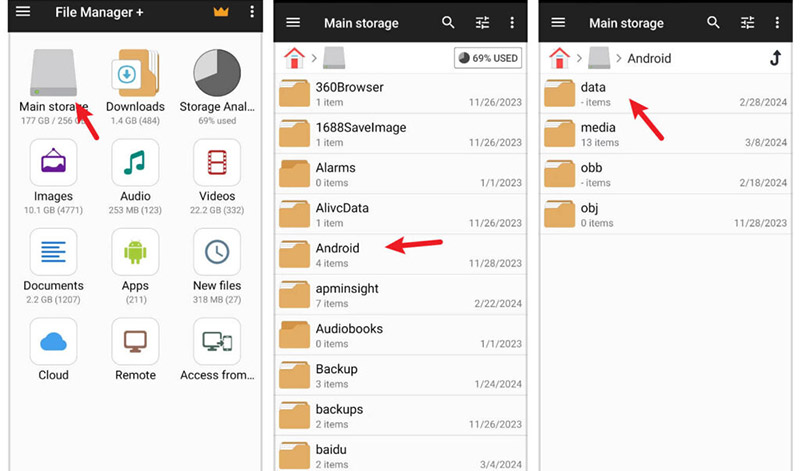
Step 3. Navigate to the following directory: Android > data > org.telegram.messenger > files > Telegram > Telegram Video
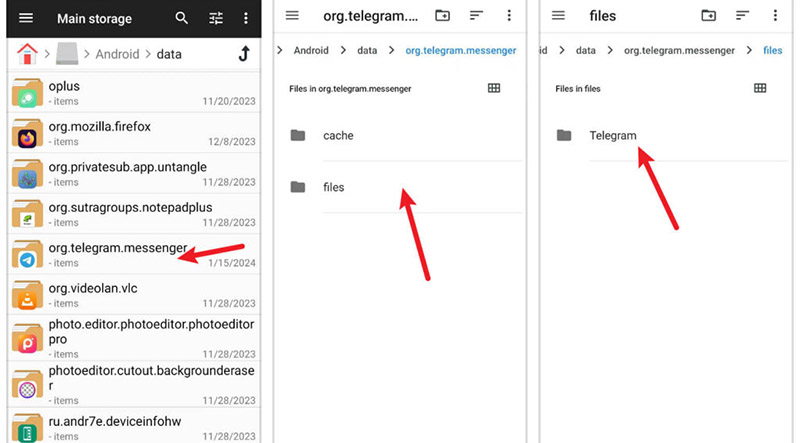
Step 4. Locate the recently downloaded video and move it to another folder on your device so it remains accessible.
Method 4. Use Online Free Telegram Video Downloader
A Telegram private channel video downloader online free is also a good solution. iViGo.cc Video Downloader is a browser-based free service that lets you save streaming media in a few seconds. Unlike some other Telegram private video downloader online tools, it provides a real download button without misleading links.
Step 1. Visit the official site of the Telegram private video downloader online and copy the Telegram private video link you want to save.
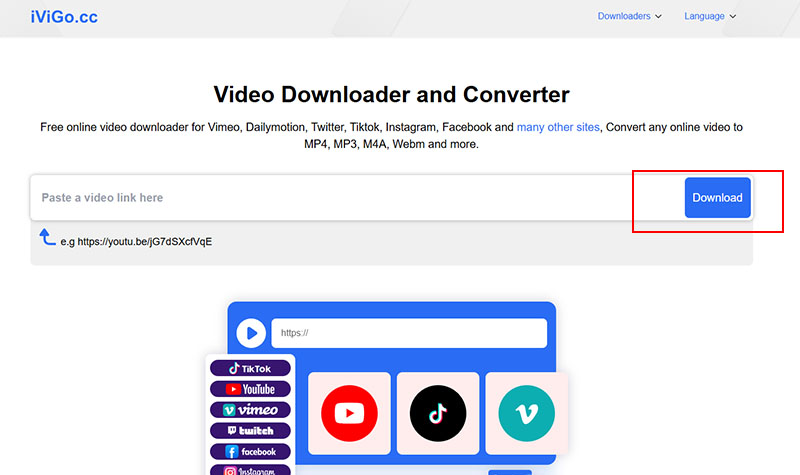
Step 2. Paste the Telegram private video link into the search box on the homepage and allow the tool to analyze the content.
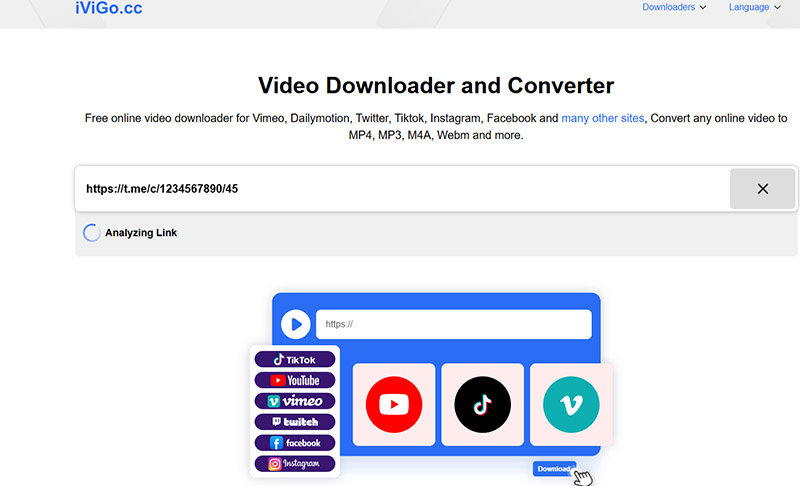
Step 3. Choose the available format and download the file directly to your device.
Method 5. Rely on Built-in Screen Recorder on Your Device
How to download video Telegram private group? The screen recorder built into your phone can still help you capture a video from Telegram private channel.
- On Android
Step 1. Open the Telegram video you want to keep and pause it at the beginning.
Step 2. Swipe down from the top of the screen to open Quick Settings, then tap the Screen recorder icon.
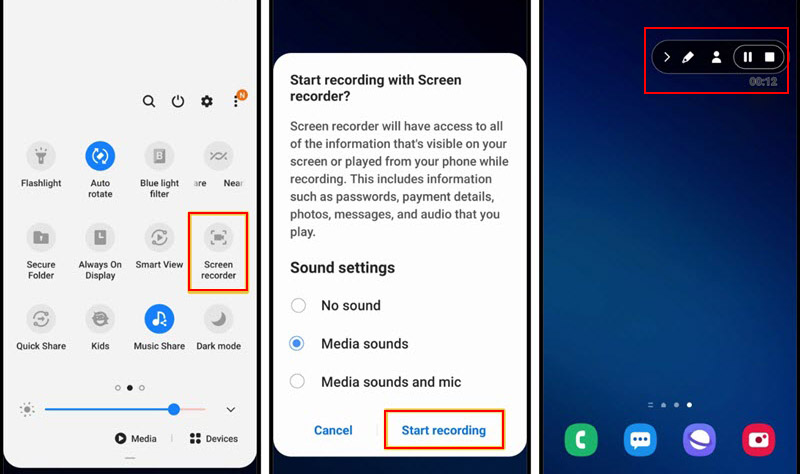
Step 3. Play the video while recording. When it finishes, tap Stop.
- On iOS
Step 1. Go to Settings, open Control Center, and add Screen Recording if it is not already listed.
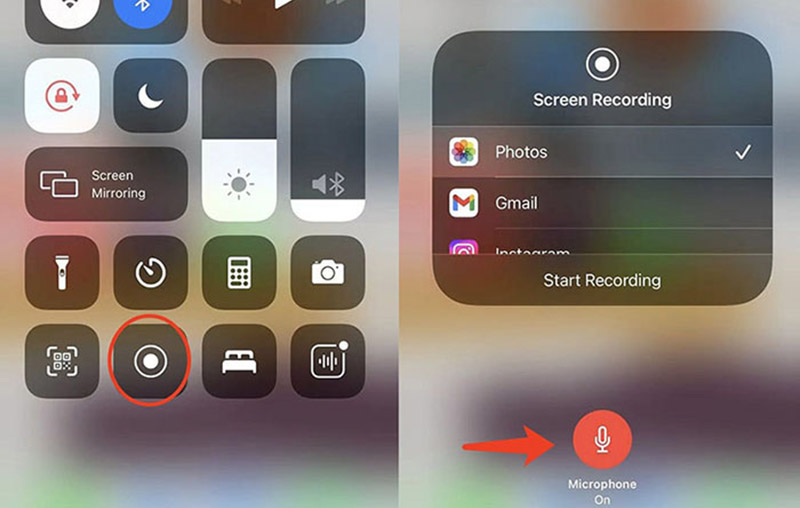
Step 2. Launch Telegram and load the video. Swipe down from the upper-right corner to open Control Center and tap the recording button.
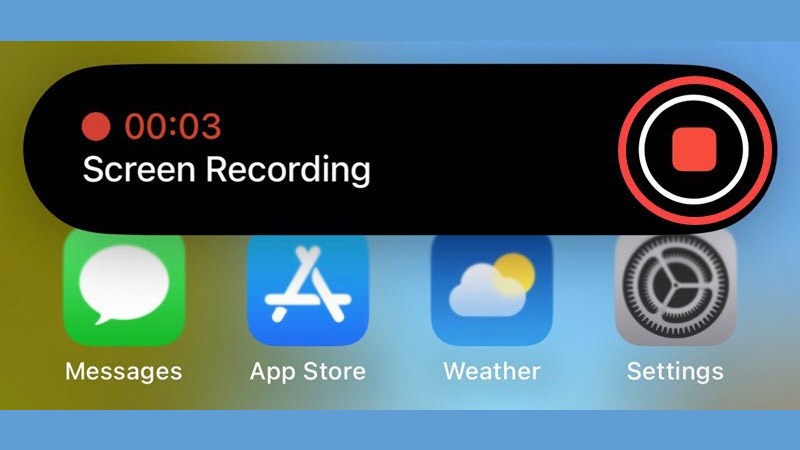
Step 3. Play the Telegram private video, then tap the red indicator to end the recording.
Read More: How to Screen Record WhatsApp One Time Video/View Once Video >>
How to Download Telegram Private Videos on PC/Mac
In fact, you can download a private Telegram video on your desktop either by using Telegram’s built-in tools or by recording your screen.
1. Download Private Videos on Telegram Desktop App
The desktop application often provides the quickest way to save it when the video is accessible in your chat or channel. The Telegram desktop app includes a built-in Telegram video download free option that lets you get a Telegram private video download locally without additional tools.
Step 1. Launch Telegram Desktop and open the conversation or channel where the video appears.
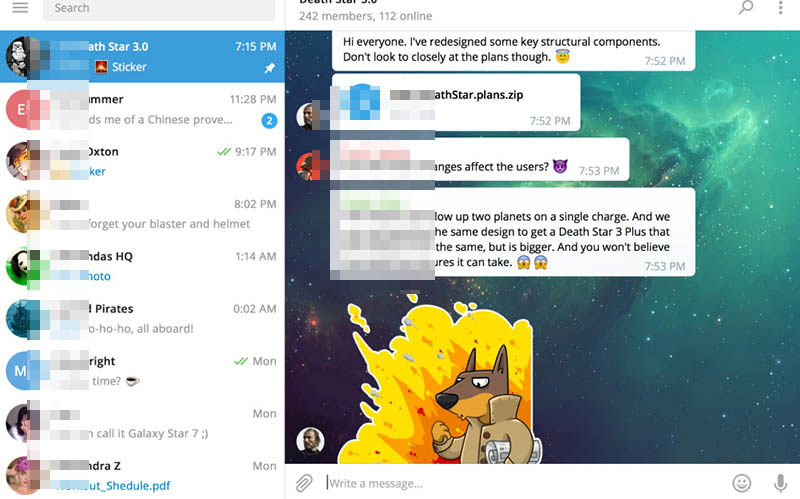
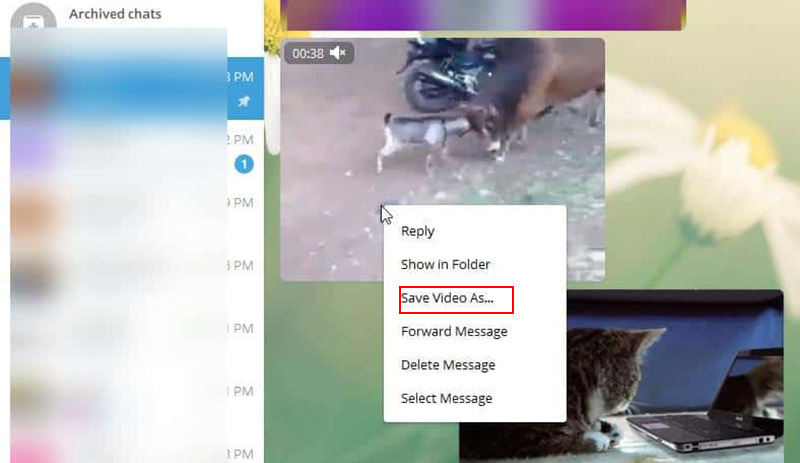
Step 2. Locate the clip in the message thread, then right-click directly on the video preview.
Step 3. Choose the option “Save Video As”, and select a folder on your computer where the video should be stored, then click “Save”.
Read More: How to record TikTok live to save content for later viewing, sharing, or creation.
2. Screen Record HD Telegram Private Videos Free on Windows
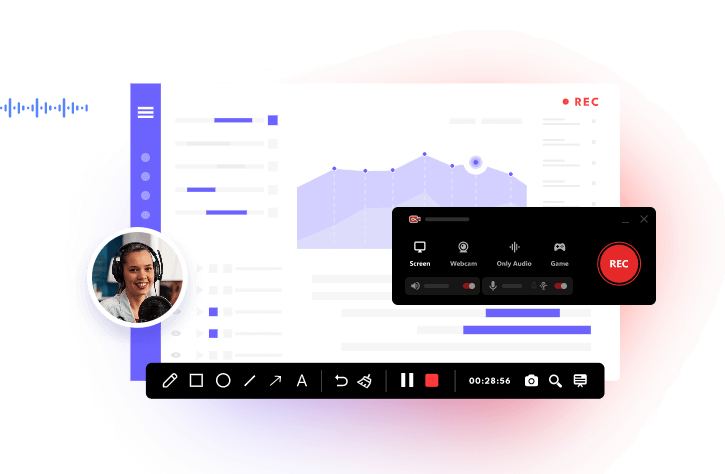
Sometimes the download option is disabled, or the content comes from a restricted source. In that case, screen recording becomes a great alternative. A solid screen recorder for restricted apps is iTop Screen Recorder, which allows you to freely capture Telegram videos in high definition without a complicated setup.
How to Screen Record Telegram Restricted Videos
Step 1. Free download, install, and open iTop Screen Recorder for saving Telegram private video.
Step 2. Choose the part of the screen you want to capture on Telegram.
You can record the entire display or drag to select only the area where the Telegram private video is playing. Adjust options like system sound or microphone if needed before starting.
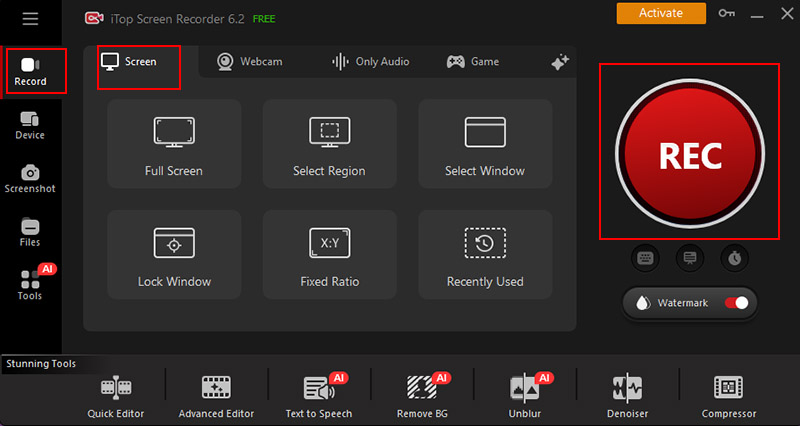
Step 3. Open Telegram Web or the desktop app and navigate to the private video you want to save. Click the REC button to begin recording.
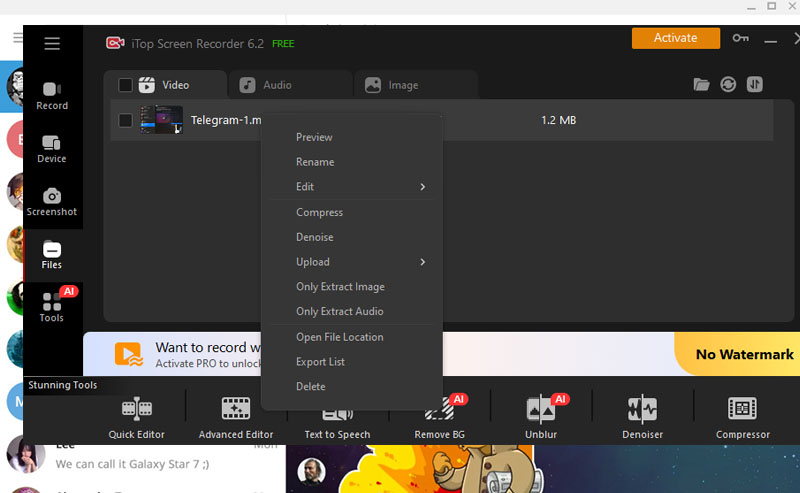
Step 4. Once the video finishes, click Stop to end the recording. You can preview it, trim unwanted parts, or apply simple enhancements if necessary via Files > Video.
Why Use iTop Screen Recorder for Telegram Private?
- Record Restricted Videos Free No Black Screen
The recorder captures Telegram directly from the screen smoothly, including Telegram private videos, and helps screen record protected videos without black screen.
- Save HD Telegram Private Videos & Audios
The 1080p screen recorder saves video and audio together and produces clear output in HD quality. Built-in audio editor can also reduce background noise to keep dialogue or soundtracks crisp.
- AI Voice Changer for Telegram Private Chats
The software includes voice-changing effects that modify recorded audio. You can experiment with styles such as deeper tones, robotic voices, or lighter variations for different recording scenarios.
- More Advanced Tools for Video Editions
After recording, the screen recorder offers basic and advanced editing features. You can trim clips quickly, compress large files, add effects/watermark/text, and prepare videos for easy sharing.
You May Like: Best Twitter GIF Downloader (Sites, Apps & Extensions) >>
FAQs About Telegram Video Download Private
1. Can I download private videos without joining a channel?
In most cases, you cannot access or save a video from a private channel unless you have permission to view it. Telegram restricts media in private groups and channels to approved members. But you can save the video with screen recorder for restricted apps or a Telegram link video download.
2. Is it safe to download private videos from Telegram?
Downloading videos from Telegram is generally safe when you use trusted Telegram video download online tools or the official apps. Always avoid suspicious websites or unknown software that ask for account credentials.
3. How to Find My Downloaded videos on Telegram?
On Android, check Android/data/org.telegram.messenger/files/Telegram in the file manager. On iPhone, videos may appear in the Files app or Photos if saved. On a computer, they are stored in the folder you selected during the Telegram restricted video download process.
The Final Thought
Bots, browser extensions, or the desktop Save As feature can work in some situations for Telegram private video download, but they don’t always support every video source or private channel. A screen recorder like iTop Screen Recorder can fill the gap. It captures the Telegram private video while it’s playing. Get iTop Screen Recorder download and save Telegram private video and sound in HD without the usual black-screen issue.