Audiences today expect content that sounds familiar, natural, and culturally aligned. A local voice builds trust faster than subtitles or generic narration, especially in markets with strong linguistic identity. India is a clear example: dozens of widely used languages, distinct accents, and a fast-growing digital audience across video, apps, and e-learning. This is why Indian text to speech becomes essential.
It allows creators, businesses, and developers to deliver spoken content that feels native rather than translated. From marketing videos to tutorials and voice assistants, the right TTS solution can dramatically expand reach and engagement in India. Below, we’ll look at several platforms worth using.
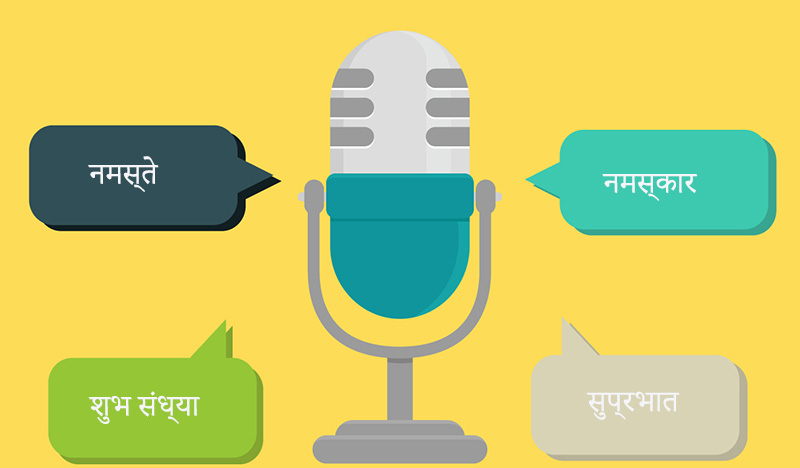
The New Era of "Bhasha" AI
India’s linguistic diversity is not just a cultural fact, it’s a communication challenge and an opportunity for modern audio content.
The Power of Local Dialects: Standard English TTS often fails to capture the wide variety of India’s spoken languages. Using Indian text to speech allows brands and creators to connect authentically with audiences, thanks to regional pronunciation, tone, and expression.
Beyond Hindi: Modern neural TTS engines now support Tamil, Marathi, Bengali, Telugu, and other regional languages. This expansion ensures content can reach the full spectrum of India’s linguistic landscape without alienating non-Hindi speakers.
The “Natural” Factor: Advanced India text to speech models in 2026 text to speech software can handle Hinglish, code-mixed phrases, and culturally nuanced speech patterns, which produce narration that feels genuinely local and conversational.
The Top Indian Text to Speech Platforms for 2026
After knowing the rise of Bhasha AI and the nuances of Indian communication, it’s clear that a high-quality Indian text to speech solution is essential. The following tools go beyond standard English TTS and allow for text to speech Indian accent output that resonates with diverse listeners.
iTop Screen Recorder – Best Free Indian Text to Speech Tool
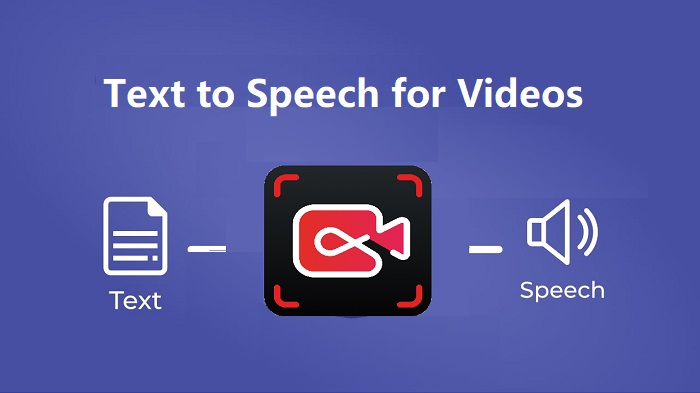
iTop Screen Recorder comes with a built-in TTS module that makes creating Indian-accented voiceovers simple and natural. Its Text to Speech feature converts both text and documents into clear, accurate narration, combining natural, emotionally varied voices with flexible speed, pitch, and pause controls. Its broad language and accent support make it a great pick for localized and global voice content.
Key Features:
● 100% Free Text to Speech: The screen recorder allows users to generate Indian-accented audio without payment, accounts, or time-limited trials. This lowers the barrier for educators, solo creators, and small teams experimenting with voice content for the first time.
● Multi-Language Indian TTS Support: In addition to Hindi, the tool supports several widely spoken Indian languages, such as French, Japanese, Spanish, and Portuguese. This makes it possible to localize the same message across regions.
● Handles Long Scripts Smoothly: Unlike many online TTS tools that cap usage at a few thousand characters, iTop Screen Recorder supports long text inputs of up to 10,000 characters in a single conversion for tutorials, lecture-style videos, and extended narrations.
● Clean, Consistent Audio Output: The generated speech is clear and well-paced, with stable volume and pronunciation. Audio quality is good enough for practical use cases like video voiceovers, e-learning modules, and podcast-style.
Best for: Users who need a free and natural-sounding Indian text to speech tool that supports long-form scripts and multiple regional languages.
Pricing: Free
How to Use iTop Screen Recorder for Text to Speech
Step 1. Get iTop Screen Recorder download and install iTop Screen Recorder on your PC, then launch the program to get started.
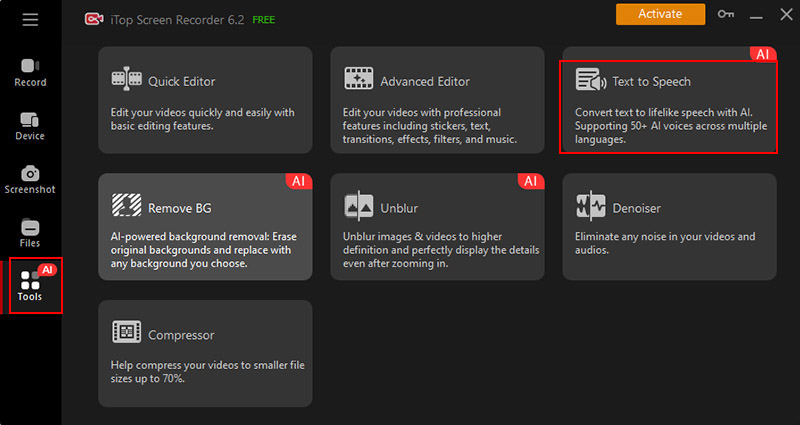
Step 2. Open the Tools menu and choose the Text to Speech option to access the voice generator.
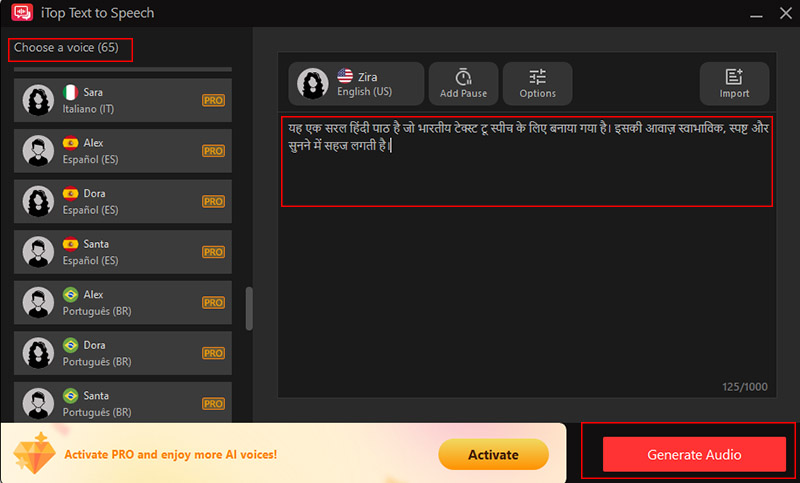
Step 3. Enter or import your Hindi text or document, select a voice, and fine-tune speed, pitch, and volume if needed. Click Generate Audio, then save and export the Indian text to speech file.
Minimax India Text to Speech
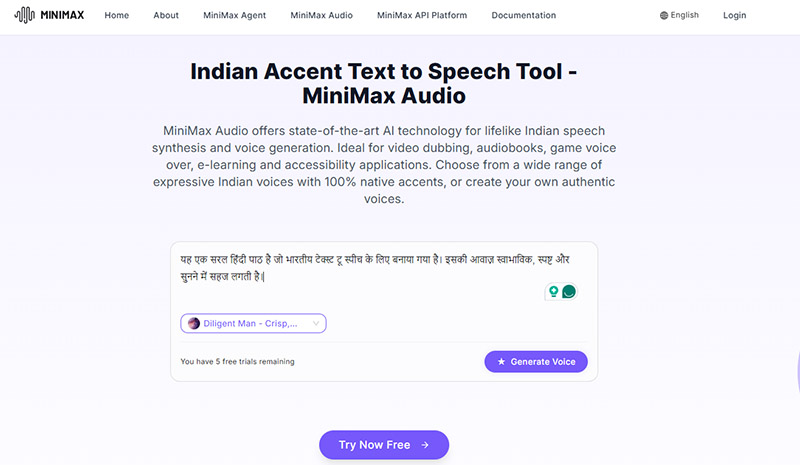
Minimax India Text to Speech converts written text into smooth speech with a text to speech Indian accent. It offers a range of Indian-accented AI voices that sound authentic and fluent, ideal for podcasts, audiobooks, video narration, and voiceover projects. There are over 50 languages to choose from, including Indian English, Japanese text to speech, etc. ensuring culturally accurate and diverse voice synthesis worldwide. The platform allows users to fine-tune voice style through adjustable audio settings. You can also separate vocals from noisy or complex backgrounds.
Pros:
● Produces realistic intonation and cadence.
● Supports over 50 languages, including Indian English.
● Creates a personalized voice model using as little as 10 seconds of recorded audio.
Cons:
● Limited free usage, only 10 voice slots for starter plan.
● Consistent connectivity is needed for smooth generation.
Best for: Content creators, educators, and digital marketers who need online Indian text to speech audio with clear pronunciation.
Pricing: Offers a free tier with limits, paid plans start at $10/month.
Vidnoz AI Text to Speech Online
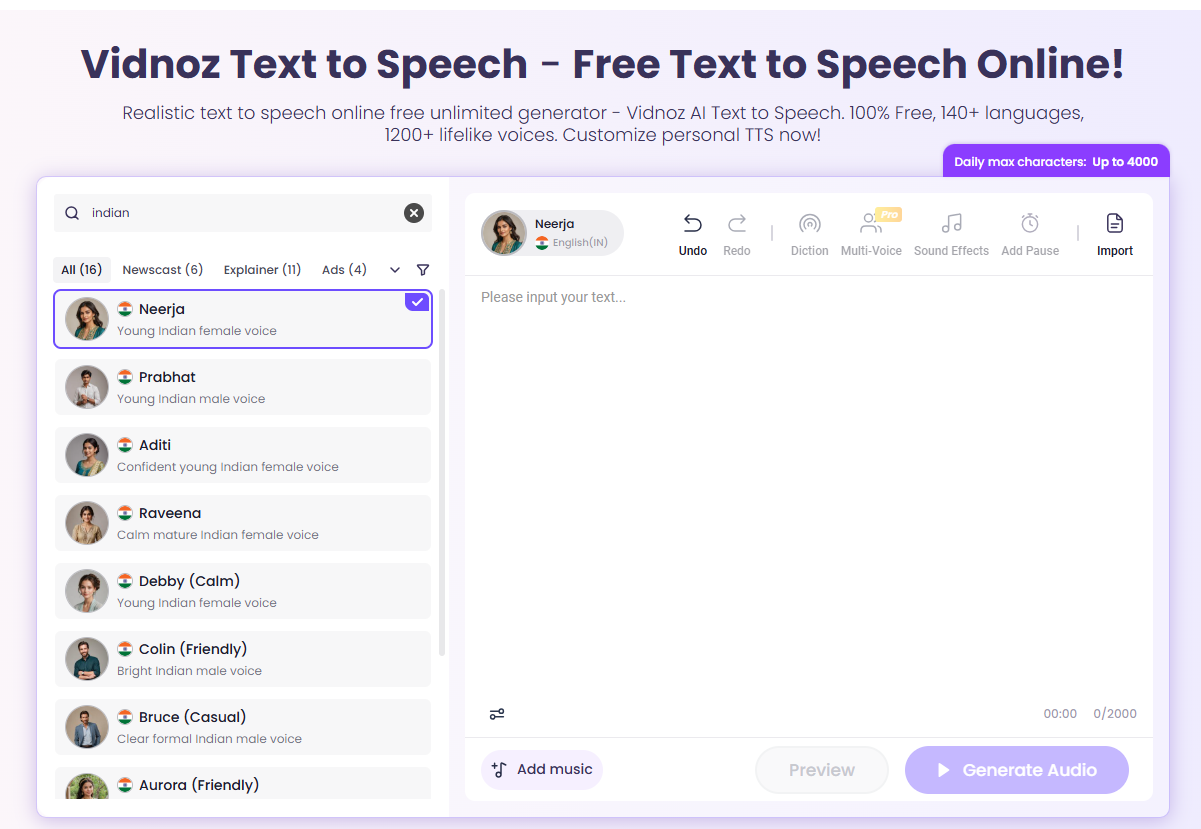
Vidnoz AI Text to Speech is another cloud-based solution that converts written content into audio with text to speech in Indian accent. The platform supports over 140 languages, for example, transform text to speech in Indian voice, Chinese text to speech, French text to speech, and generate voice content for global audiences and multilingual projects. Users only need to paste text, click to generate speech, and then listen to or download the audio in MP3 format within minutes.
Pros:
● Extensive language support, 140 languages+.
● 1,200 voice options from different genders, age groups, accents, and speaking styles.
● Natural, human-like speech output.
Cons:
● The free plan only offers restricted access to text-to-speech and audio-to-text tools.
● Only a small number of audio previews (up to 5) are free.
Best for: Those who are looking for fast, natural-sounding, multilingual AI voiceovers for videos, audiobooks, e-learning, and marketing content.
Pricing: Free plan available with basic features, premium plans start at $6.74/month.
Speechactors Indian Text to Speech
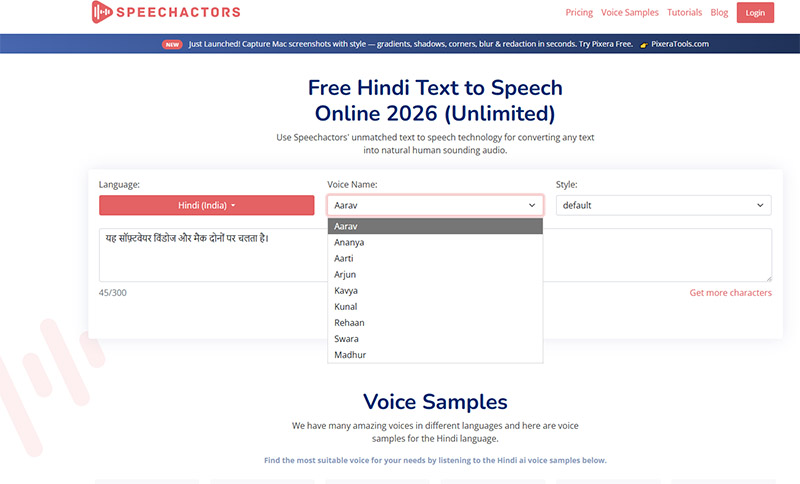
Speechactors offers an impressive range of realistic Hindi AI voices, including both male and female options like Aarav, Aarti, and Swara. The platform is simple to generate Indian text to speech, just select a voice, paste your text, and generate high-quality speech in seconds. Voices are natural, with adjustable speed, pitch, and emphasis. Users love the affordability and versatility for projects like YouTube videos, making it a reliable, easy-to-use text-to-speech solution.
Pros:
● High-fidelity voices for narration, podcasts, or e-learning content.
● 130+ languages and multiple accents in popular languages.
● Offers male and female voice options with distinct tones.
Cons:
● Free plan restricts the number of characters.
● Some minor occasional server errors.
Best for: Professional-quality Indian text to speech for Hindi-focused projects.
Pricing: Free tier available for 300 characters, premium plans start at $23/month.
The Bottom Line
For anyone exploring Indian text to speech, the above tools make creating authentic, high-quality audio easy and free, though some free online platforms are limited. Among them, iTop Screen Recorder is highly recommended due to its unlimited free access, multiple language support, and smooth handling of long scripts. Download iTop Screen Recorder now to experience seamless Indian text to speech for your projects.