French text-to-speech has quietly moved from a niche accessibility feature to something users actively seek out for learning, content creation, and everyday productivity. You see it everywhere now: language learners practicing pronunciation, creators adding voiceovers, even small teams polishing demos without hiring voice talent.
However, many tools for this task sound flat, robotic, or confusing to use. This article focuses on French text to speech done properly, showing how to create natural-sounding French audio using five reliable AI voice generator tools, both online and on PC.
What Is French Text to Speech? Why Is It Important?
French text to speech turns written French into spoken audio using AI-trained voices that model real pronunciation, rhythm, and tone. Modern systems rely on neural networks, not stitched-together syllables. Below are some common use cases of why it is important nowadays.
Video Voiceover: Creators use AI-generated French voices to narrate explainers, tutorials, and short videos without booking studios or coordinating voice actors.
Audiobooks Reader: Text-heavy content can be turned into listenable French audio to make long reads accessible during commutes or for users.
Customer Service: Automated French voice responses help handle routine inquiries consistently, especially outside business hours.
Marketing & Advertising: Brands use localized French voiceovers to adapt campaigns quickly for different regions, testing tone and pacing.
How to Get Text to Speech French Online Free with MiniMax Audio
MiniMax Audio focuses on doing one thing well: turning written text into natural-sounding speech. For anyone experimenting with French text to speech online free, especially for learning or content drafts, it feels more practical than flashy. The voices are clear, pacing is natural, with 300+ voices across 50+ languages.
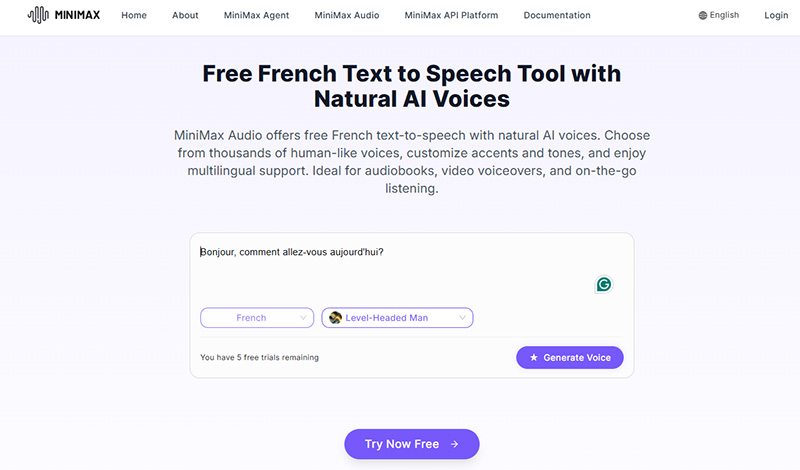
How to Transform Text to Speech French Online Free
Step 1. Open MiniMax Audio’s French text-to-speech page and paste your French text into the editor.
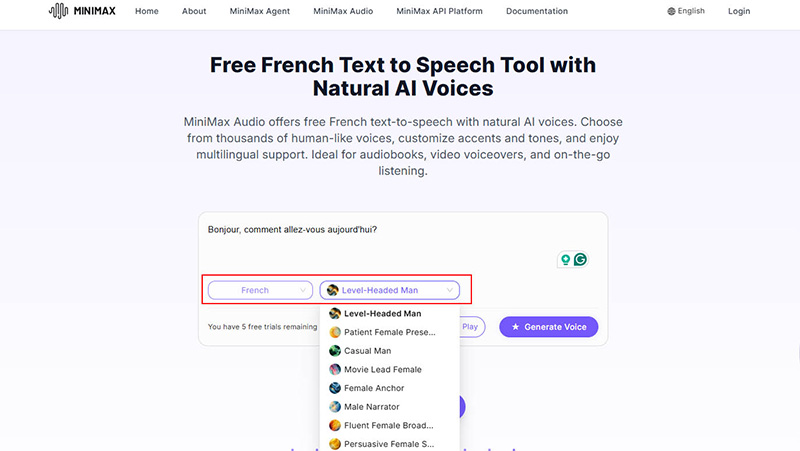
Step 2. Choose a French voice. This is useful if you’re aiming for French pronunciation audio text to speech that sounds calm, conversational, or instructional.
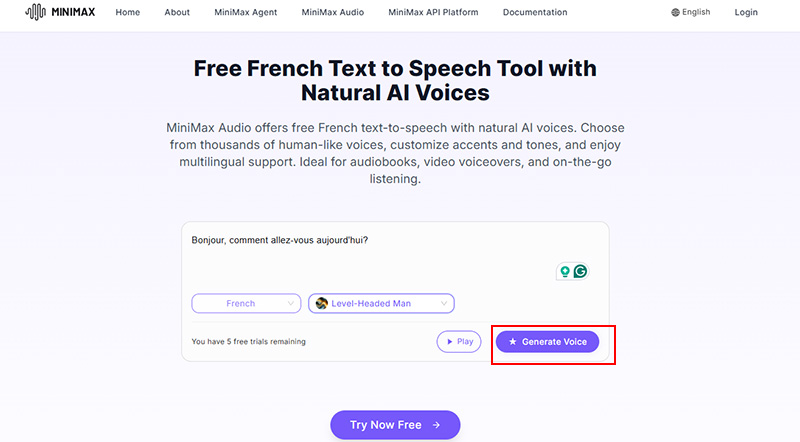
Step 3. Click Generate Voice, preview and play the audio, then download it once it sounds right.
Top Features of MiniMax Audio
- Over 300 AI voices across 50+ languages and accents, including multiple French styles
- Clean, web-based interface with no setup required
- Natural intonation that works well for longer reads
- Quick preview and export workflow
Limitations
- Free usage comes with length limits
- Advanced voice tuning options are fairly basic
Pricing: Free tier available, paid plans unlock longer exports ($49/200 credits).
Available on: Web
Best for: Voice cloning, French AI voice showcase, and text to speech French experiments without installing software.
Check the best tool to record Zoom meeting without permission and screen recorder for restricted apps and for watching your videos offline without relying on unstable streams or changing links.
How to Generate Lifelike French Text to Speech with CAMB.AI
CAMB.AI captures rhythm, pitch, and emotion, making narration feel natural rather than robotic. Choose moods like calm, energetic, dramatic, or conversational, and adapt speech for storytelling, dialogue, or e-learning.
Voices stay consistent across French and 150+ languages, perfect for localization. With easy API integration, batch processing, and real-time output, creators can generate studio-quality audio quickly.
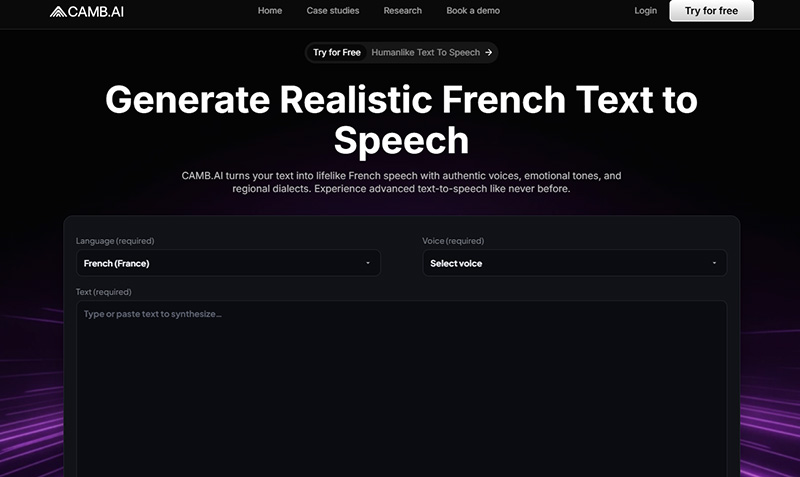
How It Works for Text to Speech Francais
Step 1. Open CAMB.AI’s French text-to-speech page.
Step 2. Paste your French script into the Text field on the page, and select a voice that fits your content.
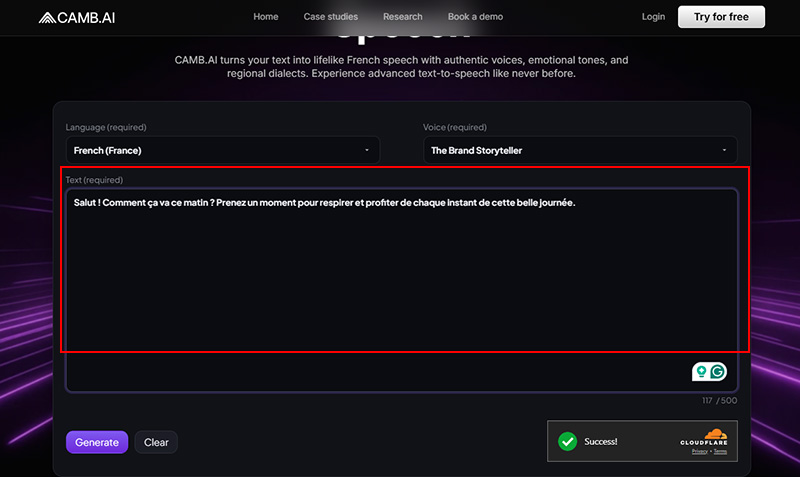
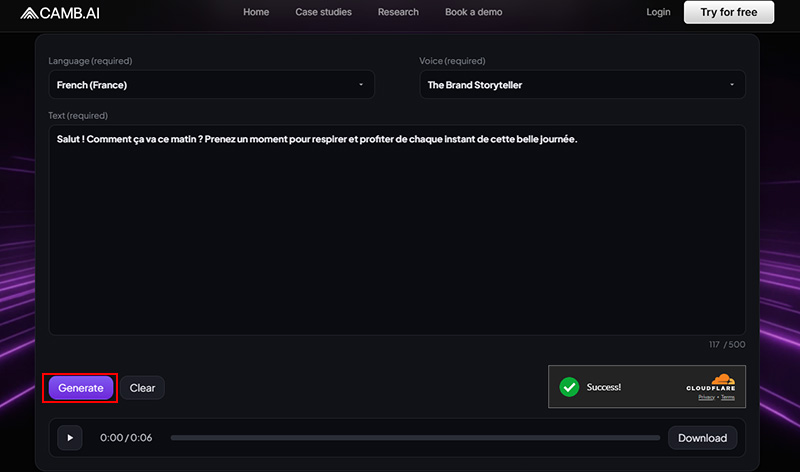
Step 3. Click the Generate button to generate the audio, preview it, and click the download button to save it once the rhythm feels right.
Top Features of CAMB.AI
- A wide range of lifelike voices across multiple languages and accents
- Strong emotional range, suitable for storytelling and narration
- Clean interface that keeps focus on voice quality
Limitations
- Fewer free credits compared to lighter tools
- Advanced controls may feel limited for technical users
Available on: Web
Pricing: 21 credits for free, paid plans for extended use.
Best for: Story-driven videos, narrations, and polished text to speech Francais projects where realism matters more than speed.
You May Like: How to Screen Record Instagram DM Without Notification >>
How to Turn PDFs, Books, Text into Realistic French Audio on Speechify
While tools like MiniMax and CAMB.AI focus on short scripts or narration, Speechify comes into play when the content gets heavier. It handles long French text to speech, like PDFs, textbooks, and articles with stable pacing and consistent tone. Speechify offers 200+ voices, speeds up to 4× without losing clarity.
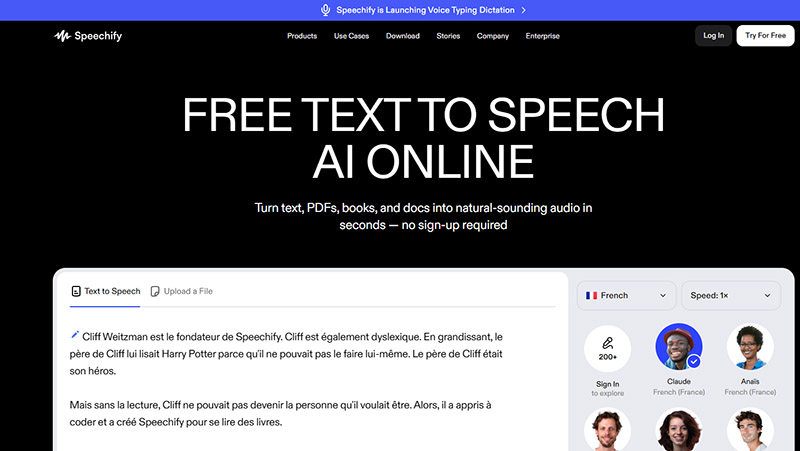
How to Turn Text to French Pronunciation Audio
Step 1. Go to Speechify free text to speech AI online page.
Step 2. Enter or copy and paste text, or upload content directly into Speechify’s interface. Select a French voice and adjust speed.
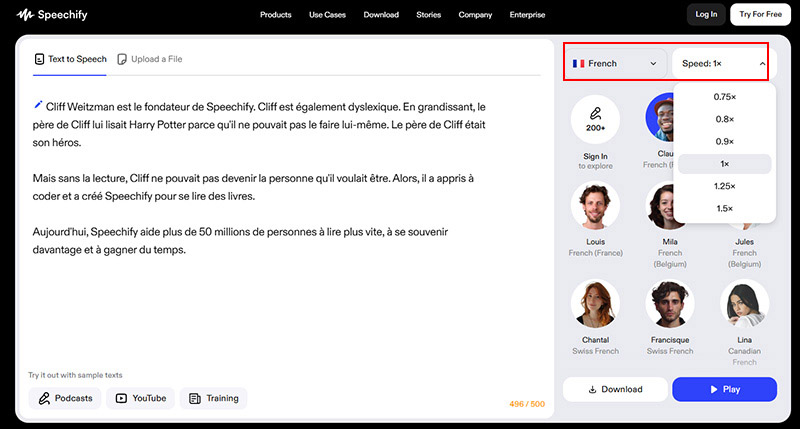
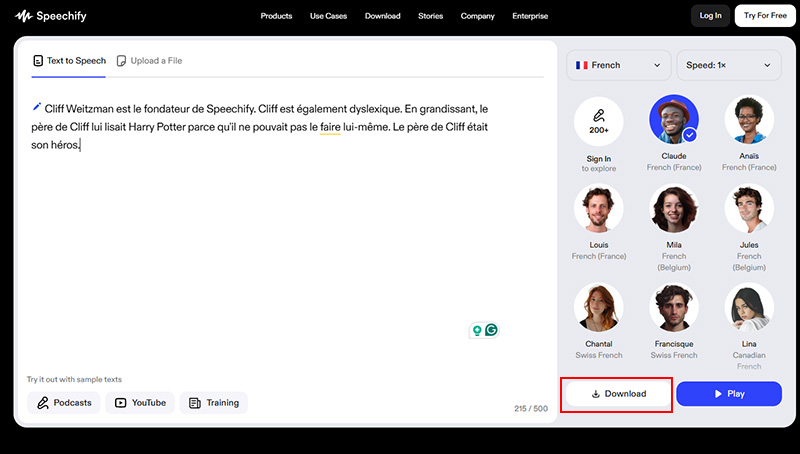
Step 3. Press Play or Download the French text to speech audio to your device.
Top Features of Speechify
- Multiple French voices alongside dozens of other languages and accents
- Strong handling of long documents like books and reports
- Clean interface designed for reading, not editing
- Focusing on consistency, natural rhythm, and long-form stability.
Limitations
- Limited voice customization compared to studio-style tools
- Some premium voices require a paid plan
Available on: Web, Mobile, Desktop.
Pricing: Free limited version available, $29/Month
Best for: PDFs, books, articles, Google Docs, and extended listening sessions.
Want to record TikTok Live streams in real time? Try this free screen recorder.
Best AI French Text to Speech Converter & Recorder for PC
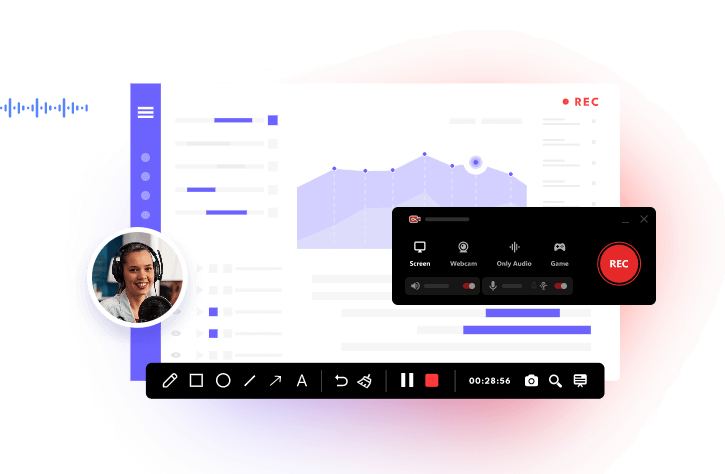
Most online tools work fine for short clips, but once you start creating longer audio, such as lessons, narrations, or practice material, working on a PC simply makes more sense. That’s where iTop Screen Recorder helps. Many people know it as a screen recorder tool, but its text-to-speech module is surprisingly capable, especially for French text to speech projects that need clean audio without complicated setup.
Why You Choose iTop Screen Recorder?
-
Lifelike Text to French Speech with AI
The built-in AI text to speech software produces natural pacing and clear pronunciation, avoiding the stiff, robotic tone common in basic converters. It works well for both learning and narration. -
50+ AI Voices with Multiple Languages
Beyond French, the tool supports a wide mix of languages and accents, which is helpful if you’re working with multilingual content or switching projects often. -
Customize Audio Speed, Pitch, & Volume
You can slow the audio down for study, speed it up for review, or fine-tune pitch and volume without affecting clarity. Get iTop Screen Recorder download and try! -
Support Multiple Import Formats
Instead of pasting text every time, you can upload files like .txt or .docx to iTop Screen Recorder, which saves time when working with longer material. -
AI Denoiser for HD French Text to Speech
The iTop Screen Recorder’s built-in noise reduction feature removes background noise, hissing, and digital artifacts to keep French narration clear and comfortable.
How to Get Customized French Text to Speech AI on PC
Step 1. Get iTop Screen Recorder download, install, and open it on PC.
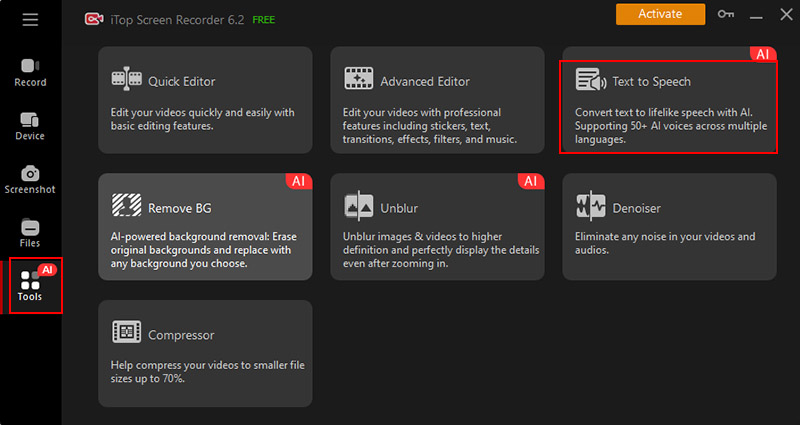
Step 2. Click “Tools” and select the Text to Speech feature.
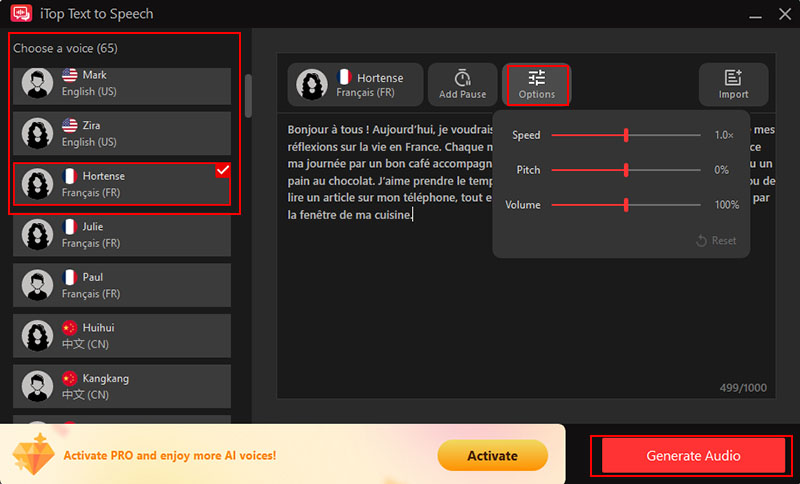
Step 3. Import your text, document, or paste the phrase, and select a French voice that fits your use case. Click the Options button to adjust speed, pitch, and volume. Click “Generate Audio” to start the French text to speech generation, then click the Save button and export it.
Read More: How to Screen Record Protected Videos Without Black Screen >>
Bonus: Free Real-Time PC Voice Changer for French Text to Speech
Better still, iTop has another tool worth mentioning, iTop Voicy. For creators who already work with French text to speech, this adds a playful, studio-style layer that feels refreshingly non-serious. The free text to speech recorder and free voice changer for Roblox, Minecraft, Fortnite etc. games turn your voice instantly in real time, letting you experiment freely with pitch, tone, age, or style.
Content creators, streamers, and language learners can easily add personality, emotion, or variety to their voiceovers, audiobooks, and practice sessions with the free voice recorder app and voice changer.
Highlights of iTop Voicy Voice Changer
- Instant voice transformation during games, streams, or meetings with zero lag.
- Access a wide library of AI-generated voices and sound effects.
- Flexible voice editing for files and recordings.
- Personalized voice models for creating your own unique voices.
How to Unleash Creativity with iTop Voicy Voice Changer
Step 1. Launch iTop Voicy and select your microphone and headphone on the Select Your Device pop-up window.
Step 2. Click the “Turn Voice Changer On” button, then browse the Voices and Sounds tabs to access voice models and sound effects.
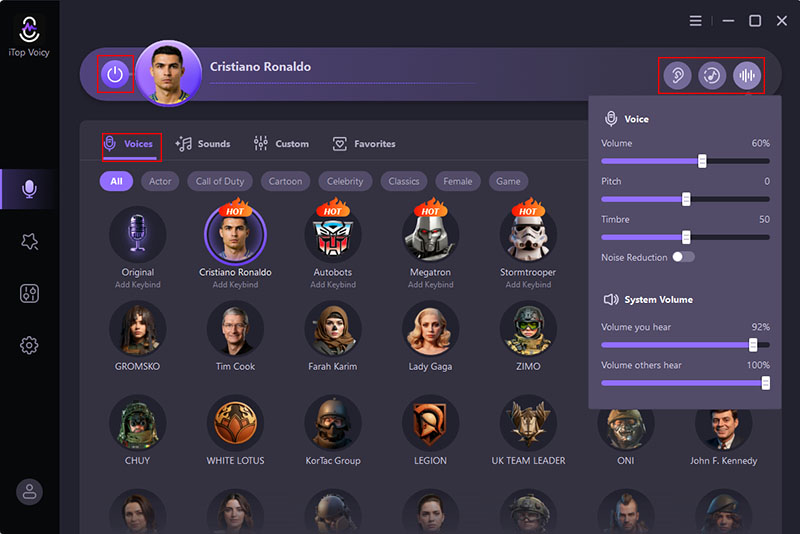
Step 3. Adjust audio with Hear Myself, background sounds, and other voice controls.
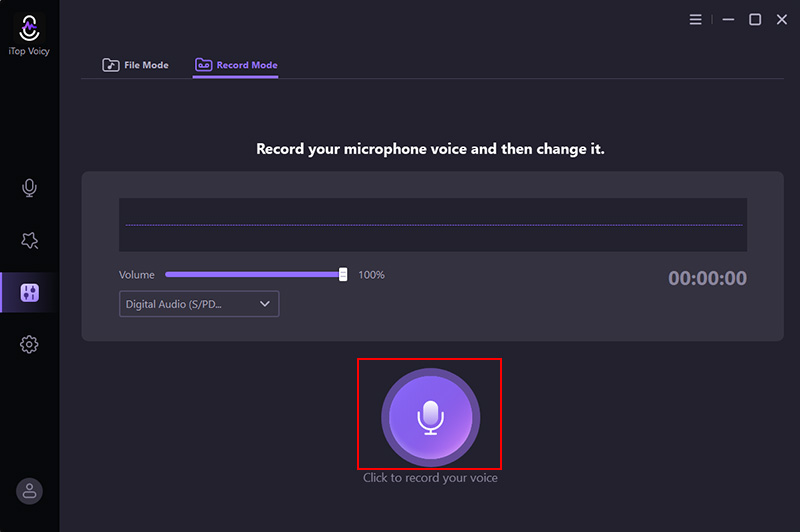
Step 4. Click the microphone to record, follow the Record Mode instructions, and you’re done.
FAQs About French Text to Speech AI
1. How to Make French Text to Speech with My Own Voice?
You can use an AI voice cloning tool like Speechify to make French text to speech with your own voice. iTop Voicy also supports free real-time PC voice change for French text to speech.
2. Is It Safe to Use Text to Speech French Generator?
In general, yes, as long as you stick to reputable platforms. Pay attention to how your text and audio are stored. Reading the privacy policy matters more here than fancy features.
3. Can AI French Text to Speech Audios Be Used for Commerce?
Usually yes, but licensing rules vary. Some French Text to Speech AI tools allow commercial use only on paid plans or require attribution. Always review the usage terms carefully to ensure your audio can be used in ads, products, or monetized content without restrictions.
The Bottom Line
Using French text to speech tools no longer feels like a chore. On both web and PC, it’s easy to turn your text into clear, natural-sounding audio. iTop Screen Recorder is highly recommended, which makes it simple to generate French text to speech, and save recordings with a voice changer. Give it a shot right now!