A Spanish text to speech tool is a good tool for content creators to make voice overs for a Spanish video; for language lovers to study Spanish on their own; and for people with dyslexia or visual impairments to easily access information without reading. The market has collected a variety of Spanish text-to-speech tools that can accurately turn the text into speech in Spanish. Here, we list the top 4 Spanish text to speech tools, both computer software and online services included.
How to Pick the Right Tool to Convert Text to Speech in Spanish?
With so many text to speech tools available, it can be difficult to know which one is the best for you. In that case, you need to decide which feature is most important to you and choose a tool that offers that feature. Here are some factors to consider when you choose a desired Spanish text to audio tool.
- Consider the purpose of choosing the tool. Some text-to-speech tools are designed for personal use, from social media content to podcast creation, while others might be designed for professional use, for example, education or commercial purposes.
- Consider the price you can afford. Some tools are free, while others might come with a subscription fee. Generally, a paid tool offers more advanced features.
- Compare the performance of different tools. Get the answers of whether the tool can convert text to speech with high accuracy, output high-quality audio and realistic sounds.
Best 4 Spanish Text-to-Speech Software You Need to Try
Now, there are five different Spanish accent text-to-speech tools for you to choose from. We listed the features of each tool and gave some suggestions at the end of each section. Refer to these suggestions and choose the tool that suits you best.
iTop Screen Recorder - Spanish Text to Speech AI for PC
iTop Screen Recorder, primarily developed as a screen recorder for PC, builds in an array of useful tools for video and audio creation, one of which is the text to speech tool that allows you to transform the text into audio in multiple languages, Spanish included.
With the utilization of deep learning machine, the text to speech software can quickly analyze the text content and convert them to lifelike audio files. It presets several AI voice options, from male to female, so that you can preview and choose the most appropriate voice for your content.
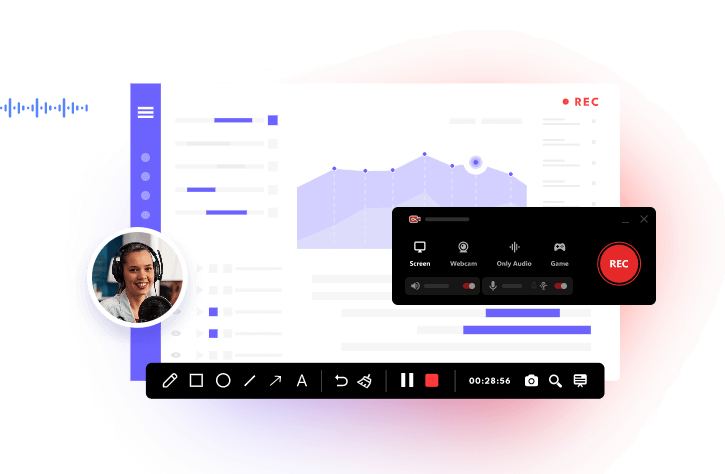
Integration with the screen recorder features, you can easily create a video tutorial of how to use a program or record a reaction video of a TV show/movie with Spanish voice-over instead of speaking by yourself.
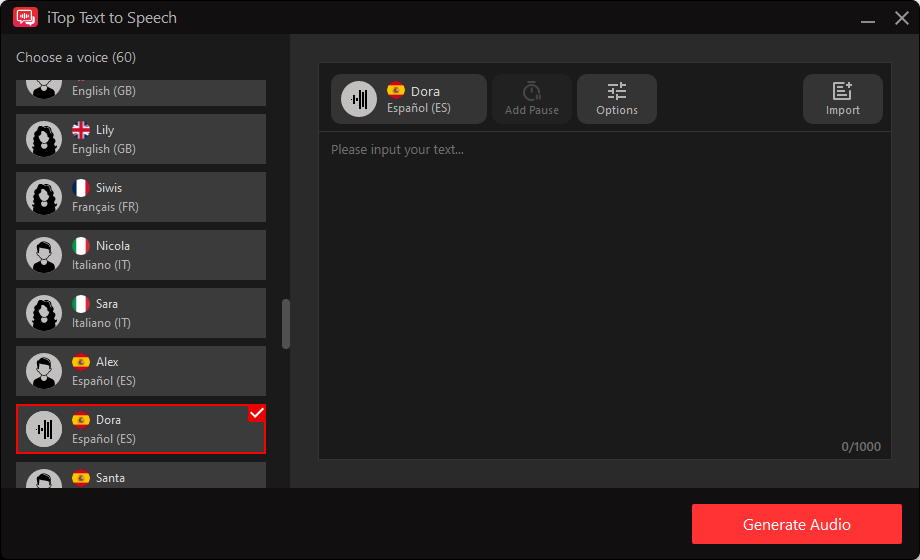
Key Features:
- Offers lifelike AI voices for text-to-speech conversion
- Provides you with over 10 languages/accents to choose from, including British, French, Italian, etc.
- Provides over 50 different human voices
- Allows for adjusting the voice’s speed, pitch, and volume
- Allows for adding pauses of custom duration at specific points
- Supports converting .txt/.docx files to speech.
Author's suggestion: iTop Screen Recorder is suitable for educators and content creators who need to create voice overs for videos, and individuals with learning disabilities. Also, it is a powerful screen recorder that enables you to record the screen with webcam and audio; screen record protected videos, streaming audios; capture online meetings/classes etc., hassle-free.
Narakeet - Versatile Text to Speech Free Tool
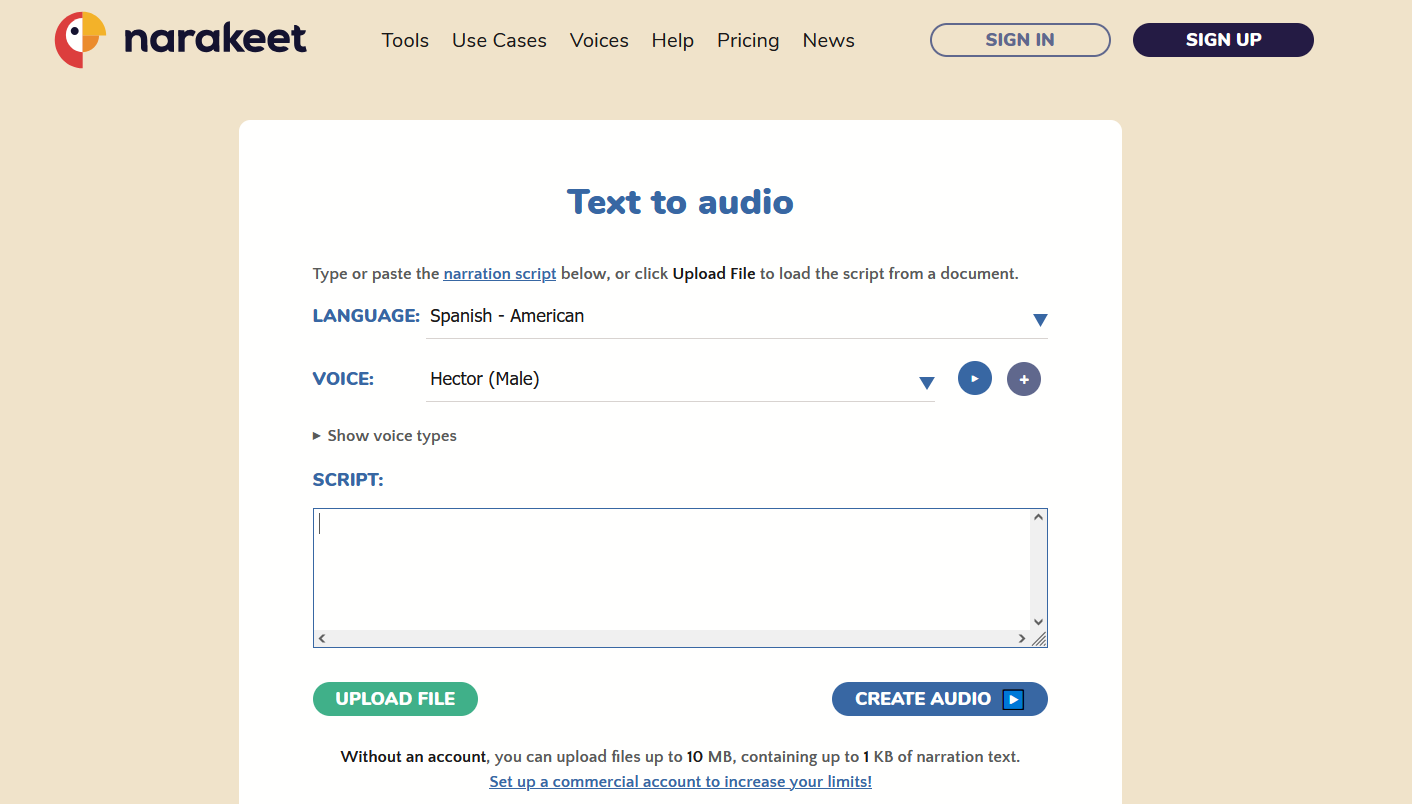
Narakeet is an online text-to-speech tool with a suite of tools, such as a realistic voice generator, a file converter, an automated video creator, a video editor, etc. Compared with Spanish text to speech software, Narakeet mainly doesn’t require any installation. Whether to convert Spanish text to speech or English to Spanish text to speech, Narakeet can make it easy.
Key Features:
- Supports 100 languages and 800+ voices
- Adjusts audio quality with options for pitch, speed, and volume
- Converts text to audio files in formats like MP3 or WAV
- Generates videos from text, presentations, and even code
- Creates voiceovers for videos and synchronizes them with visuals
- Adds subtitles and closed captions to videos
- Allows for video editing as easily as editing text
Author's suggestion: For people who want to create own text to speech voices for narrated videos from scripts or presentations, or those who need professional-sounding voiceovers, multilingual content, or automated video narration without the need for a studio or voice actors.
Minimax.io - Customizable Spanish Text to Speech Online
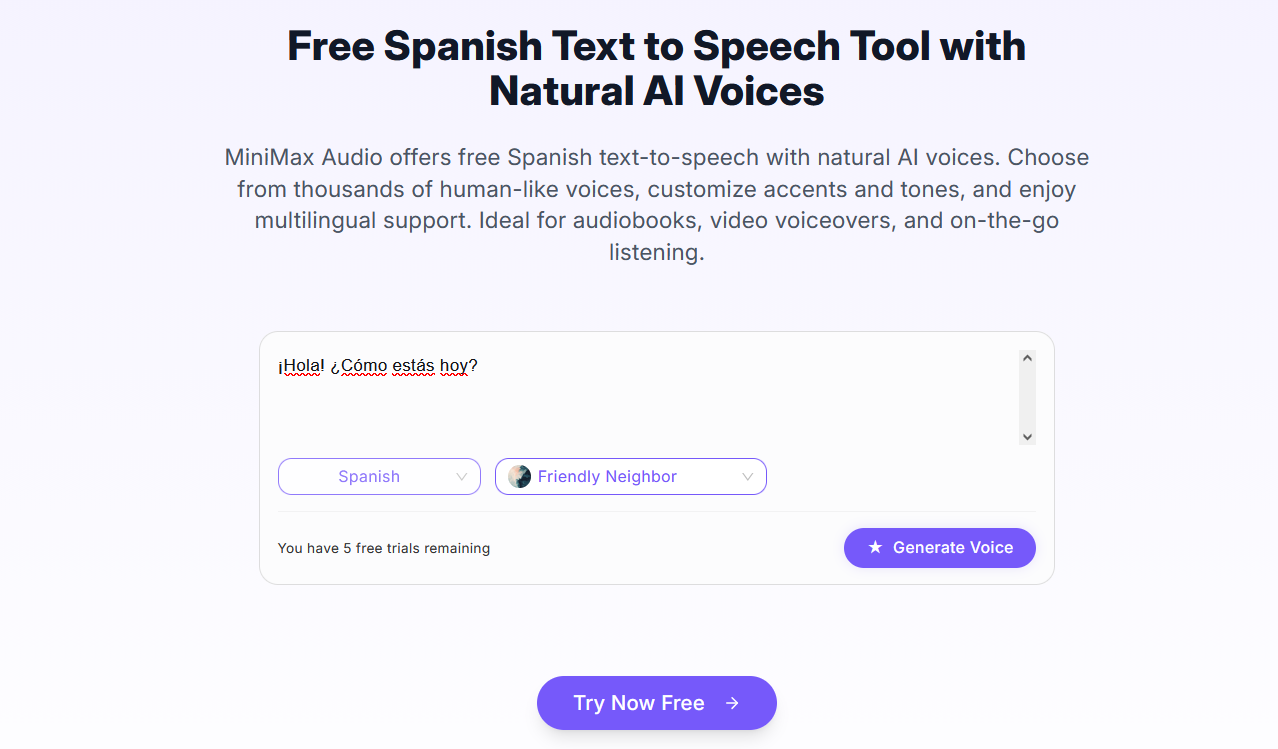
Minimax.io is a text-to-speech Spanish AI that converts written text into natural-sounding speech. You can input text directly from a URL and then customize the output by choosing from a large library of voices, selecting emotions, and adjusting speech parameters like speed, pitch, and volume.
Key Features:
- Converts text to speech via a URL
- Offers a wide library of human-like voices
- Allows for adjusting speed, pitch, and volume
- Supports a large number of languages
- Create custom voices by uploading audio samples
Author's suggestion: Minimax.io is best for complex tasks such as in-depth research, full-stack development, and report generation.
ElevenLabs - Lifelike Spanish Text to Speech Tool
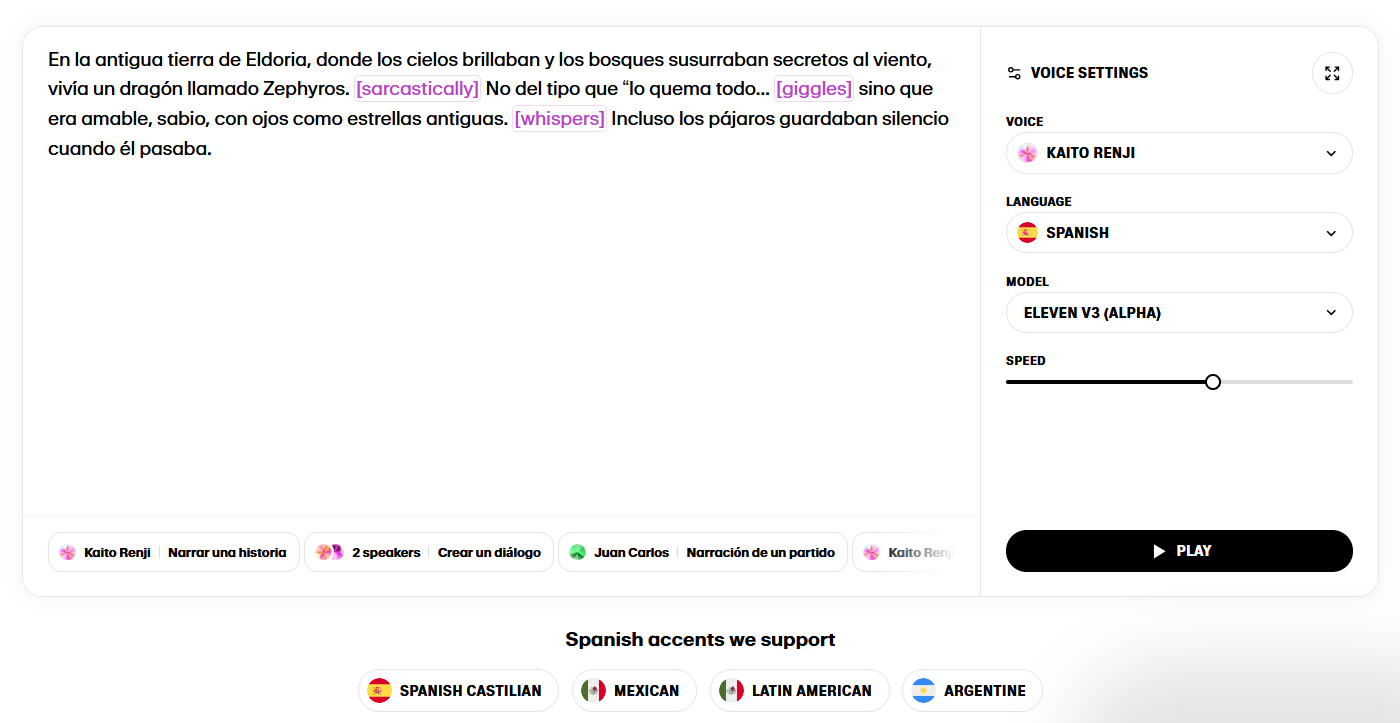
ElevenLabs is another Spanish text-to-speech AI tool that can delivers human-like speech with nuanced intonation, pacing, and emotion. You just need to input text, select a voice and model, and then adjust settings like stability and similarity to fine-tune the output before downloading the audio file. With this feature, you can generate audio for various applications, from voiceovers for videos to audiobooks.
Key Features:
- Delivers human-like speech with nuanced intonation, pacing, and emotion
- Offers a library of pre-made voices
- Creates and saves unique voices by providing a text prompt
- Adjusts settings like the stability and similarity sliders
- Supports generating speech in many languages
Author's suggestion: ElevenLabs is best for creating realistic, high-quality AI-generated speech for a wide range of content, including podcasts, audiobooks, and YouTube videos.
How to Convert Spanish Text to Speech Using iTop Screen Recorder
Both Spanish text to speech software and online services feature an intuitive interface letting you easily generate the Spanish audio content from text and share similar workflow
In the following, we’ll take iTop Screen Recorder’s AI text to speech tool as example and show you how to convert Spanish text to speech.
Step 1. Download and launch iTop Screen Recorder on your Windows PC.
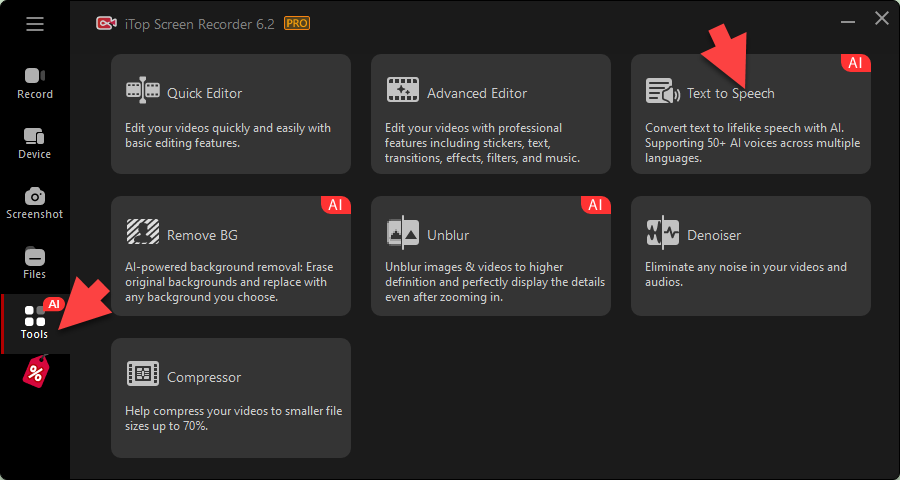
Step 2. Go to Tools and select Text to Speech.
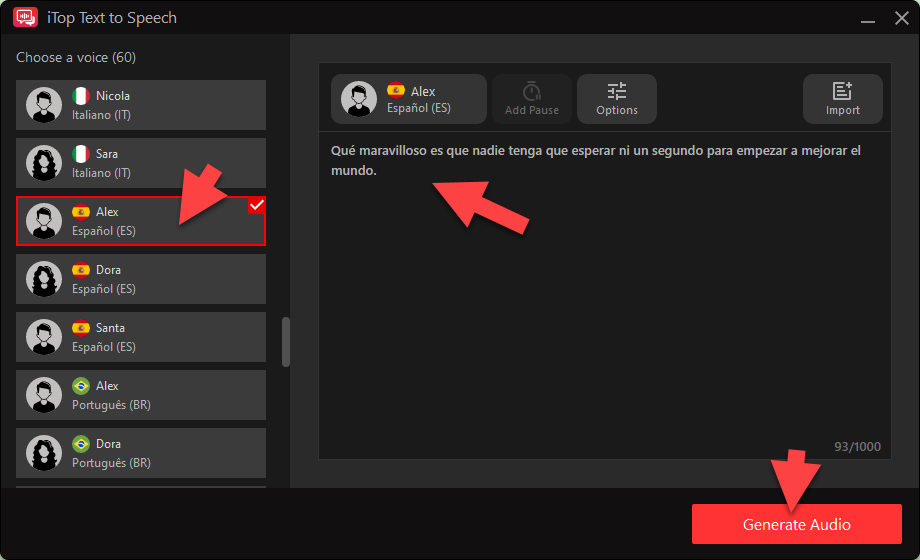
Step 3. Choose a Espanol (ES) voice from the left panel and input your text in the right place. Click Create Audio to let the tool start conversion.
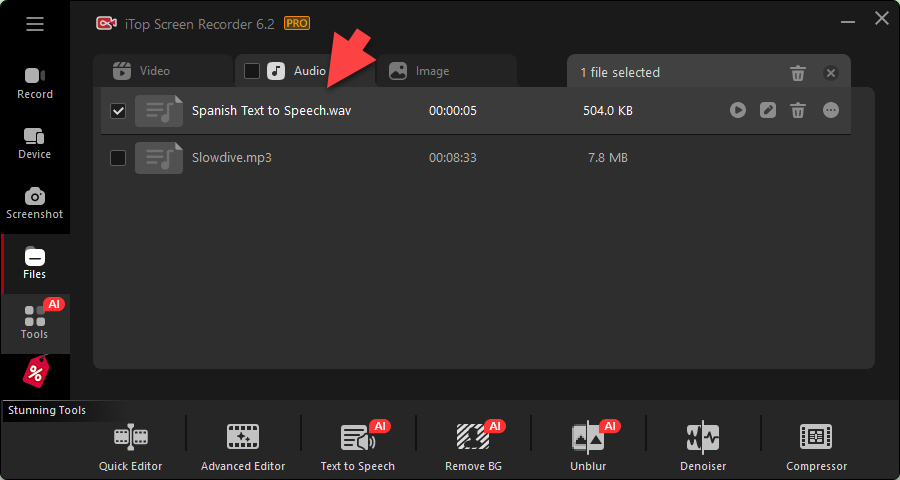
Step 4. Then, a window will prompt to let you to save your audio. Click Save to keep your audio. Then, you can find your audio file in Files > Audio. Feel free to play, edit and manage the file.
The Bottom Line
Spanish text to speech tools offer a cost-efficient way to generate Spanish audio from text. Online services allow you to instantly achieve the conversion while software delivers a more stable performance without being influenced by network condition. In a nutshell, pick out a tool that suits your demands most.