A Japanese text-to-speech tool refers to a type of technology that utilizes AI to convert written Japanese into natural, human-like spoken audio. Such kind of tools benefit a lot of people, ranging from users with impairments or light sensitivity to content creators. Regardless of your purpose of using a Japanese text-to-speech tool, follow this guide to explore the top AI-powered Japanese accent text-to-speech generators that deliver a realistic Japanese accent speech for learning, content creation, and accessibility.
How do Japanese text-to-speech tools work?
Simply put, you provide Japanese text, and AI algorithms analyze the text, identifying characters, pronunciation (based on Japanese phonetic rules), context, and emotional cues. Then, the system converts these features into digital audio, which is natural and can be played instantly. Such a kind of tools are mainly used for boosting accessibility for visually impaired or learning-challenged users, aiding language learning with accurate pronunciation, and increasing productivity/engagement by enabling multitasking and hands-free content consumption.
Now that you know the benefits of using a Japanese text-to-speech converter, let’s explore some of the best Japanese voice generators. With these tools, you can easily produce clear and natural Japanese audio for any project.
The Best Tool for Converting Japanese Text to Speech
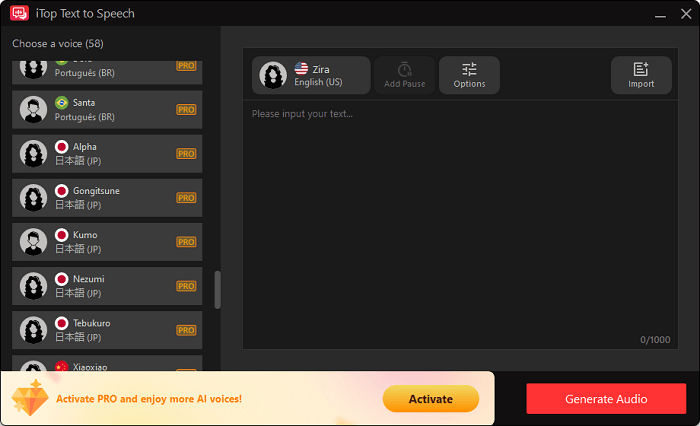
The top AI-powered Japanese accent text-to-speech converter is iTop Screen Recorder. Whether you're using it for content creation, language learning, or enhancing accessibility for visually impaired users, iTop Screen Recorder delivers standard Japanese pronunciation along with a natural, fluent listening experience. It offers both male and female voice options, so you can choose your preferred audio style. Additionally, it allows for extensive customization, including adjustments to audio speed and rhythm, making it excellent for Japanese language learners. Aside from that, iTop Screen Recorder boasts many other advantages.
Key Features:
- AI-powered Voice Generation: Uses natural AI to create lifelike Japanese speech with correct pronunciation and tone.
- Customizable Voices: Offers a range of male and female voices tailored to various professional needs.
- Various Adjustment Options: Allows control over speech rate, pitch for more expressive audio.
- Batch Processing: Supports converting multiple text or files at once.
- Various Export Formats: After converting, you can export audio to common formats like MP3 and WAV.
Other Best 5 Japanese Text-to-Speech Tools You Should Try
If you're looking for more options beyond iTop Screen Recorder, you're in luck! In this section, we'll explore five other top Japanese text-to-speech tools that you should consider trying. Each of these alternatives offers unique features and functionalities that cater to various needs, whether it's for personal use, professional projects, or educational purposes. Let’s dive into these remarkable tools and find the perfect fit for your text-to-speech needs!
1. ReadSpeaker
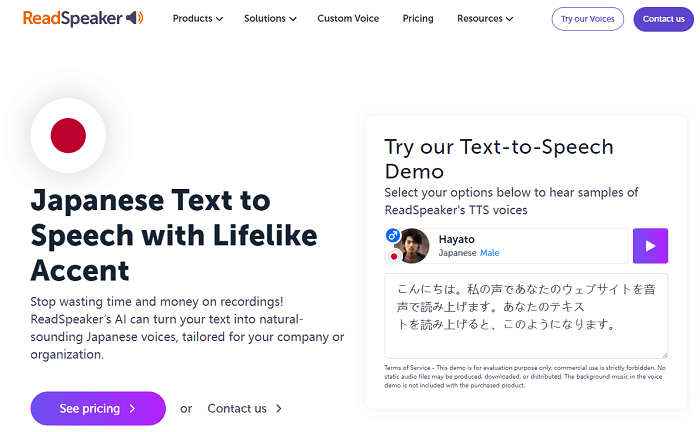
If you want a more professional Japanese text-to-speech voice, then ReadSpeaker is what you need. It offers a wide range of realistic voices in numerous languages. Whether you want to use this voice generator for business or personal use, this tool is the best option.
Key Features:
High-quality, natural-sounding voices with expressiveness
Access to over 35+ languages and many voices
Adjust reading speed (faster/slower) and volume.
Words and sentences are highlighted as they're read to keep focus
Paragraphs begin reading when the cursor points to them
Download content as audio files for offline listening
Limitations:
Potential high cost for small users
Less natural or inconsistent voice quality in some voices/languages
Complex interface
Fewer integrations than some competitors
Specific limitations, like needing trials to find good voices
2. Narkeet
Narkeet is an online Japanese text-to-speech free converter that stands out in the crowded text-to-speech converter market with its large library of natural-sounding Japanese AI voices, easy creation of narrated videos from presentations, and precise pronunciation controls via SSML/IPA. No installation is required; you can complete the whole conversion process on the web. It is worth a try for people who need quick, scalable, natural-sounding voiceovers for YouTube, tutorials, presentations, etc.
Key Features:
Offers various male and female AI voices
Allows you to add pauses, control speed/pitch, and create multi-voice dialogues
Adjusts specific pronunciations for complex words or acronyms
Converts scripts or PowerPoint/Google Slides directly into narrated videos
Automates the process of adding voiceovers, subtitles, and captions to presentations
Batch process multiple scripts or presentations efficiently
Limitations:
Limited free options
Heavily relies on a stable internet connection to access its features
Less customization for pronunciation

Also Read: How to Screen Record Protected Videos Without Black Screen>>
3. CoeFont
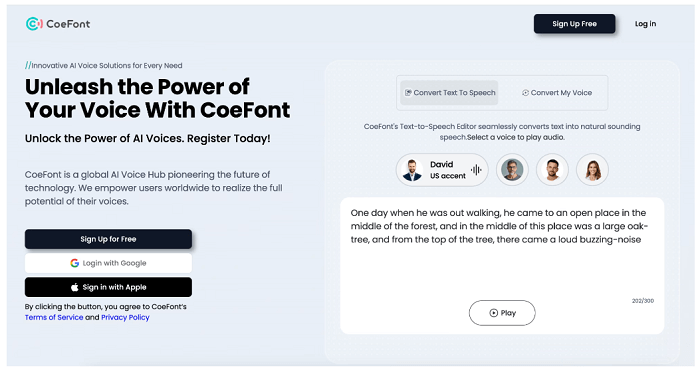
CoeFont is a powerful tool for generating Japanese audio from any text. It offers advanced features for producing natural and lifelike speech, making it a great choice for different applications. With a massive library of over 10,000 natural, expressive AI voices, easy custom voice creation in minutes, real-time voice changing, and more unique features, CoeFont has helped numerous users create custom AI-generated Japanese voices for their projects.
Key Features:
Offer over 10,000 AI voices
Customize speech rate and pitch for more natural, emotive delivery
Uses advanced AI to generate human-like, high-quality audio
Convert multiple text files at once for efficiency
Change your voice during live calls or streaming
Use your voice to speak other languages
Limitations:
The free version has limits on generated audio volume (characters per month) and functionality
Many available voices are stylized
4. Listnr AI
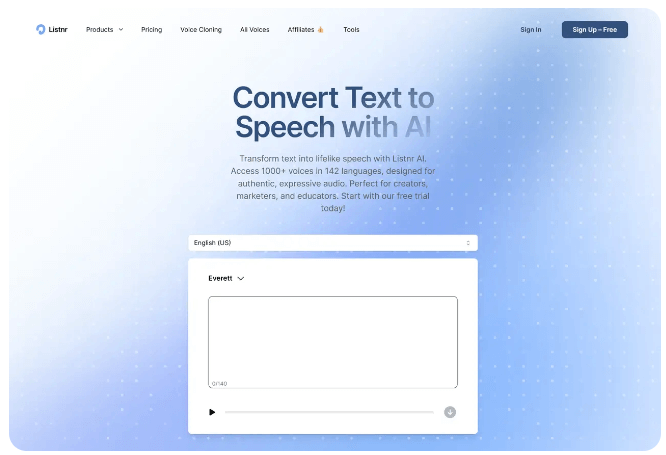
Listnr AI is a popular AI-powered voice generator that converts Japanese text to natural-sounding speech. It supports over 140 languages, including Japanese, allowing creators to produce voiceovers for videos, podcasts, ads, and more. For content creators, businesses, and developers who are looking for a seamless, high-quality text-to-speech AI solution, Listnr AI is a good option. If you don’t like it, you can also explore some Japanese text-to-speech extensions online to convert Japanese text to speech.
Key Features:
Offers 1000+ voices in many languages
Fine-tune delivery with options for different emotions
Allows for precise control over pauses, intonation, and pronunciation
Create a digital replica of a specific voice
Offers podcast hosting, audio translation, and text-to-video creation.
Limitations:
Robotic and unnatural cadence
Incorrect pronunciation of Kanji compounds
Lack of emotional nuance
Longer Japanese texts might cause processing
Also Read: How to Record a Zoom Meeting with/Without Permission>>
5. ElevenLabs
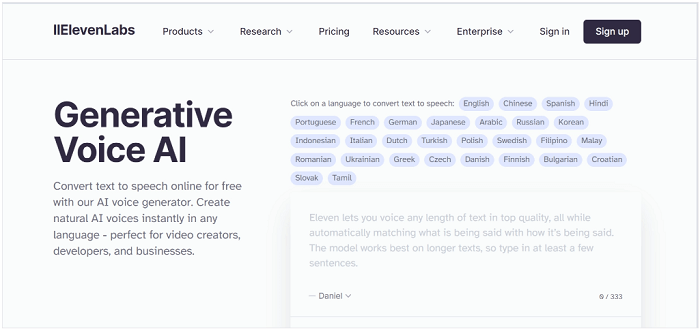
ElevenLabs is a leading Japanese text-to-speech online tool for its realistic voice technology. It delivers human-like voices across different languages, making it the best choice for industries like publishing and e-learning. The best part of this tool is that it uses powerful models, including a Japanese-specialized solution with Spark+ for local needs.
Key Features:
Allow you to adjust the tone to match your content's mood
Access a large library of Japanese voices
Create custom voices from your own recordings
Shape voices by age, gender, and timbre for specific character needs
Add pauses with syntax or descriptive prompts to control speech rhythm
Limitations:
Inaccurate pronunciation and tone
Linited characters
How to Convert Japanese to Speech Using iTop Screen Recorder
Now you have known the best japanese text to speech generator, let’s take iTop Screen Recorder as an example and see how to convert Japanese to Speech quickly.
Step 1. Download and launch iTop Screen Recorder on your Windows computer.
Step 2. On the home screen, choose Text to speech option.

Step 3. Select the Japanese voice from the left panel and enter your text in the corresponding field. Then, click Create Audio to proceed.
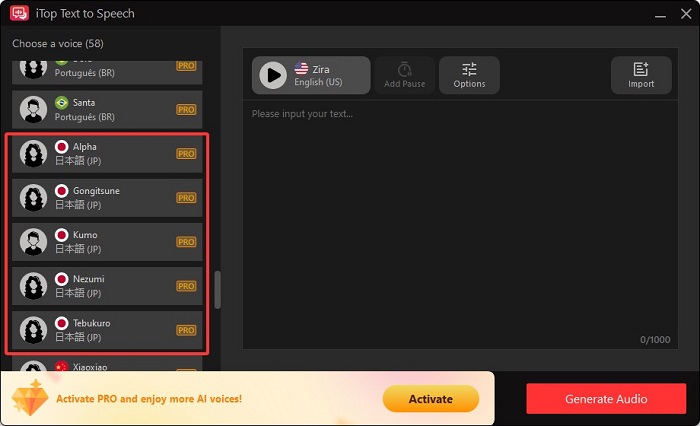
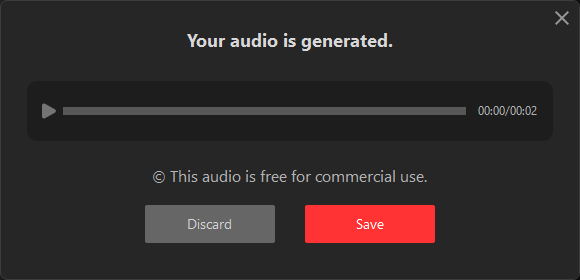
Step 4. Then, a window will prompt to let you to discard or save your audio. Click Save to keep your audio. You can find your audio file in File > Audio.
Other languages like Chinese, English, and Spainish text-to-speech are also available. Try them for free now!
The Bottom Line
In this guide on Japanese text-to-speech, we explored some of the best Japanese text-to-speech tools available, including options that cater to various needs, from education to content creation. We also highlighted features like the Japanese text-to-speech for browsers and tools designed specifically for creating Japanese text-to-speech anime content. For a comprehensive experience that combines functionality with high-quality audio, we recommend using iTop Screen Recorder. With its advanced features and customization options, it's an excellent choice for all your text-to-speech needs. Now, you can download iTop Screen Recorder to give it a try.