Snapchat is a popular mobile messaging app for iOS and Android that allows users to communicate through photos, videos, and text. Despite the transient nature of Snapchat's content, many users find value in saving certain videos. Reasons can include wanting to keep cherished moments, capturing funny interactions, or preserving important information shared in a video format.
However, saving videos from Snapchat can be challenging due to the app’s design focus on ephemeral content. Therefore, some techniques are required to tackle this issue. If you want to know how to save Snapchat videos without them knowing, keep reading to get the answer.

How to Save Snapchat Videos Without Them Knowing on a PC
Overall, there are two methods for a PC to save Snapchat videos without the sender knowing: using a browser (Chrome/Edge) to access Snapchat web and capture the screen using a screen recorder, or screen mirroring your phone to your PC and recording them there. Thus, your phone’s built-in detection is generally bypassed when operating through a computer.
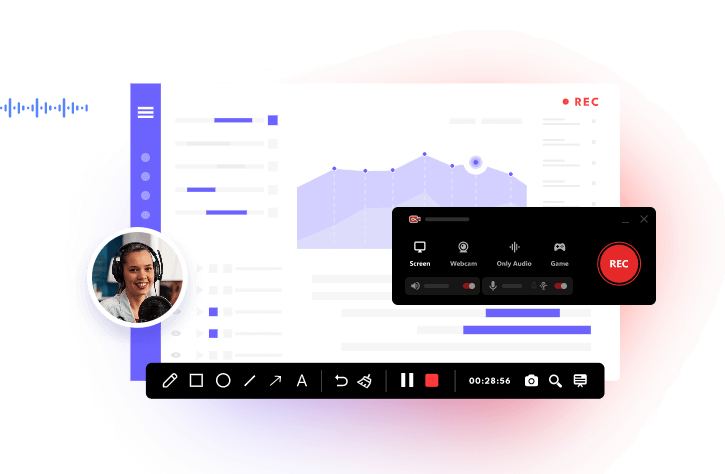
Whichever way you prefer, iTop Screen Recorder can meet all your needs easily. It offers a powerful screen recorder and a Phone Mirroring tool that let you capture everything happening on your computer and phone, or both simultaneously.
Method 1. How to Save Snapchat Videos Without Them Knowing Using iTop Screen Recorder
The first method is to open the web version of Snapchat and record it using iTop Screen Recorder. It is a free and user-friendly screen recorder that allows you to record videos in up to 4K/120fps with no time limits or watermarks. Its intuitive interface is user-friendly for beginners, yet offers advanced features for professionals. Here’s how it works:
How to save a snap without them knowing, using iTop Screen Recorder.
Step 1. Download iTop Screen Recorder on your Windows computer.
Step 2. Launch the Snapchat web page you wish to record. Then go back to iTop Screen Recorder, click Record, and select the region to include the Snapchat window. Click REC to start recording.
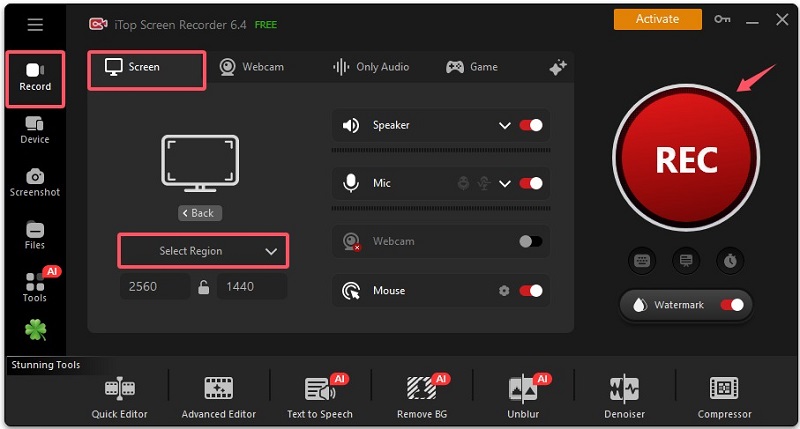
Step 3. When finished, click the stop icon to end the recording process. Save the file to the location you selected for later viewing, editing, or sharing.
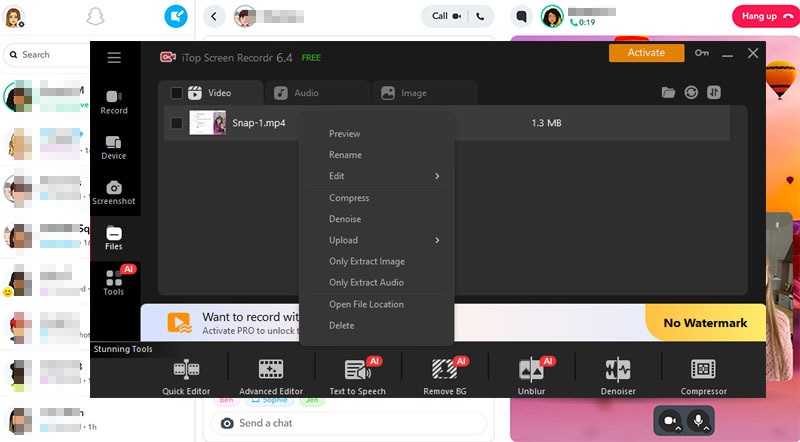
Why You Choose iTop Screen Recorder to Save Snapchat Videos?
- Record Snapchat videos in 4K and 120fps
With iTop Screen Recorder, you can capture and save Snapchat videos without notification in stunning 4K resolution at 120 frames per second. This high-quality recording ensures that every detail of your video is preserved, making it perfect for saving memorable moments from your snaps.
- No time limit or watermarks
Enjoy unlimited recording time without any watermarks. iTop Screen Recorder provides a seamless experience, allowing you to record as long as you need, whether you want to record Zoom meeting or a detailed tutorial.
- Record system sound, microphone, and webcam simultaneously
This feature enables you to record audio from your system, your microphone, and your webcam all at once. This is ideal for creating comprehensive video guides, recording engaging presentations, or conducting interviews without missing any audio details. Also, you can use it as a screen recorder for restricted app.
- Smooth recording without lag
iTop Screen Recorder is designed for high performance, ensuring that your recordings are smooth and free from lag. Whether you want to screen record protected videos or capture gameplay, you can count on consistent quality.
- Built-in editing tools to polish your recordings
After recording, you can use the built-in editing tools to refine your videos. This feature allows you to cut, trim, and enhance your recordings, making it easy to create polished final products ready for sharing or presentation. For example, you can record TV shows and then edit them to make them perfect.
Method 2. How to Save Snapchat Videos Without Them Knowing by Mirroring
How to save a Snapchat without them knowing? Another method is to mirror your phone screen to your computer, and then use a desktop screen recorder to capture Snapchat videos. Typically, this requires downloading a mirroring app followed by a dedicated screen recording tool. However, if you prefer not to install too many applications on your computer, you can handle the entire process directly using iTop Screen Recorder. Here are the steps on how to save a video on Snapchat without them knowing:
Step 1. Download and install the latest version of iTop Screen Recorder on your Windows.
Step 2. Launch iTop Screen Recorder and go to Device > Android and follow the on-screen instructions to mirror Android or iPhone to PC. Here we let’s take Android as an example.
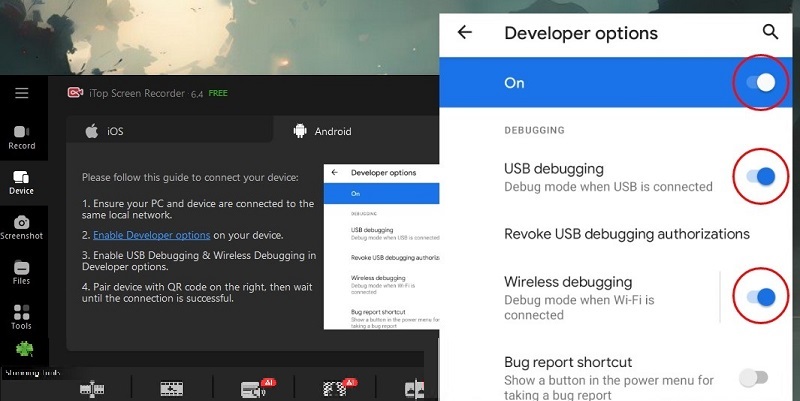
Step 3. After your device is detected by the PC, click REC to start recording. Then, all activities happening on your Android device will be perfectly recorded. Once done, click the Stop button on the iTop Screen Recorder interface.
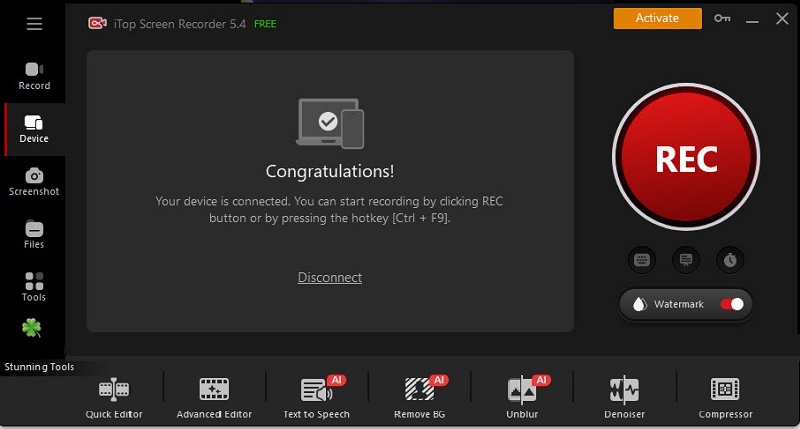
That's how to save snaps without them knowing. Moreover, it can also help you screen record Instagram DM quickly if you need.
How to Save to Camera Roll Snapchat Without Them Knowing on iPhone/Android
How to save a Snapchat video without them knowing?For some phone users, if you want to screen record Snapchat videos without them knowing, you can try to enable Do Not Disturb or Airplane Mode to block interruptions,and then utilize native tools (iOS Control Center or Android Quick Settings) to record. Here are the steps on how to save to camera roll Snapchat without them knowing 2026.
How to save Snapchat videos without them knowing iPhone:
Step 1. Open Snapchat and let the snap or story load, but do not open it.
Step 2. Swipe down from the top-right corner or up from the bottom to bring up the Control Center. Tap the Airplane icon to enable it and disable Wi-Fi.
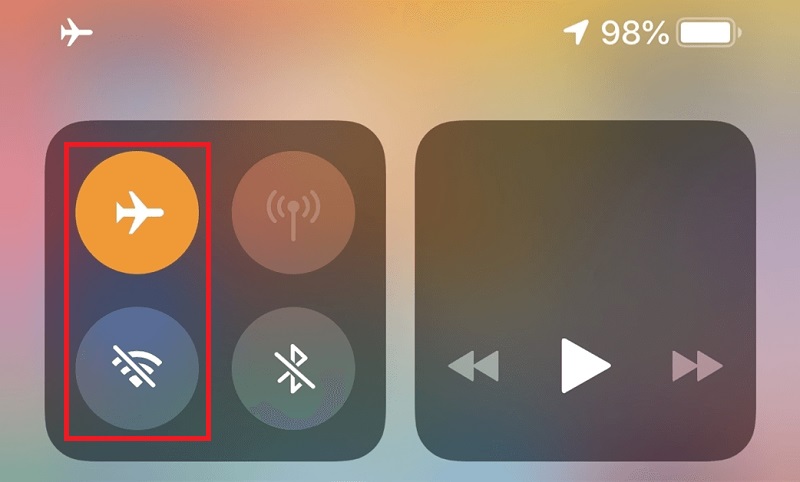
Step 3. Open the Snap and start your phone’s built-in screen recorder by opening the Control Center, long-pressing the gray Record button, tapping the Microphone icon to turn it on, and tapping “Start Recording.”
Your Snapchat videos will be saved to your Camera Roll.
How to save Snap videos without them knowing on Android:
Step 1. Open Snapchat and locate the story or message you wish to save.
Step 2. Swipe down the quick settings panel and turn on Airplane Mode to disable Wi-Fi and data.
Step 3. Open the Snap/Story and start your Android's built-in screen recorder by swiping down twice from the top of your screen to fully expand the Quick settings panel. Then, tap the Screen Record icon.
Step 4. Tap Start Recording to start the recording process.
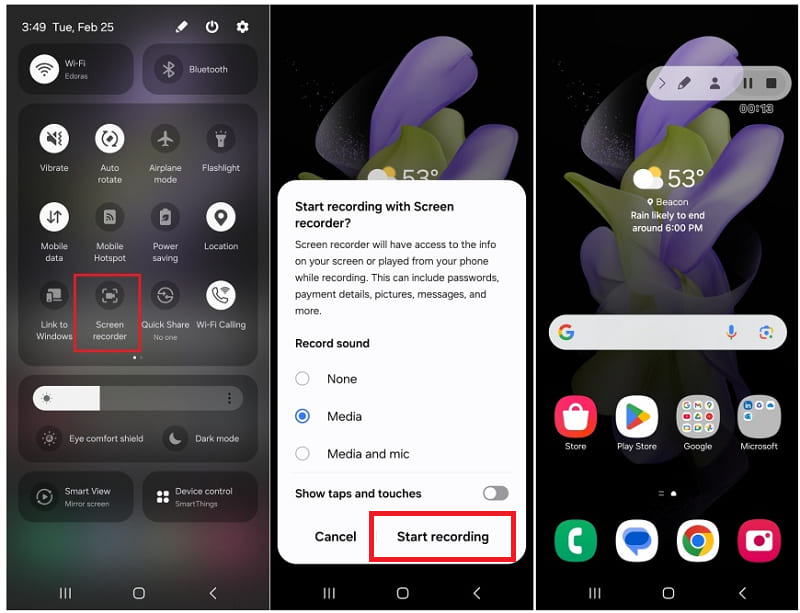
Step 5. After recording, close Snapchat completely. You can find it in your Gallery or Camera Roll.
How to Save Videos on Snapchat Without Them Knowing Using Another Device
How to save videos from Snapchat without them knowing? Is there a way to save Snapchat videos without them knowing without a recorder? If you don’t want to use any screen recorder tool, you can also try using another device to record your screen. This method is highly effective because it bypasses Snapchat’s detection mechanisms entirely, as the app cannot track activity occurring on an external device.
But the recorded video and audio quality may be lower compared to a direct screen recording. Moreover, background noise can affect the audio quality unless recorded in a quiet room. If you don’t mind that, follow these steps to do it.
How to save snap without them knowing using another device:
Step 1. Prepare a second device (another phone, tablet, or digital camera) to face the screen of your primary phone.
Step 2. Adjust the angle, lighting, and focus to minimize glare and ensure the best possible video and audio quality.
Step 3. Begin recording on the second device before you open the Snap on your main phone.
Step 4. Open the Snapchat app on your primary device and play the video you want to save.
Step 5. Once the video finishes, stop the recording on the second device. The video will be saved to that device's gallery or camera roll.
Conclusion
How to save Snapchat videos without them knowing? In conclusion, saving Snapchat videos discreetly can be achieved through various methods on both mobile devices and computers. On computers, one highly recommended option is iTop Screen Recorder. This tool not only allows you to record your screen with high quality but also provides an intuitive interface that makes it easy to use. Don’t hesitate to download iTop Screen Recorder to give it a try!