An audiobook recorder is a specialized tool designed to capture spoken audio with clarity, consistency, and minimal background noise. You may need an audiobook recorder in many cases, such as creating your own audiobooks, converting eBooks to audio, or recording lectures and notes. Whatever you want to do with audiobook recording software, we will show you the five best options.
Key Factors to Look for an Audiobook Recorder
Before choosing an audiobook recorder, it’s important to evaluate several points to ensure you get high-quality recordings and a smooth workflow. Here are the most important ones:
- User-friendly interface: An intuitive interface is essential for users who are new to audiobook recording.
- Audio quality: A good audiobook recorder app can produce clear voices and sounds.
- Noise reduction and editing tools: Noise reduction helps eliminate unwanted background sounds like fan noise, traffic, or room echo, and editing tools allow you to fix mistakes and improve flow.
- Multiple export formats: It’s best to choose a tool that provides multiple formats like MP3, WAV, and FLAC.
5 Best Software for Audiobook Recording - Top Tools for 2026
Based on the criteria above, we've selected the five best free audiobook recording software across different devices. Each tool is reviewed with a clear breakdown of its key features, advantages, and limitations. By comparing their strengths and weaknesses, you'll be able to choose the option that best fits your needs.
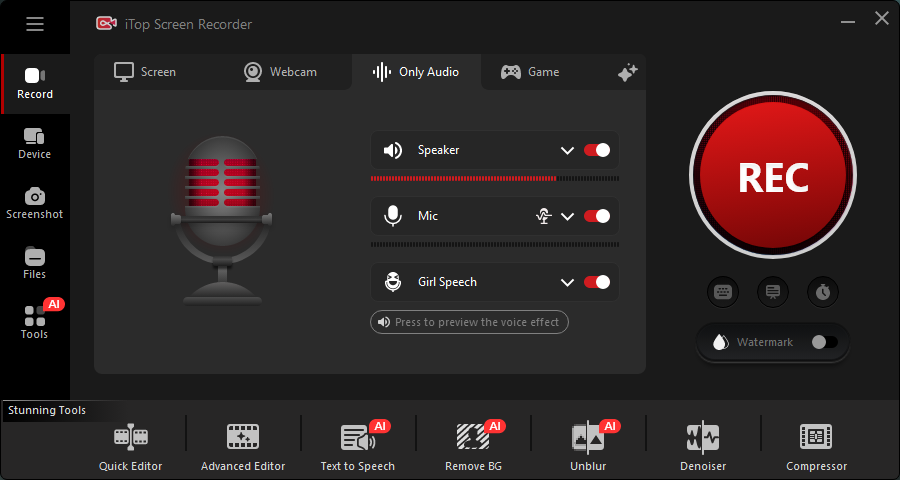
iTop Screen Recorder - Intuitive Audiobook Recording Software for Windows
iTop Screen Recorder offers an audio recording mode that is increasingly used by audiobook creators, podcasters, and content producers to record high-quality audio, including audiobooks. It is popular because it combines ease of use, powerful features, and flexibility, making it suitable for both beginners and advanced users.
The all-one-one screen recorder and audio recorder can capture both speaker and microphone, helping record your reading and background music simultaneously with high clarity. It builds in a voice changer to disguise your voice for identity protection.
Besides, iTop Screen Recorder supports capturing and saving your favorite items from Spotify and any audiobook platform - while keeping original quality for offline listening or content creation.
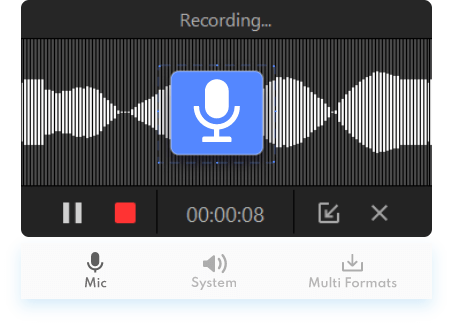
Key Features
- Capture high-quality audio without compromising sound integrity
- Record audiobooks clearly with noise reduction
- Record both system audio and microphone input
- Change your voice while recording audiobook
- Record audiobook in various formats like MP3, AAC, FLAC, and WMA
- Allows for trimming, cutting, or adding audio effects
Pros
- Easy to use for beginners
- Multi-source audio recording
- High customization options
- Allows for quick edits during or after the recording
- Lightweight and low resource usage
Cons
- Limited audio editing features
- Limited mobile compatibility
- No direct integration with audiobook platforms
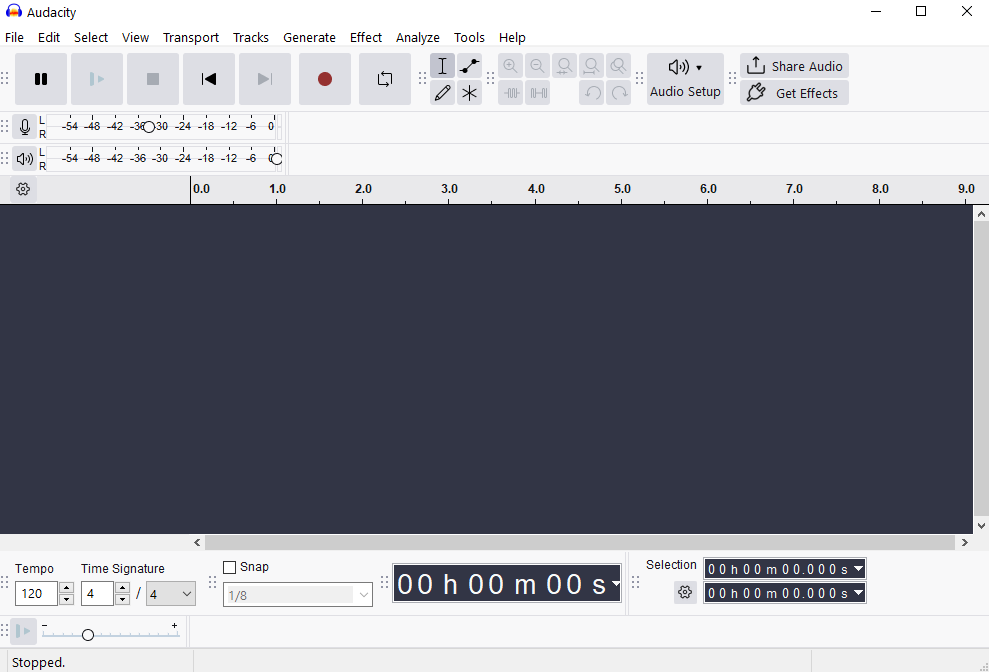
Audacity - Open-Source Audiobook Recorder and Editor
Audacity is a free, open-source audio recording and editing tool that's widely used for creating audiobooks, podcasts, and voiceovers. It's especially popular among beginners and professionals alike because it offers powerful recording features without any cost. When used as an audiobook recorder, Audacity provides precise control over audio quality, allowing you to record, edit, and enhance narration for a polished final product. Overall, Audacity is an excellent choice if you want full control over your audiobook recordings and don't mind spending a little time learning how to use its advanced features.
Key Features
- High-quality audio recording from microphones and system sound
- Multi-track editing for combining narration, music, and effects
- Built-in audio editing tools (cut, trim, fade, normalize)
- Noise reduction and sound cleanup to improve clarity
- Support for multiple formats like MP3, WAV, and AIFF
- Plugin support for advanced audio processing
Pros
- Completely free and open-source
- Powerful editing capabilities comparable to paid software
- Cross-platform (Windows, macOS, Linux)
- Large community support and tutorials available
- Ideal for detailed audiobook production
Cons
- Steeper learning curve for beginners
- Interface may feel outdated or less intuitive
- No built-in cloud storage or syncing features
- Requires manual setup for optimal recording quality
Also Read: 6 Quick Fixes for Audacity Not Recording >>
Adobe Audition - Professional Audiobook Recording and Editing Tool
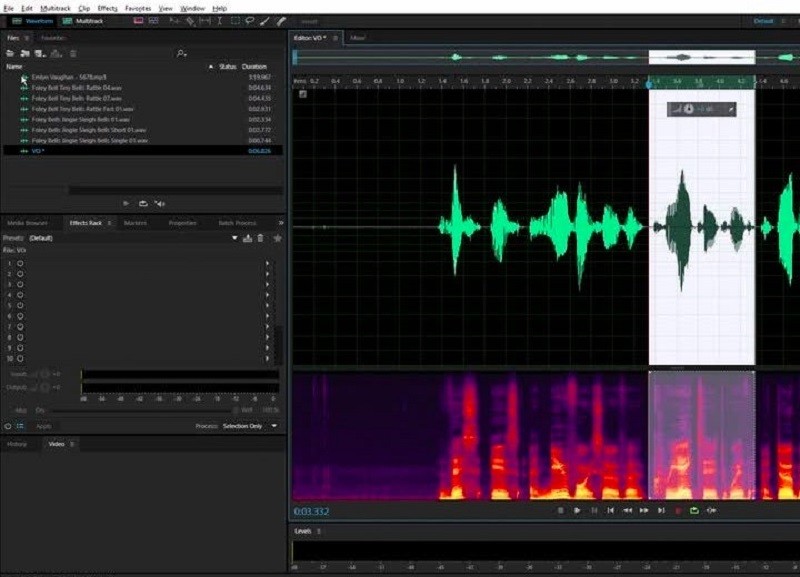
Adobe Audition is a professional-grade audio recording and editing tool widely used in broadcasting, podcasting, and audiobook production. As part of the Adobe Creative Cloud, it offers advanced tools that help creators produce studio-quality narration with precision and efficiency. It’s especially suitable for users who want high-end control over every aspect of their audiobook recordings.
Key Features
- High-fidelity audio recording with customizable input settings
- Multitrack editing for layering voice, music, and sound effects
- Advanced noise reduction and audio restoration tools
- Built-in effects for professional sound enhancement
- Spectral frequency display for detailed audio editing
- Seamless integration with other Adobe tools
Pros
- Industry-level audio quality and tools
- Comprehensive editing and mastering features
- Intuitive interface for users familiar with Adobe products
- Excellent for professional audiobook production
- Regular updates and strong support from Adobe
Cons
- Subscription-based pricing (no free full version)
- Can be overwhelming for beginners
- Requires a relatively powerful computer
- More features than needed for simple recordings
Also Read: How to Record Audio on Adobe Audition >>
GarageBand - User Friendly Audio Recorder for Mac
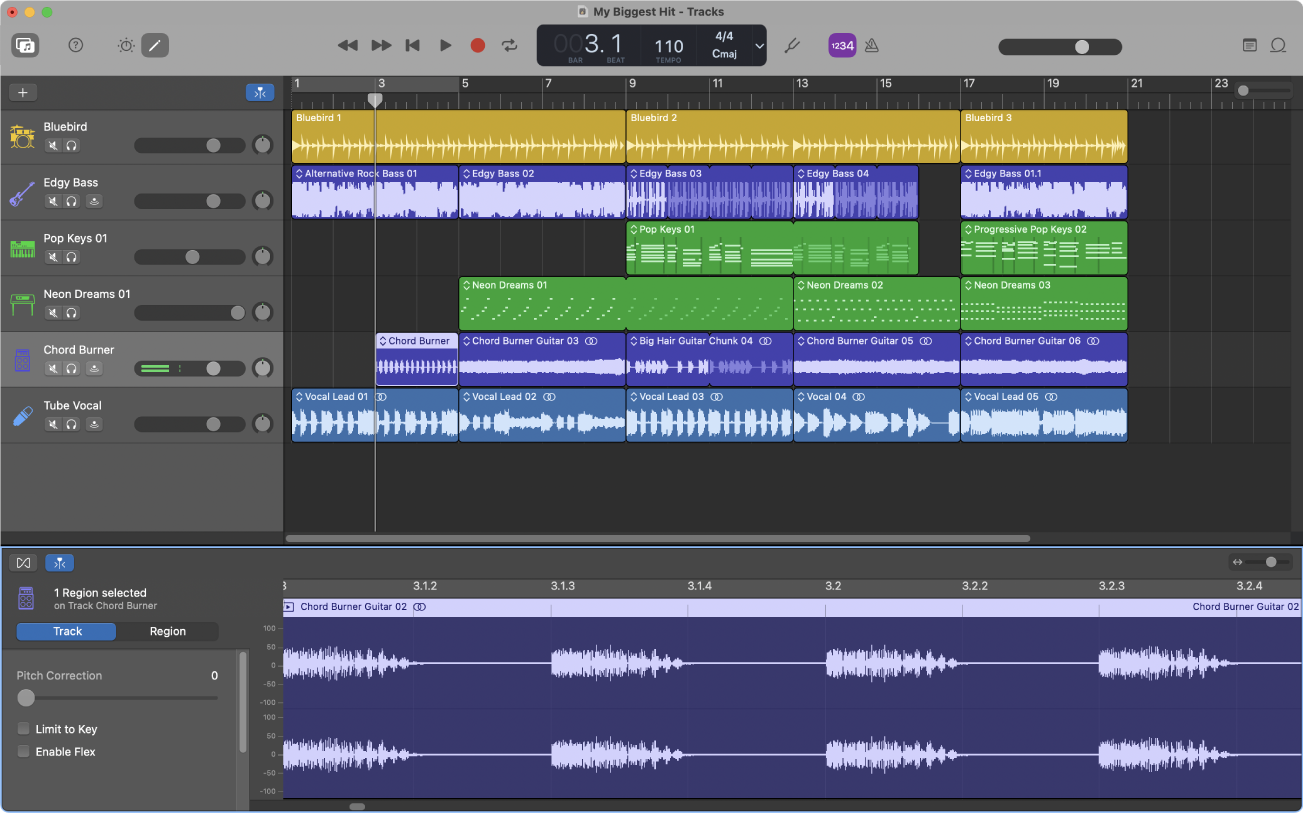
GarageBand is a user-friendly audio recording and music production software developed by Apple Inc. Pre-installed on most Mac devices, it’s a great option for beginners who want to create audiobooks with decent sound quality without needing advanced technical skills. While it’s primarily designed for music creation, GarageBand also works well for recording and editing spoken narration. This audiobook recording app is a solid choice for beginners and casual users who want a simple, reliable way to record audiobooks on a Mac without investing in complex software.
Key Features
- Simple and intuitive interface ideal for beginners
- High-quality voice recording with built-in microphone support
- Basic audio editing tools (cut, trim, split, fade)
- Built-in sound effects and EQ presets for voice enhancement
- Multi-track support for adding background music or effects
- Easy export options (MP3, AAC, etc.)
Pros
- Free for Mac users
- Easy to learn and use
- Clean and modern interface
- Good audio quality for basic audiobook recording
- Seamless integration within the Apple ecosystem
Cons
- Limited advanced editing features compared to professional tools
- Only available on macOS and iOS devices
- Less precise control over audio mastering
- Not ideal for large-scale or highly professional audiobook production
Voice Record Pro - Powerful Audiobook Recording App for iOS
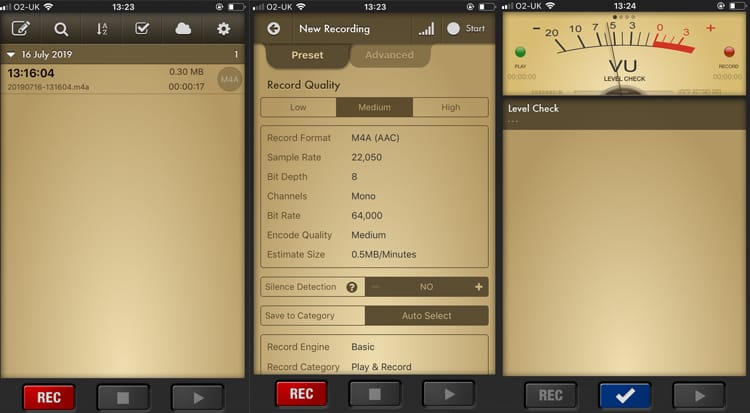
Voice Record Pro is a powerful mobile recording app available on iOS that offers advanced audio recording and editing capabilities. While it's primarily designed for voice memos and professional recording, it works very well as an audiobook recording software free, thanks to its high customization, long recording support, and built-in editing tools. It’s especially suitable for users who want flexibility and control when recording narration on mobile devices.
Key Features
- Unlimited recording length (limited only by device storage)
- Multiple recording formats (MP3, WAV, AAC)
- Custom audio controls (bitrate, sample rate, channels, etc.)
- Silence detection recording to skip quiet parts automatically
- Built-in editing tools (trim, split, merge, apply effects)
- Playback controls (speed adjustment, bookmarks, looping)
- Cloud integration & file sharing: Google Drive, Dropbox, iCloud
- Background recording support and external mic compatibility
Pros
- Highly customizable recording settings for better audio quality
- Free to use with no time limits on recordings
- Comprehensive editing features in one app
- Supports multiple export and sharing options
- Suitable for long audiobook narration sessions
Cons
- Interface can feel complex or less intuitive for beginners
- Ads in the free version may be distracting
- May experience occasional bugs or performance issues
- Can drain battery during long recordings
How to Record an Audiobook on PC: Step-by-Step Guide
As introduced above, there are many audiobook recorders for you to choose from. iTop Screen Recorder is one of the best options you can have because it is easy to use yet offers many powerful recording capabilities.
Step 1. Download and install iTop Screen Recorder on your computer.
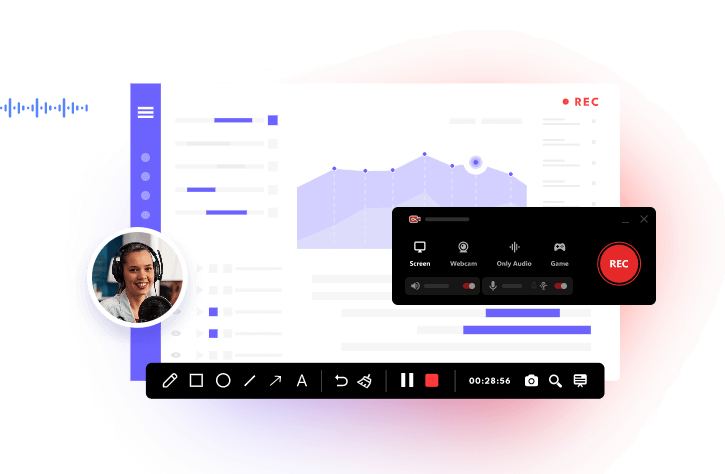
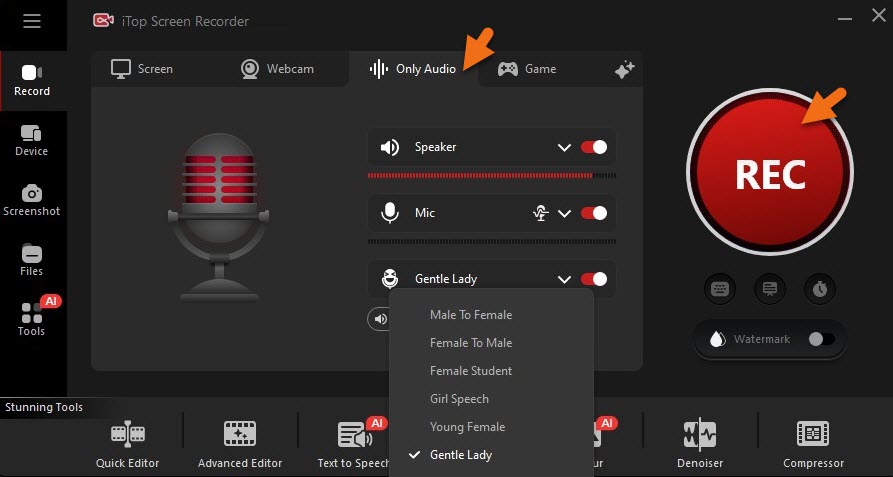
Step 2. Open iTop Screen Recorder and select "Only Audio" from the home page, and toggle on "Microphone" to record your voice and "Speaker" if you need system audio. If needed, turn on Voice Changer and select a voice.
Step 3. Click the large red "REC" button or press F9 to start.
Step 4. Click the red square button in the floating bar to stop. The audio file will automatically save to the Files > Audio.
Tip: You can also use the screen recording feature to create a visible audiobook, recording your screen and yourself reading books at the same time.
Conclusion
Choosing the right audiobook recorder ultimately depends on your needs, skill level, and device. Tools like Audacity and Adobe Audition are ideal for users who want advanced editing and professional-grade results, while GarageBand and Voice Record Pro offer more beginner-friendly options for quick and convenient recording. Each of these tools has its own strengths, whether it’s powerful features, ease of use, or platform compatibility.
If you're looking for a simple yet effective solution that balances quality and convenience, iTop Screen Recorder stands out as a great choice. It allows you to record high-quality audio with minimal setup, making it perfect for beginners and anyone who wants a hassle-free experience. Now, download iTop Screen Recorder to give it a try!