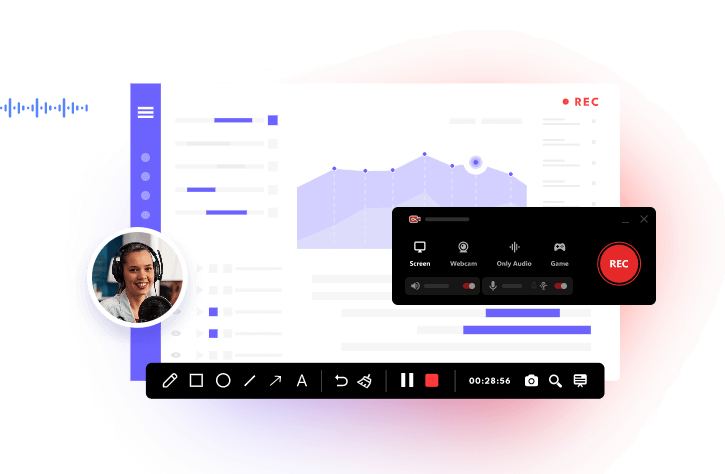
Many Snapchat users worry about being detected when trying to capture snaps on their phones. The simplest solution is to screen record Snapchat on a PC, where certain operating system limitations are removed, offering more control and privacy. This approach is currently the most reliable way to screen record Snapchat without notification. Learn the detailed 3 ways to screen record Snapchat without notification here on PC and mobile.
Screen Record Snapchat Without Notification: Why Mobile Phones Cannot Work?
Snapchat has tightened its privacy measures, making it nearly impossible to capture snaps on iPhone or Android without triggering alerts. Default screen record functions are blocked, and most third-party apps fail to bypass these restrictions.
As users often discuss on forums, the frustration is real and there seems to be no reliable mobile workaround. If you want to screen record Snapchat without notification, desktop screen recording software is currently the only solution that provides more flexibility, higher control, and full privacy for your Snapchat captures. This approach bypasses mobile limitations while keeping your activity undetected.
Screen Record Snapchat Without Notification on iPhone/Android: Airplane Mode/Clear Cache
Even though Snapchat is stricter now, it’s still possible to capture snaps directly on mobile devices by combining Airplane Mode with clearing the app cache. This trick temporarily disconnects your device from the internet, preventing Snapchat from detecting the screen recording, while clearing caches ensures no residual activity flags your action.
It’s a simple tip for iPhone and Android users who prefer recording without switching to a PC. Many Samsung users report that this method works reliably for screen recording Snapchat without notification Samsung, and Android users can follow similar steps.
Read also: How to see who screenshotted your Snapchat Story>>
How to Screen Record Snapchat Without Notification iPhone?
Step 1. Locate the Snapchat you’d like to screen record.
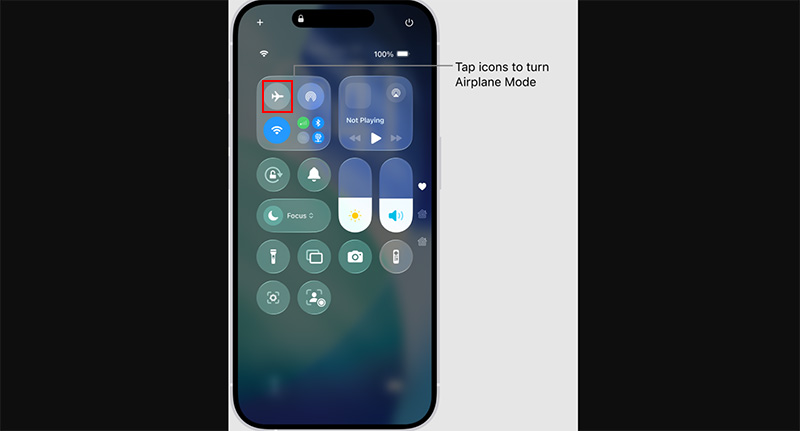
Step 2. On iPhones with Face ID, drag down from the top-right corner of the display. On models with a Home button, swipe up from the bottom of the screen. Tap the airplane-shaped icon to enable Airplane Mode. When it lights up orange, it’s on.
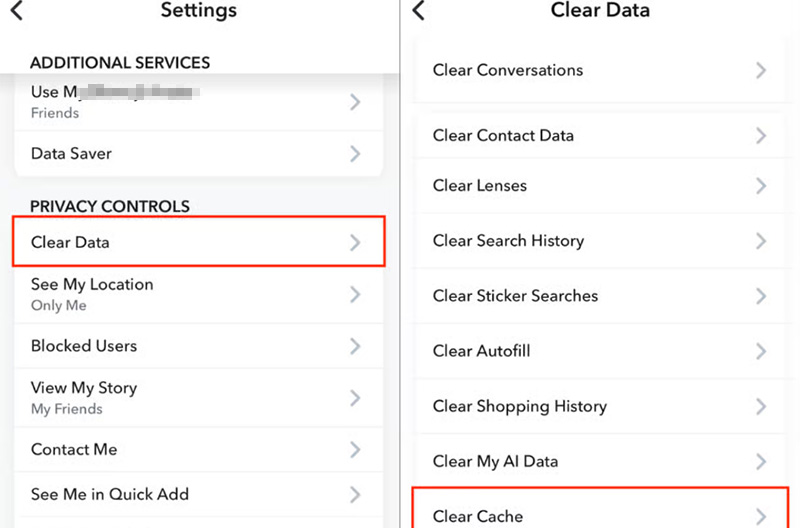
Step 3. Open your Profile, tap the gear icon for Settings, then scroll to Privacy Controls. Choose Clear Data > Clear Cache, and confirm the action.
Step 4. Start to screen record Snapchat without notification iPhone using the iPhone’s built-in recorder or a third-party app, view the snap, and stop recording once finished.
Also read: Does Snapchat notify when you screenshot a story?>>
How to Screen Record Snapchat Without It Showing Andriod?
Step 1. Open Snapchat and navigate to the snap you want to capture without notification.
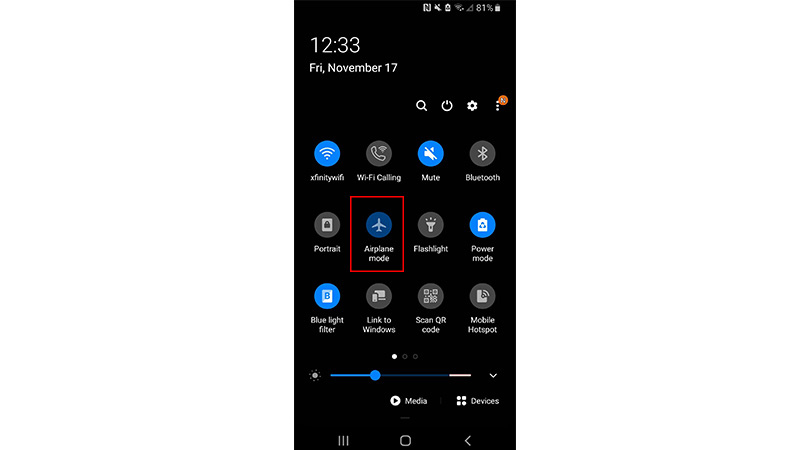
Step 2. Enable Airplane Mode on your mobile to disconnect from Wi-Fi and mobile data. On Android, pull down from the top edge of your phone to open the Quick Settings menu, find the airplane-shaped Airplane Mode button and tap it to switch it on.
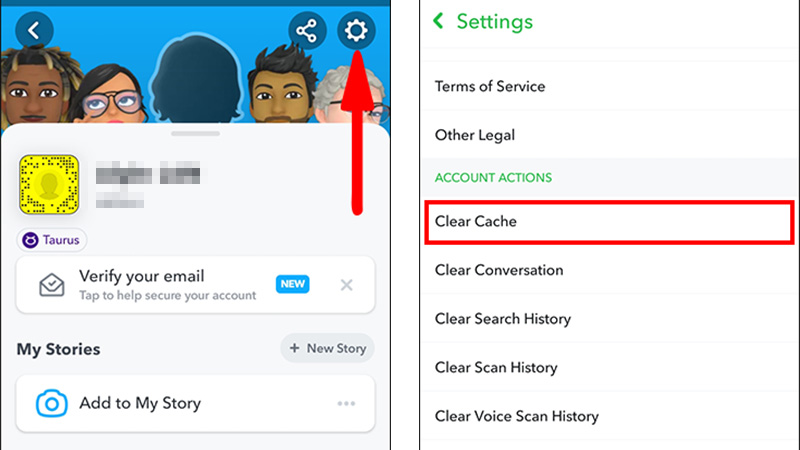
Step 3. Clear the Snapchat cache by going to Snapchat > Profile Icon > Settings > Clear Cache before you begin to screen record Snapchat without notification iPhone.
Step 4. Start to screen record Snapchat without it showing Android with the built-in recording feature or a third-party recorder app.
Screen Record Snapchat Without Notification: iTop Screen Recorder & Web Snapchat
Does snapchat notify when you screen record? Yes. If you’ve tried to capture Snapchat on your phone, you know how annoying the alerts can be. Many users share tips on forums like screen record Snapchat without notification Reddit, emphasizing that desktop recording is the safest and most flexible option. The most direct method is to use iTop Screen Recorder on your computer while accessing Snapchat via its web version. This approach not only avoids notifications but also provides higher-quality recordings and more control over your captures.
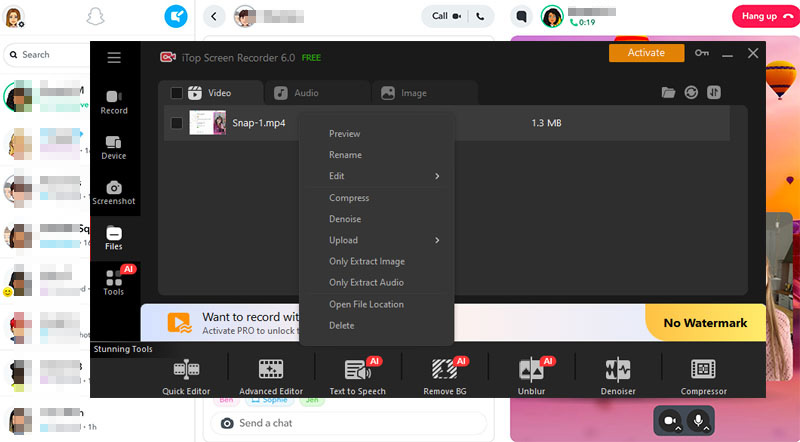
iTop Screen Recorder download is 100% free and safe, no adware, no redirect. It helps screen record Snapchat without notification, in a selected window or full screen, with original video and audio quality reserved. After recording, easy-to-use editing tools, like trimming, adding effects, text, background noise removal, compressor, help polish the recordings.
How to Screen Record Snapchat Without Notification:
Using the following steps, you can efficiently screen record Snapchat without notification while avoiding the pitfalls of mobile apps, with great privacy and higher-quality output.
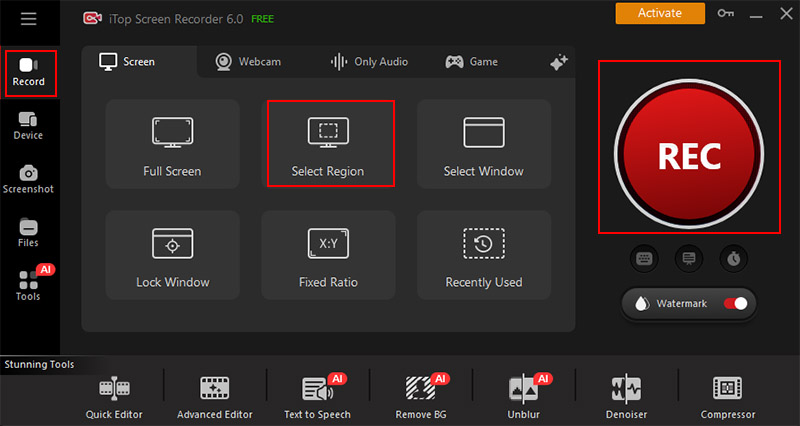
Step 1. Download iTop Screen Recorder on your PC, install it if you haven’t. Launch the Snapchat recorder, click Record and select screen recorder mode.
Step 2. Open Snapchat web in your browser and log in to your account. Make sure the snap you want to capture is ready.
Step 3. In iTop Screen Recorder, choose the recording area to include the Snapchat window and set your audio source if needed.
Step 4. Click the REC button, view the snap, and when finished, stop the recording. Save the file to your preferred location for later viewing, editing, or sharing.
Screen Record Snapchat Video Call Without Notification: Screen Mirroring on PC
If you want to capture Snapchat without triggering alerts, screen mirroring to a PC is another possible solution. By using tools like BlueStacks to emulate or mirror your device and Xbox Game Bar to record, you can view and save snaps safely. Many mobile users struggle with mobile restrictions, but this method avoids the usual notification warnings and is particularly useful for users who need screen record Snapchat without notification.
How to Screen Record Snapchat Without Notification:
By mirroring and recording on PC with the guide below, you can safely archive or share your snaps, making it one of the best workarounds for “screen record Snapchat without notification PC” situations.
Step 1. Install BlueStacks emulator on your PC and connect your mobile device via USB or Wi-Fi to mirror the screen.
Step 2. Inside BlueStacks, search Google Play for a receiver and install it. Open the installed app, then enable the “ready to receive screen” mode. Use the phone’s “Cast” or “Wireless Display” function to select the BlueStacks receiver and start mirroring.
Step 3. Launch the Snapchat app on your phone, log in with your Snapchat account if you haven’t, and it will display on the PC screen through BlueStacks.
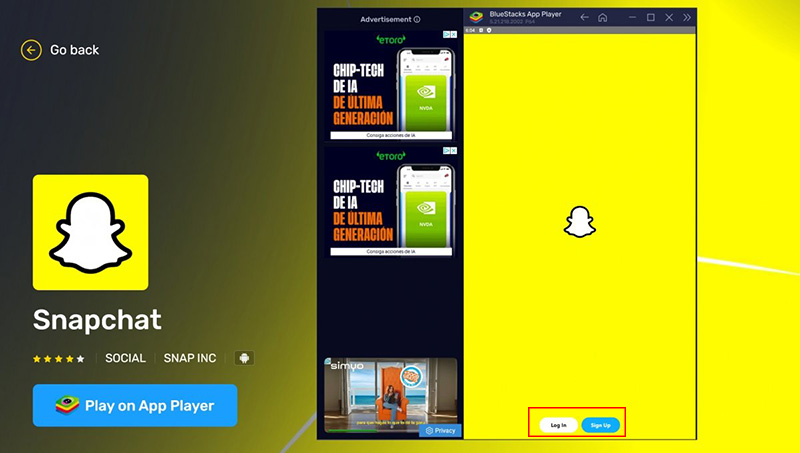
Step 4. Press Win + G on the keyboard to open Xbox Game Bar on Windows and adjust recording settings.
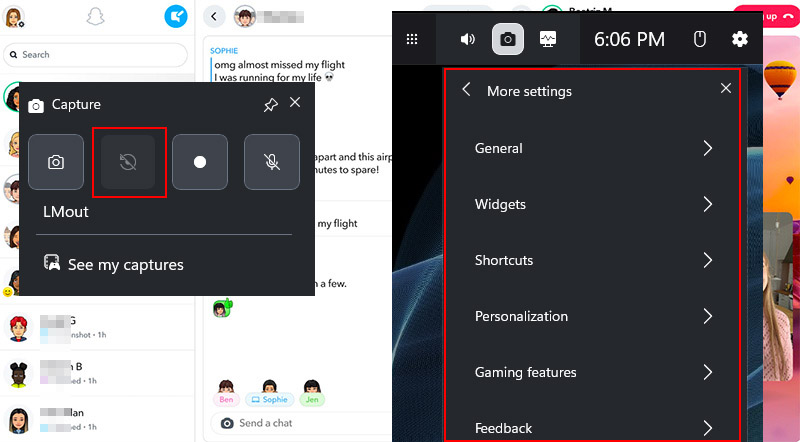
Step 5. use Windows logo key + Alt + G to capture the Snapchat full window or stop recording. The video will be saved to your PC for later use.
Note that this method is also the quick answer for How to record Snapchat video call without notification. Although Snapchat is adjusting its technology to ensure users' privacy, BlueStack plus a Windows screen recorder is also a hard-to-deal-with solution.
Read also: How to screenshot on Snapchat without them knowing>>
Conclusion
Snapchat video recording not working? Capturing your Snapchat moments can be simple and private when you use the right methods shared above. With iTop Screen Recorder, you can easily screen record Snapchat without notification, keeping your snaps secure and high-quality. Give it a try now and save your favorite stories with a few clicks.