Rekordbox has cemented its place as a must-have tool for DJs and music lovers, covering everything from track organization to live performance features in one package. For many, recording a set or capturing a mix is just as important as creating it for sharing online or reviewing later. This guide takes you step by step through how to record on Rekordbox with the built-in recording options as well as free desktop and mobile tools, so you can easily save your mixes without any extra cost.
Can You Record on Rekordbox?
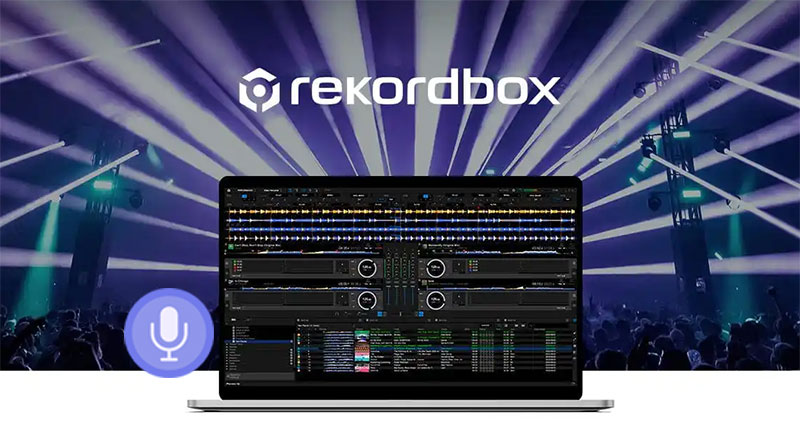
Rekordbox isn’t just a library organizer, it’s a full-featured DJ platform that helps you plan, mix, and perform with ease. Its intuitive interface and powerful tools make it a favorite for both budding DJs and seasoned professionals. One feature many users look for is the ability to capture their sets. The good news is Rekordbox allows you to record directly within the software, and if you want more control or higher-quality output, third-party audio screen recorder for restricted apps recording tools can step in.
How to Record on Rekordbox: Prerequisites You Must Know
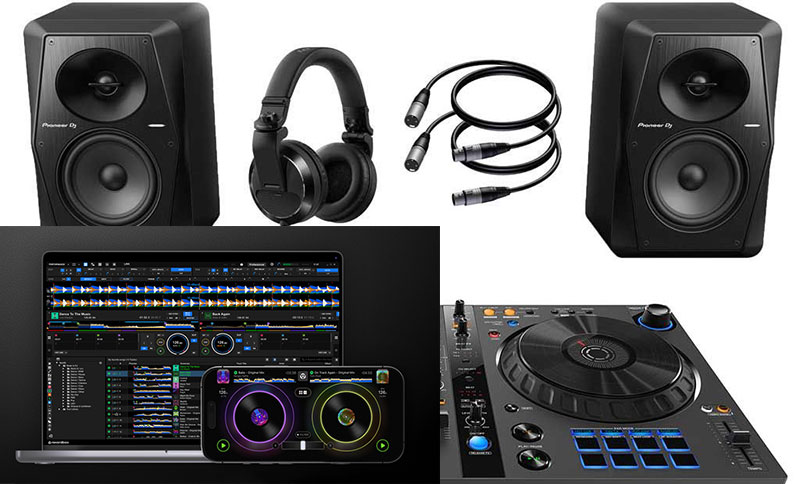
Before you start capturing your DJ sets, it’s crucial to make sure your setup is ready. Proper preparation ensures smooth recording without glitches. Here’s what you need. With these prerequisites in place, you’ll be ready to confidently figure out how to record in Rekordbox without interruptions.
Hardware:
- A Rekordbox-compatible DJ controller or mixer to manage your tracks and transitions.
- Headphones for monitoring your mix accurately.
- Speakers or an audio interface if you want higher-quality output.
Software:
- A computer running the latest supported operating system for Rekordbox.
- Enough free hard drive space to store high-quality recordings.
- The latest version of Rekordbox installed to access built-in recording features.
If the videos or audio files are protected, check how to screen record protected videos without black screen.
How to Record DJ Set on Rekordbox with Built-in Recorder
Once your setup is ready, Rekordbox makes capturing your DJ sets straightforward thanks to its built-in recording feature. Following these steps below, anyone can easily learn how to record on Rekordbox.
Step 1. Open Rekordbox and make sure your audio output is properly configured so the Rekordbox can capture your mix accurately.
Step 2. Select your preferred audio recording sample rate, input channels, etc. via Preferences > Audio.
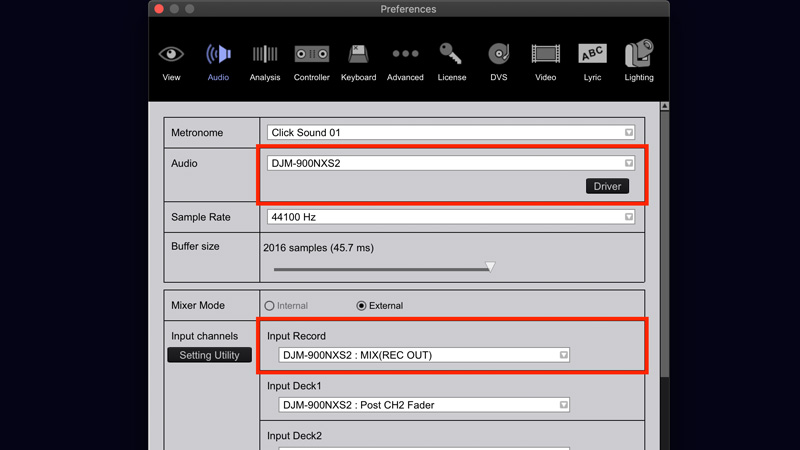
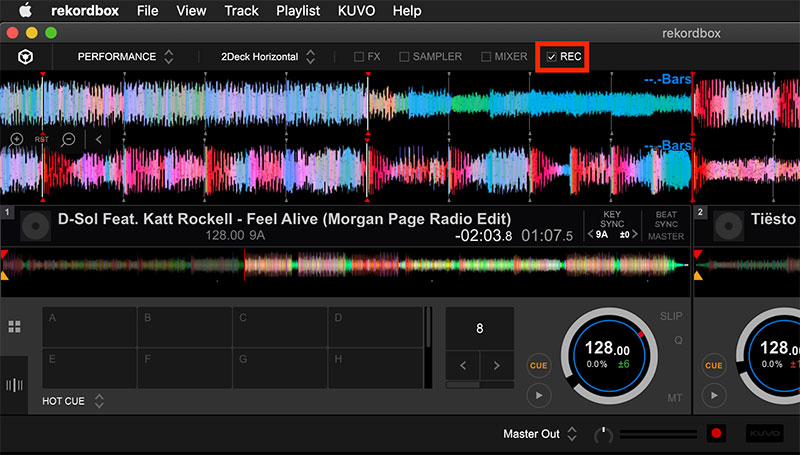
Step 3. Hit the “REC” button and start your set. Once finished, stop the recording and save the file to your desired location. Now you should understand how to record Rekordbox mixes with the built-in feature.
Read more: Does Grindr notify screenshots? Check how to screenshot Grindr >>
Where to Find Your Rekordbox Recording Files
After finishing a DJ set, locating your recordings is essential for reviewing or sharing your mixes. By default, Rekordbox saves your files on your computer in:
/Users/YourUserName/Music/PioneerDJ/Recording
Change the default recording location on Rekordbox
You can quickly change the default location with the below guide on how to record in Rekordbox and save the recording elsewhere.
Step 1. Open Rekordbox and head to the “Preferences” menu.
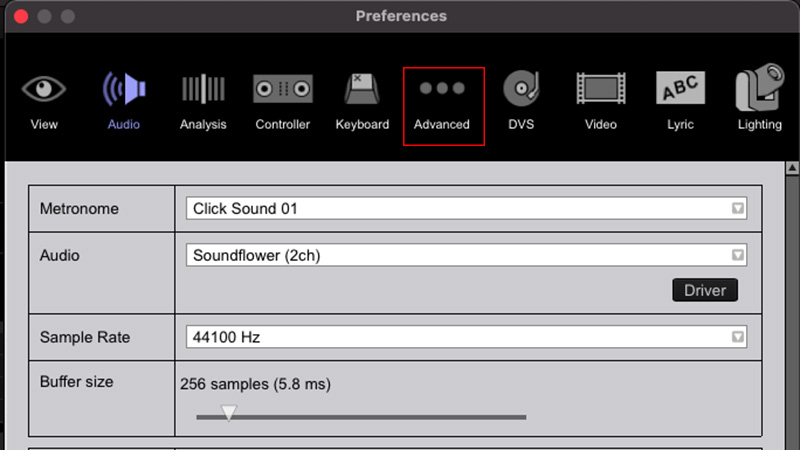
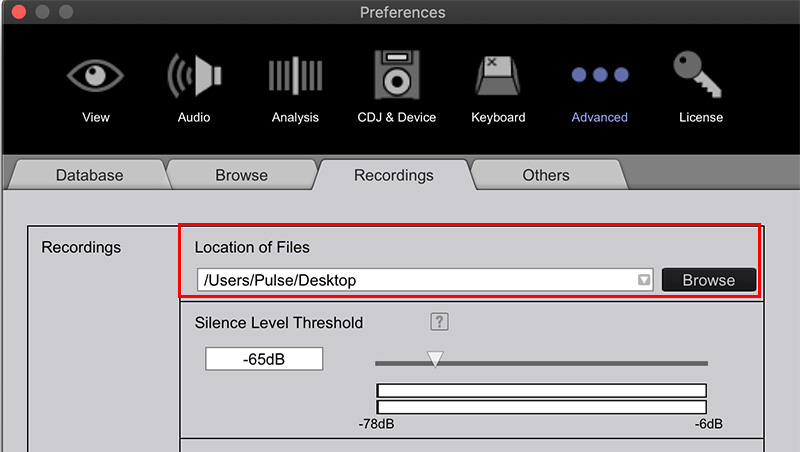
Step 2. Click the “Advanced” button and then “Recording” tab from the advanced settings, where the current save path is displayed.
Step 3. Click “Browse” next to the “Location of Files” section and select your desired folder, and confirm.
How to Record Rekordbox Mixes in HD on Your Computer
While Rekordbox’s built-in recorder is convenient, it doesn’t always deliver the highest audio quality or offer advanced control over your recordings. If you want to capture crystal-clear mixes for practice, sharing online, or archiving your performances, using professional audio and screen recorder software can make a big difference.
Record High-Quality Rekordbox Audio on PC Free
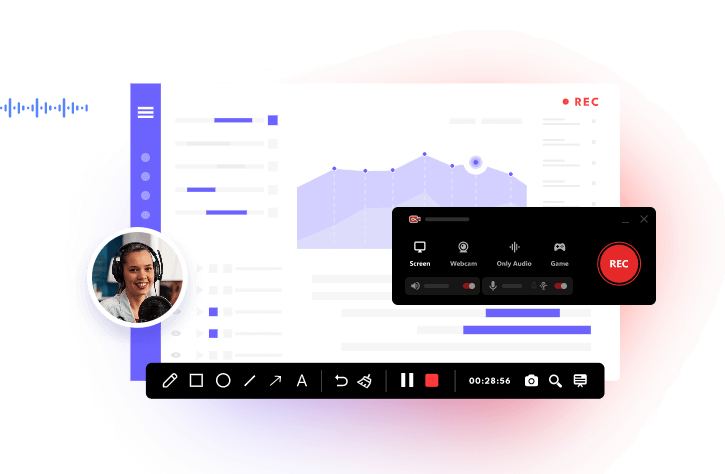
How to record on rekordbox on PC? For DJs seeking a simple but powerful solution to , iTop Screen Recorder is picked as the best audio and screen recorder for Rekordbox.
It allows you to capture high-definition audio from Rekordbox for free in MP3, AAC, FLAC, etc, while also offering screen recording if you want to include visuals of your performance. It’s a free, reliable, and flexible solution that elevates your DJ workflow without extra hassle.
How to Record on Rekordbox with iTop Screen Recorder:
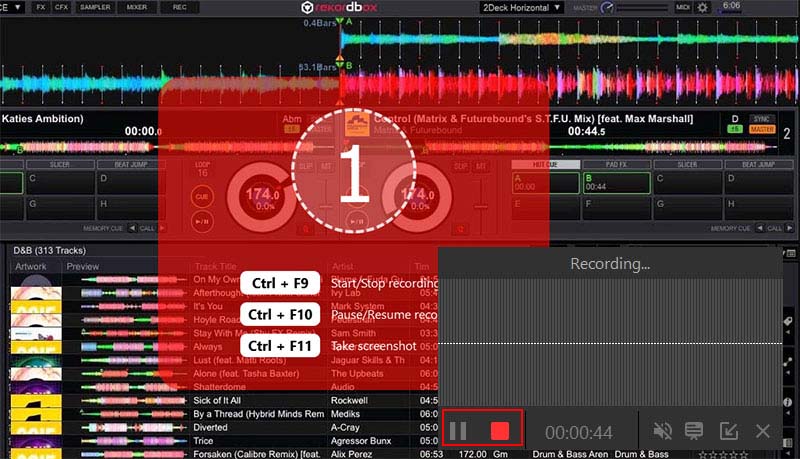
Follow the steps below to learn how to record set on Rekordbox in a professional way on PC with iTop Screen Recorder. The steps can also be used to record TikTok live, YouTube, Snapchat, Whatsapp, etc.
Step 1. Download and install iTop Screen Recorder for Rekordbox recording. Launch the Rekordbox recorder software.
Step 2. Click Record and select the “Only Audio” mode. Choose your audio source: system sound to capture the mix from Rekordbox, microphone if you want to add commentary, or both simultaneously.

Step 3. Hit the “Record” button and start your DJ set in Rekordbox. Once finished, press “Stop” and save the file in your preferred format and location.
Why Is iTop Screen Recorder Your Best Rekordbox Recorder?
-
100% FREE to Record Rekordbox Audio
iTop Screen Recorder download is completely free for Rekordbox recording. No registration or subscription is required, making it a top pick for DJs who want to record sets without hidden fees. -
AI Denoiser for HD Audio Recording
The built-in AI denoiser feature ensures your recordings are crisp without unwanted noise. Background noise is minimized to output studio-quality clarity. -
Record Rekordbox with External Audio Sources
You can capture both your system sound and microphone simultaneously. It even supports voice changers and commentary overlays for tutorials or live streams recording. -
Flexible Screen Recording with Rekordbox
You can record your DJ interface alongside the audio, customize screen size, and include visual elements of your performance for social media content. -
Advanced Editor & Easy DJ Mixes Sharing
After recording, iTop Screen Recorder includes simple editing tools to trim, cut, add effects, or enhance your audio. Sharing your DJ set on any platform is seamless, such as YouTube, SoundCloud, or personal archiving.
Record Rekordbox DJ Set on Your Mac Devices
If you’re using a Mac, you don’t need extra software to capture your DJ sets. QuickTime Player, which comes pre-installed, is a simple tool to record Rekordbox on Mac. Learn how to record on Rekordbox free without QuickTime on Mac.
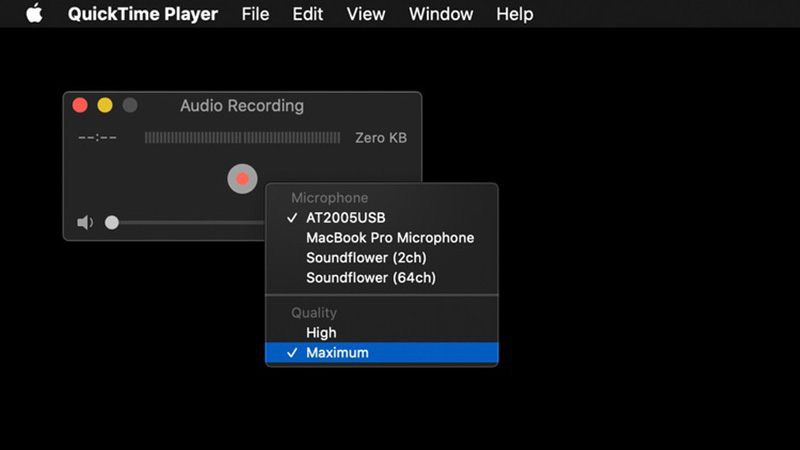
Step 1. Open QuickTime Player, select File, and New Audio Recording for audio recording on Mac. Make sure your system audio is set as the input source to capture the Rekordbox mix accurately.
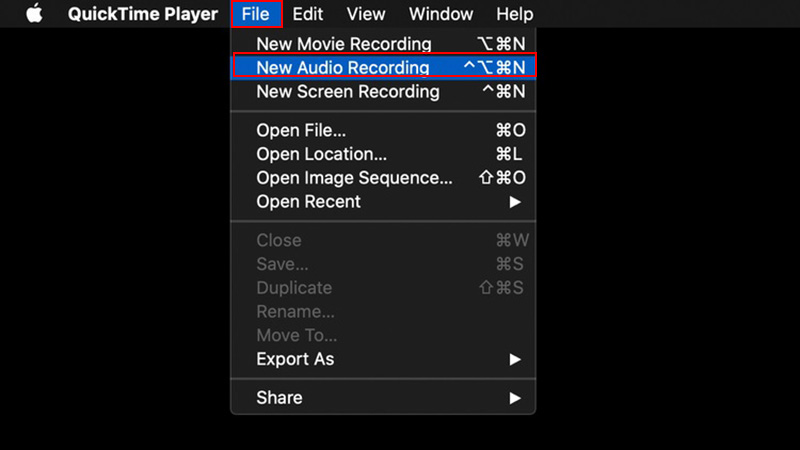
Step 2. Select recording quality, for example, High or Max.
Step 3. Click the red “Record” button, start your DJ set in Rekordbox, and when finished, press “Stop” to save the file to your preferred location.
How to Record on Rekordbox on Mobile (Android/iOS)
Recording your DJ sets on mobile devices is also easy. This way can also be applied if you want to integrate your recordings with streaming platforms like SoundCloud, helping you know how to record on Rekordbox with Soundcloud directly from your mobile setup. Find out how to record on Rekordbox from your phone.
Step 1. Launch the Rekordbox mobile app and tap the Rekordbox icon. Open and play the playlist on the Rekordbox app on your mobile.
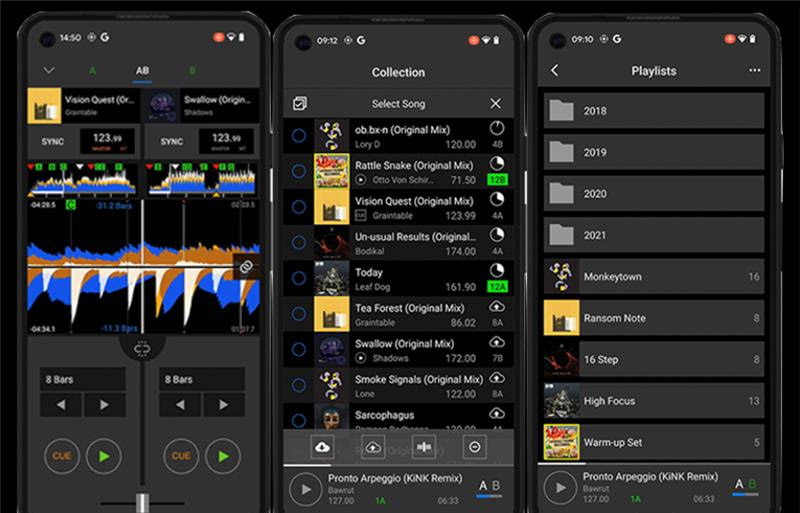
Step 2. Click the menu icon and select “Recording” to access the recording tools.
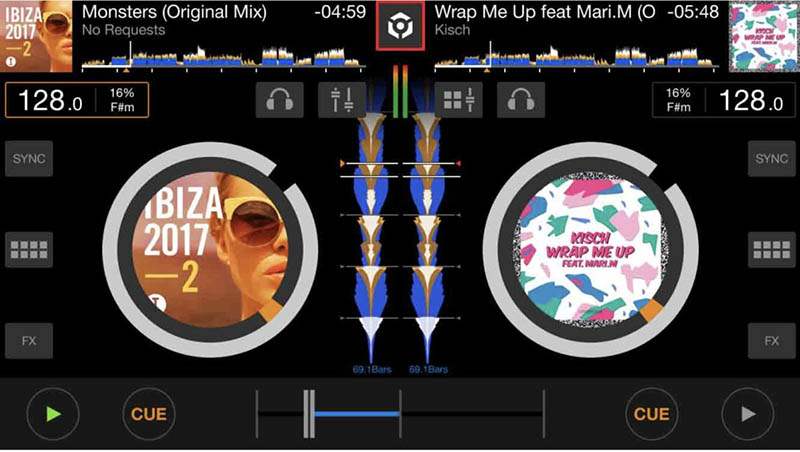
Step 3. Hit the red “REC” button to start capturing your mix. Tap it again to stop recording when finished.
Read More: How to screen record Instagram DM on PC, iPhone, Android mobiles.
FAQs About Rekordbox Recording
1. Can I Record on Rekordbox When Using Streaming Services?
No. Recording directly from streaming platforms like Spotify or Apple Music is generally restricted due to copyright protection. Rekordbox allows recording of locally stored tracks and decks.
2. How to Record My Voice Alongside DJ Set on Rekordbox?
You can capture voice via the mixer’s MIC or separately in a DAW with virtual audio cables, then combine later. USB connection on Pioneer controllers can also record both mix and mic.
3. How to Record on Rekordbox with SoundCloud?
If you want to save mixes featuring tracks from SoundCloud, download the tracks legally beforehand. Then, play them in Rekordbox offline while using the built-in recorder or an external recorder. This way, you can efficiently learn how to record mixes on Rekordbox with Soundcloud while respecting copyright rules.
The Bottom Line
Recording your DJ sets on Rekordbox is straightforward across PC, Mac, and mobile devices. iTop Screen Recorder delivers clear audio, flexible input options, and simple editing, making it a reliable choice for saving your mixes. Try it to see just how easy it is to learn how to record on Rekordbox.