In today’s digital world, converting written content into spoken words has never been easier. Whether you’re creating audiobooks, voiceovers, educational material, or accessibility tools, Portuguese text to speech technology offers a fast and effective solution. With modern advancements, generating a natural, human-like voice in Portuguese is now possible in just a few clicks. In this guide, we’ll explore some of the best text to speech Portuguese generators. 
What is Portuguese Text to Speech?
Portuguese text to speech is a technology that converts written Portuguese text into spoken words using computer-generated voices. It allows users to listen to written content instead of reading it, making it a powerful tool for education, content creation, and accessibility.
Whether you’re targeting European Portuguese or Brazilian Portuguese, text to speech Portuguese tools provide a wide range of voices and intonations to make the experience sound natural and engaging.
Key Features to Look for in a Portuguese Text to Speech Tool
When looking for a reliable Portuguese text-to-speech solution, consider these factors:
- Voice Quality: Choose tools that offer natural and expressive voices.
- Language Support: Ensure the tool supports both Brazilian and European Portuguese if needed.
- Speed and Flexibility: Choose a tool that lets you modify both the speaking speed and voice pitch.
- Export Options: The ability to save audio files in multiple formats is a plus.
Popular tools include online platforms, desktop software, and browser extensions, making it easy to integrate text-to-speech online Portuguese into your workflow.
Best Portuguese Text-to-Speech Tools
Now that you understand what Portuguese text-to-speech is, the next step is choosing the right tool. With so many options available, finding a solution that delivers a natural-sounding voice, flexibility, and ease of use is essential. Let’s explore the best text to speech Portuguese tools that can help you convert your written content into clear, professional audio effortlessly.
iTop Screen Recorder
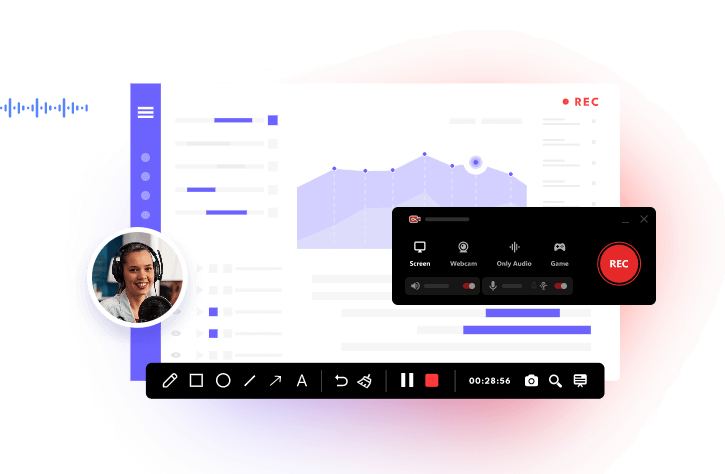
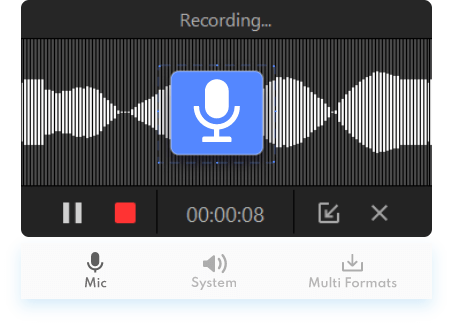
When it comes to capturing high-quality Portuguese text to speech audio, iTop Screen Recorder is an excellent choice for both beginners and professionals. While many text-to-speech tools allow you to generate a Portuguese voice, you often need a reliable way to record, edit, and save the audio in a convenient format. iTop Screen Recorder makes this process seamless by combining powerful recording capabilities with user-friendly features, ensuring that every spoken word from your text-to-speech output is captured clearly and professionally.
Key Features:
- High-Quality Audio Recording: Capture text-to-speech audio in crystal-clear quality without any lag or distortion.
- Flexible Recording Modes: Record full screen, custom regions, or specific applications where your text-to-speech plays.
- Real-Time Audio Capture: Simultaneously capture system audio and microphone input, ideal for narrations or commentary. You can even use it to record Zoom meeting.
- Audio Editing Tools: Trim, cut, and adjust your recordings directly within the software without needing third-party editors.
- Export in Multiple Formats: Save recordings as MP3, WAV, or other popular audio formats for easy sharing or integration. This also applies to screen record protected videos or other shows.
Google Text-to-Speech
When looking for a reliable and accessible Portuguese text-to-speech solution, Google Text-to-Speech stands out as one of the most popular choices. It allows users to convert written Portuguese text into natural-sounding audio effortlessly, making it ideal for education, accessibility, content creation, and personal use. Google’s TTS technology integrates seamlessly with Android devices, Google apps, and third-party software, giving users a simple yet powerful way to bring text to life in both Brazilian and European Portuguese.
Key Features:
- Offers high-quality AI-generated voices.
- Provides accurate pronunciation for different Portuguese variants.
- Works with Android devices, Google Play Books, Google Translate, and other compatible apps.
- Allows for adjusting pitch, speed, and volume.
- Download Portuguese voices for offline use.
- Enables visually impaired users to listen to apps, documents, or web content in Portuguese.
- Continuously improved by Google.
Amazon Polly
Amazon Polly is a powerful Portuguese text-to-speech service that transforms written text into lifelike speech using advanced AI technology. It is widely used by developers, content creators, and businesses to generate high-quality Portuguese audio for applications, audiobooks, and accessibility tools. With support for both Brazilian and European Portuguese, Amazon Polly delivers natural-sounding voices that make your text more engaging and easier to understand.
Key Features:
- High-quality, natural-sounding Portuguese voices.
- Supports both Brazilian and European Portuguese.
- Real-time text-to-speech conversion.
- Multiple voice options and adjustable speech rate.
- SSML support for fine-tuned pronunciation and intonation.
- Integration with apps, websites, and other software.
- Cloud-based, scalable, and reliable for professional use.
Also Read: How to Screen Recorder for Restricted Apps >>
Microsoft Azure Speech Service
Microsoft Azure Speech Service is a robust Portuguese text to speech software designed for developers, businesses, and content creators who need high-quality, natural-sounding Portuguese audio. With support for both Brazilian and European Portuguese, Azure Speech Service enables seamless integration into apps, websites, and software, making it easy to convert written text into engaging spoken content.
Key Features:
- Natural-sounding Portuguese voices with AI-powered intonation.
- Supports both Brazilian and European Portuguese.
- Real-time and batch text-to-speech conversion.
- Customizable voice, pitch, and speed settings.
- SSML support for precise pronunciation control.
- Integration with Azure cloud services and APIs.
- Scalable and secure for professional applications.
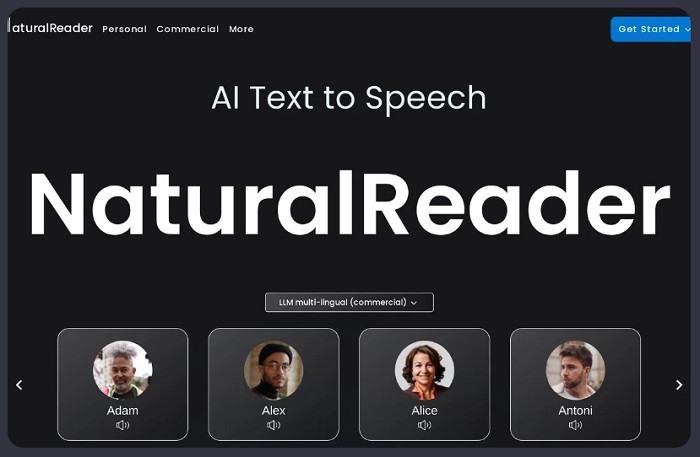
NaturalReader
NaturalReader is an easy-to-use Portuguese text-to-speech software designed for students, professionals, and content creators who want to convert written text into natural-sounding Portuguese audio. With both Brazilian and European Portuguese voices, NaturalReader allows users to listen to documents, e-books, and web content effortlessly, making it ideal for learning, accessibility, and productivity.
Key Features:
- High-quality, natural-sounding Portuguese voices.
- Supports both Brazilian and European Portuguese.
- Convert documents, PDFs, and web pages into speech.
- Adjustable reading speed and voice settings.
- Highlight text as it reads for easy following.
- Export audio as MP3 for offline use.
- User-friendly interface suitable for beginners and professionals.
Also Read: How to Record Instagram DM Video >>
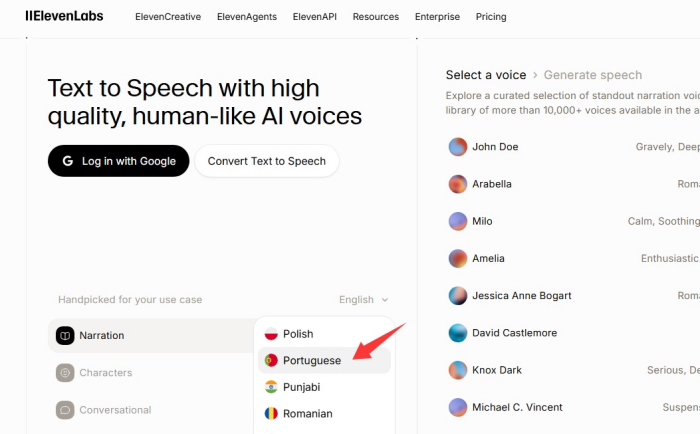
ElevenLabs (AI Voice Generator)
ElevenLabs is an advanced text to speech online Portuguese platform that leverages cutting-edge AI to generate highly natural and expressive Portuguese audio. Ideal for creators, educators, and professionals, ElevenLabs allows you to convert written text into lifelike speech in both Brazilian and European Portuguese, making it perfect for audiobooks, podcasts, video narration, and accessibility projects.
Key Features:
- Highly natural and expressive Portuguese voices.
- Supports both Brazilian and European Portuguese.
- Realistic AI-generated speech with natural intonation.
- Adjustable voice style, pitch, and speed.
- Ability to clone voices for personalized audio.
- Export audio in multiple formats like MP3 and WAV.
- Ideal for professional content creation and media projects.
- Ultra-realistic Portuguese voices.
- Voice cloning features.
How to Use Portuguese Text to Speech (Step-by-Step Guide)
Now that you’re familiar with the top Portuguese text-to-speech tools, the next step is learning how to use them effectively. Whether you want to create audiobooks, generate voiceovers, or make content more accessible, understanding the basic steps for using text-to-speech Portuguese will help you get professional-quality audio quickly and easily. Here are the steps to use Portuguese text-to-speech using iTop Screen Recorder.
Step 1. Download iTop Screen Recorder from the official website or click the download button below. Launch it once installation is complete.
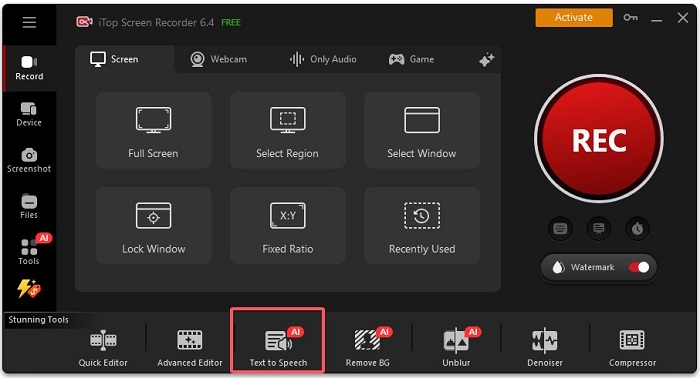
Step 2. Choose the Text-to-Speech option from the home screen.
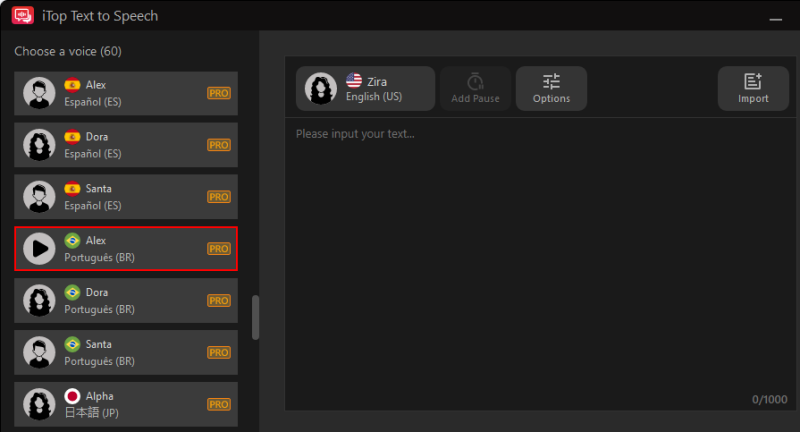
Step 3. Choose a voice from the left panel and input your text in the right place. Then, click Create Audio to proceed.
Step 4. Then, a window will enable you to discard or save your audio. Click Save to keep your audio. You can find your audio file in File > Audio.
Conclusion
This guide has covered everything you need to know about Portuguese text to speech—from its benefits and practical applications to the best tools available. Whether you want to create audiobooks, voiceovers, educational content, or accessibility audio, text-to-speech Portuguese technology makes it fast, easy, and professional.
Among the best text-to-speech Portuguese, iTop Screen Recorder stands out as the perfect companion for capturing high-quality Portuguese audio. With its intuitive interface, flexible recording options, and support for exporting in multiple formats, this free screen recorder lets you record, edit, and save TTS audio effortlessly. Now, download iTop Screen Recorder to give it a try!