


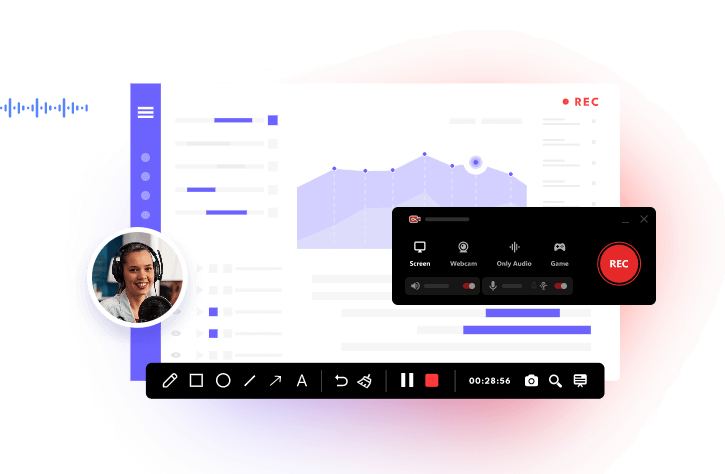
Spotify hosts one of the widest podcast libraries around, and listening is effortless through its app or website. As long as your connection is stable, discovering new shows or following long series is smooth. The problem starts when you’re offline. Free users can only download Spotify podcast episodes in very limited cases, and even then, access is temporary. That’s why many listeners look for ways to download Spotify podcast to MP3, so episodes stay playable anytime, on any device. This guide walks through three reliable methods that actually work.
Method 1: Download Spotify Podcast with iTop Screen Recorder
For full control over Spotify podcast downloads on PC, iTop Screen Recorder is a highly recommended choice. Instead of dealing with Spotify’s built-in limits, it records the real playback audio and saves episodes as standard MP3 or other common formats like AAC and FLAC. This makes it easy to keep, transfer, or play podcasts on phones, car systems, or older devices without worrying about DRM, regional restrictions, or expiring access. You simply play the episode and capture it locally, no logins, links, or unreliable web tools involved.
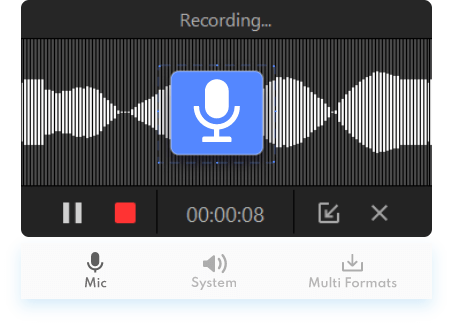
You can adjust the bitrate up to 320 kbps and choose audio channels to keep voices clear, even in long interviews. The built-in noise reduction helps clean up background hiss, while screen recording, system sound, and mic input support make it useful for video podcasts, live shows, and interviews too.
Best for: PC users who want a stable way to free download Spotify podcast episodes as MP3 files in high quality.
Learn About Highlights of iTop Screen Recorder for Spotify Podcast Download:
Record Spotify Podcasts in MP3
Download iTop Screen Recorder and use it to save Spotify Podcast, songs, playlists, and albums in MP3 format or AAC, FLAC, AC3, etc., so that you can store, transfer, or play Spotify podcasts in any program and device.
High-Quality Recordings
The recorder supports adjustable bitrate (up to 320 kbps) and channel settings, so spoken voices remain clear and high quality, even for long-form interviews or multi-hour podcast episodes.
Advanced Audio Denoiser
iTop Screen Recorder’s built-in denoising option can automatically reduce background hiss and system noise during recording, which is helpful when capturing podcasts with quiet speakers or uneven volume levels.
All-in-One Audio & Screen Recorder
Beyond audio-only mode, the screen recorder also supports screen capture, system sound, and microphone input. It comes with full-screen or custom screen recording features, so you can record almost any activity from your computer, in your preferred way.
How to Record a Podcast on Spotify?
This method works well if you want to download Spotify podcast content consistently on PC. Follow to learn how to download Spotify podcast to MP3 with iTop Screen Recorder on Windows.
Step 1. Download iTop Screen Recorder, install, and open it on your computer.
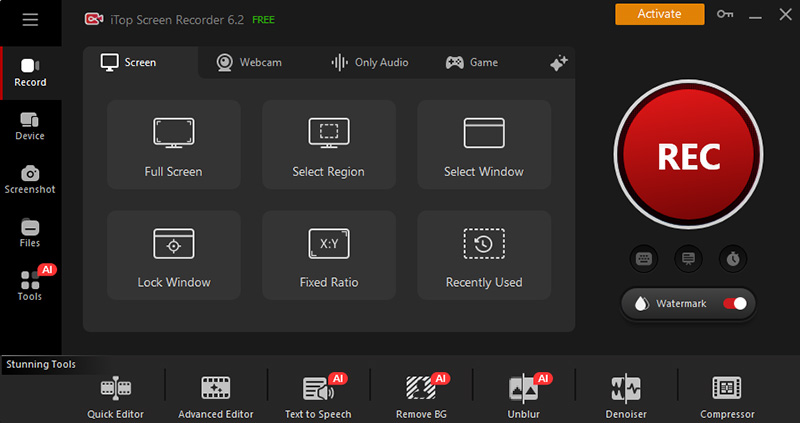
Step 2. Select “Only Audio” mode. Turn off the microphone unless you want voice commentary.
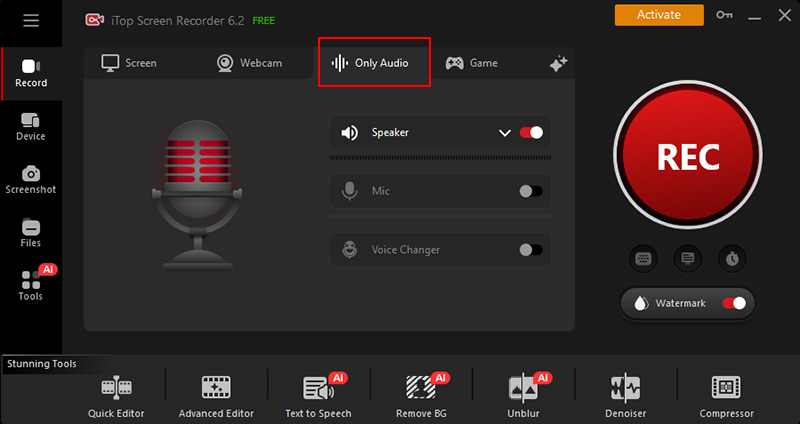
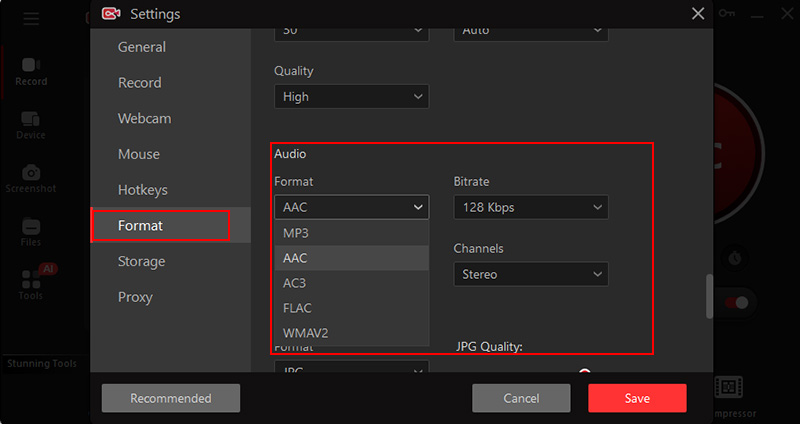
Step 3. Open Settings, go to the Format section, and select MP3 under Format section. Adjust bitrate if needed for higher quality.
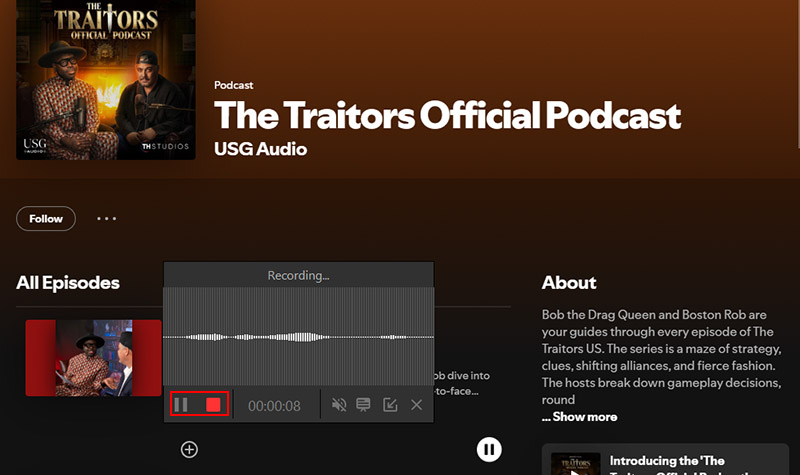
Step 4. Open Spotify (app or web), start the podcast, and click “REC” in iTop Screen Recorder. Let the podcast play through. When the episode ends, stop recording. The file is saved locally and ready to play or transfer.
Method 2: Download Spotify Podcast with Online Spotify Downloader
Spotdown is a browser-based Spotify podcast downloader built for users who don’t want to install software just to save an episode. For short or occasional use, this kind of setup is convenient and quick to understand. The biggest appeal of Spotdown is simplicity. You paste the podcast episode link, wait a few seconds, and get a download option. There’s no account login and no desktop setup.
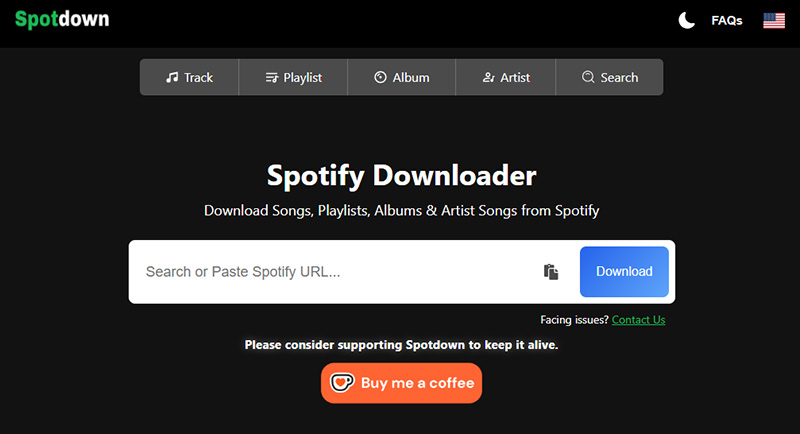
It supports downloading Spotify songs, albums, playlists, etc. in up to 320kbps for free without limits. But online tools like this can be hit-or-miss depending on server load and Spotify changes, so it’s better seen as a lightweight option rather than a long-term solution to download podcasts from Spotify regularly.
Best for: Users who want a fast way to download Spotify podcast episodes without installing any software.
Key Features
- Works directly in a web browser. No Spotify login required.
- Download and convert Spotify songs to MP3.
- Supports unlimited Spotify podcast downloads.
How to Download Spotify Podcast Free Online?
Below is how to download podcasts from Spotify online with Spotdown for free without third-party help.
Step 1. Open Spotify, find the podcast you want, and copy its share link. Paste the Spotify podcast link into the input box, and click the Download button.
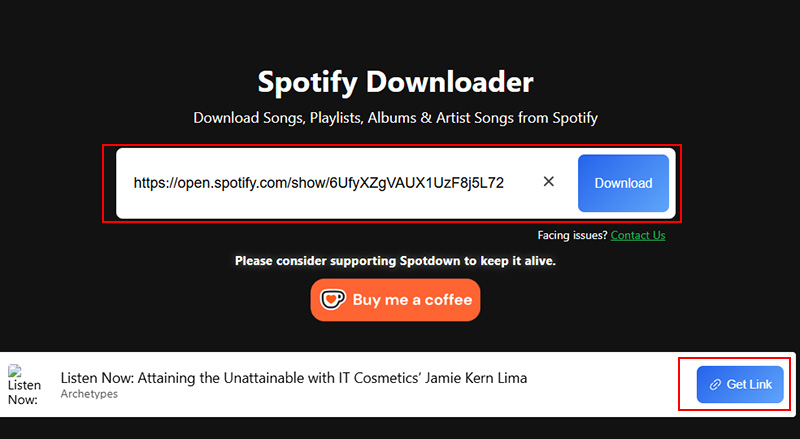
Step 2. After the podcast analysis process completes, click “Get Link”.
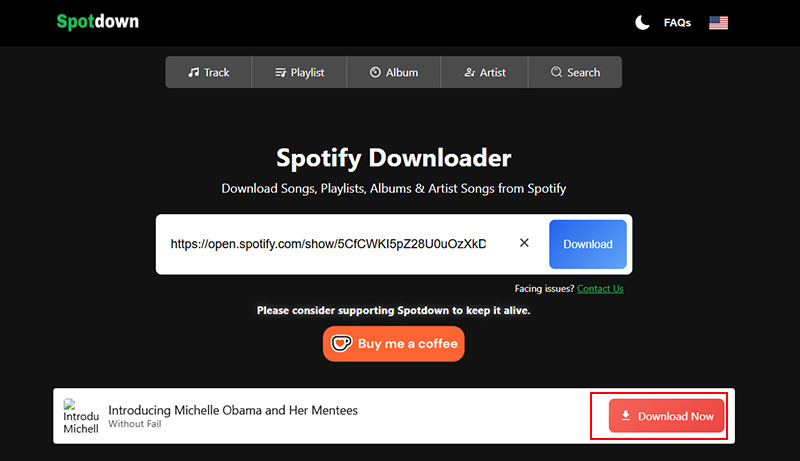
Step 3. Wait for processing, then click the “Download Now” button to save the Spotify podcast locally.
Also Read: Y2mate Video Downloader Online | Save Videos from Websites for Free >>
Method 3: Download Spotify Podcast with a Mobile App
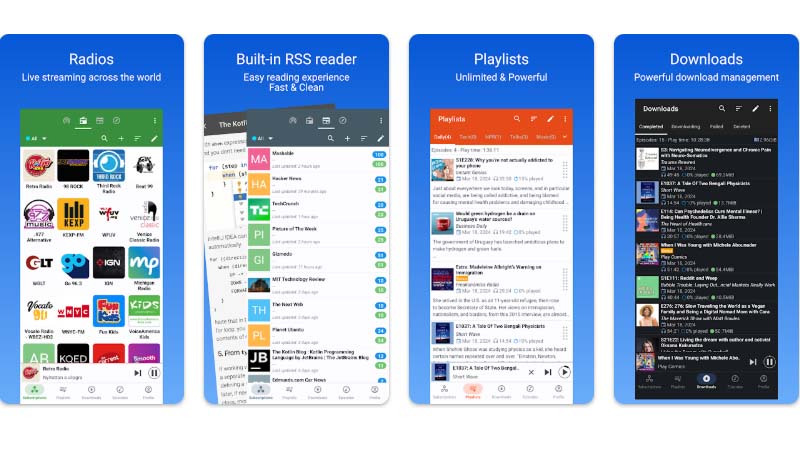
Podcast Republic is a long-running Android Spotify podcast downloader app known for giving users more control than most streaming platforms. It doesn’t bypass Spotify’s system, but it works well when a podcast hosted on Spotify is also available through public RSS feeds.
For listeners frustrated by Spotify podcast download limits, this app offers a more practical mobile workflow. Instead of locking episodes behind one platform, Podcast Republic pulls podcasts into a traditional podcast manager, where downloads behave like normal audio files. This is useful if you’re trying to figure out how to download Spotify podcast episodes for offline listening without relying on desktop tools. Core features are completely free, with a small banner ad removable via a one-time purchase.
Best for: Mobile users who prefer a dedicated podcast app and want a cleaner mobile approach to download Spotify podcast.
Key Features
- Access to 2M+ podcasts and 500M+ episodes worldwide.
- Contains podcasts, online radio, audiobooks, local media in one app.
- Highly customizable organization with filters, playlist priority, and podcast priority.
- Supports Chromecast, Wear OS, and Android.
How to Download a Podcast from Spotify on Your Mobile Phone?
The following step explains how to download Spotify podcast on your mobile phone with Podcast Republic.
Step 1. Install the Podcast Republic app from Google Apps store.
Step 2. Enable auto download from the main app settings, or customize it separately for each podcast in its own settings page. After activation, the app works quietly in the background, regularly checking for new episodes and downloading them automatically.
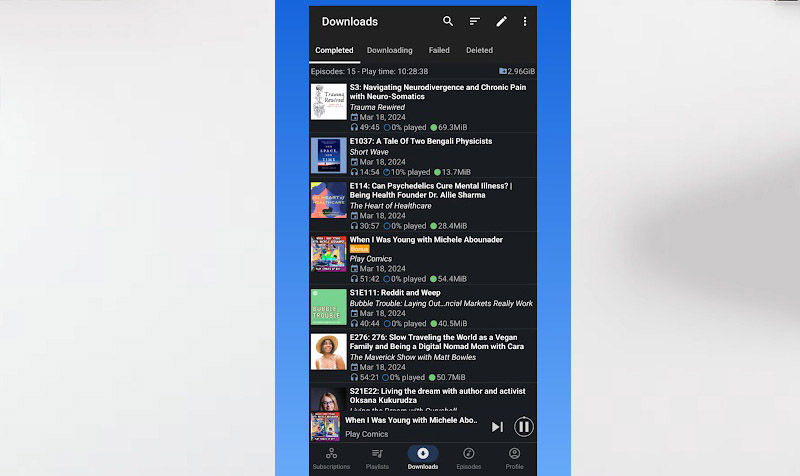
Step 3. All the Spotify podcast download files can be accessed under the Downloads section.
FAQs About How to Download Spotify Podcasts
Questions usually come up once users start looking for how to record a podcast on Spotify or save episodes outside the app. The rules aren’t always clear and these quick answers focus on what actually affects everyday listeners.
1. How do I download a podcast from Spotify as an MP3?
Spotify doesn’t offer direct MP3 exports. To handle how to download Spotify podcast to MP3, you need a screen or audio recorder like iTop Screen Recorder, or an online tool that captures the playback audio.
Also Read: How to Screen Record Protected Videos Without Black Screen >>
2. Why can't I download podcasts on Spotify?
Spotify may fail to download podcasts due to a full cache, restricted app permissions, battery or OS interference, or network issues, so checking storage, disabling VPNs, and refreshing the app usually resolves the problem.
3. Is it legal to convert Spotify podcasts or songs to MP3?
Recording for personal use is generally tolerated, but redistributing or uploading the files is not allowed.
The Bottom Line
Now, you have three easy ways to save Spotify podcasts: recording them on a computer, using an online downloader, or relying on a mobile podcast app. Online tools are convenient yet inconsistent, and mobile apps depend on feed availability. If you want reliable control and consistent audio quality, recording remains the safest route. For users who regularly download Spotify podcast episodes and keep them long-term, iTop Screen Recorder is the most dependable option overall.





