As one of the top music streaming platforms, Apple Music offers millions of tracks in excellent audio quality. Compared to other music streaming apps, Apple Music provides a much better listening experience.
However, many users wonder: How to download Apple Music to MP3 for offline listening or backup? While Apple Music does not allow direct MP3 downloads, there are plenty of tools available to help. Just keep reading to find the 10 best ways to download Apple Music to MP3 for online and desktop.
Can You Download Apple Music to MP3?
Apple Music is a subscription-based streaming platform by Apple Inc. Although it allows offline playback within the app, it doesn’t support the MP3 format directly. But the good news is that you can download Apple Music to MP3 through third-party tools like online converters, desktop apps, or audio recorders.
How to Download Apple Music to MP3 with Free Online Converters
How to download music from Apple Music to MP3 online for free? It’s easy; there are plenty of online music downloaders that allow you to do so. Here are the top 5 choices!
1. AAPL Music Downloader
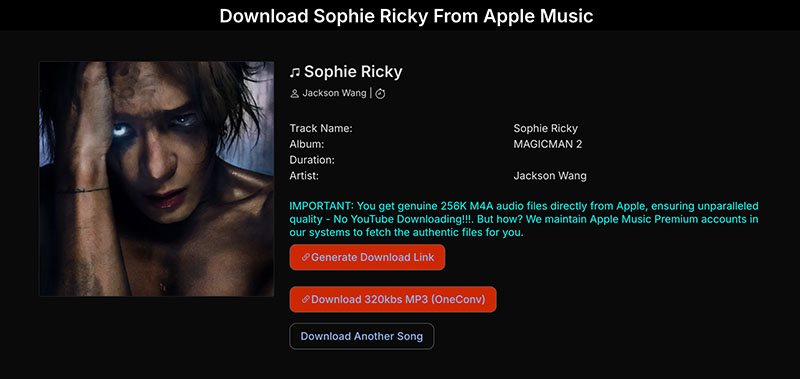
AAPL Music Downloader is a powerful online tool to download Apple Music songs, albums, and playlists in high-quality MP3 or M4A formats. It pulls original 256K M4A files directly from Apple Music, offering superior sound fidelity.
Reasons to Recommend:
- Supports MP3 (320Kbps) and original M4A (256K) formats.
- ZIP batch downloads to save entire playlists/albums instantly.
- Works on Chrome, Safari, Firefox, Opera & all Chromium browsers.
- High-speed, free, and easy to use.
How to Download Apple Music to MP3
Step 1. Find the song you want to download on Apple Music. Click on the three-dot icon and copy the link.
Step 2. Head to AAPL Music Downloader and paste the link.
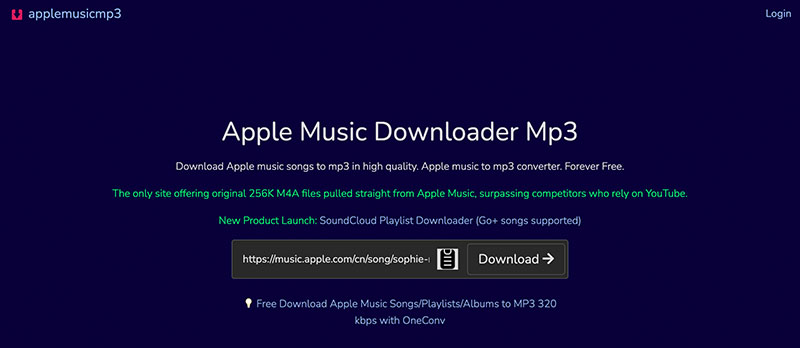
Step 3. It will open a new window displaying the sources for downloads.
2. APLMate Apple Music Downloader
APLMate is another useful tool to download Apple Music to MP3 without installing any software. You can easily download a single song, a curated playlist, or a full album to your desktop with links in one click.
Reasons to Recommend:
- Download Apple Music songs to MP3 in 320kbps for high-quality playback.
- Lightning-fast conversion and download speeds.
- No ads, no pop-ups, no malware.
- Works on all devices: phones, tablets, and computers.
How to Download Apple Music to MP3
Step 1. Go to the APLMate Apple Music Downloader.
Step 2. Paste the links of Apple Music tracks.
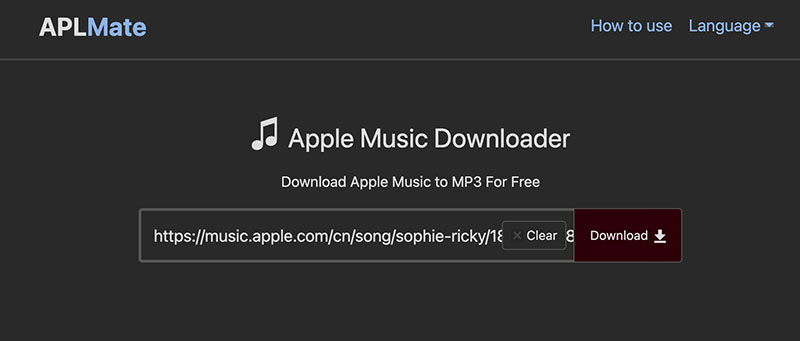
Step 3. Click the Download button to download music from Apple Music to MP3.

3. Okmusi MP3 Downloader
OKmusi is a leading all-in-one platform to help you download Apple Music to MP3, as well as free music from platforms like SoundCloud, Jamendo, Mixcloud, and more. With a clean UI, OKmusi offers a seamless and ad-free user experience.
Reasons to Recommend:
- Save music in MP3 (96kbps, 128kbps, 320kbps), MP4, or M4A formats.
- Support Apple Music, SoundCloud, Free Music Archive & more.
- Download Apple Music playlists, songs, and albums in MP3 format.
How to Download Apple Music to MP3
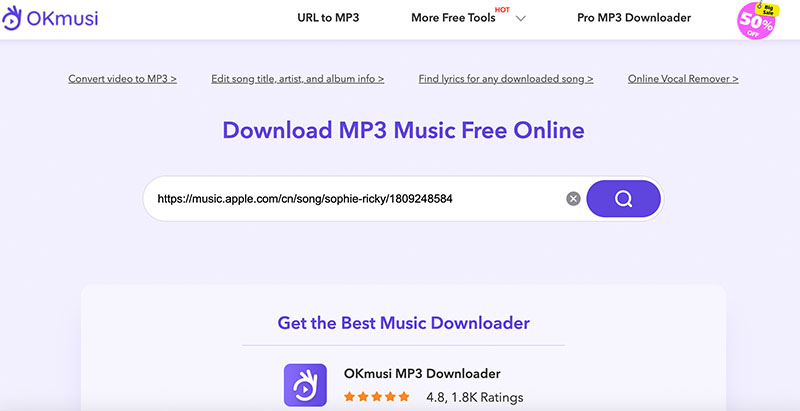
Step 1. Open Okmusi Download MP3 Music Free Online.
Step 2. Copy and paste the music link to the page.
Step 3. Click the purple button to see the download resources.
4. KeepVid Apple Music to MP3
KeepVid Apple Music to MP3 Downloader is a fast and reliable tool to download Apple Music to MP3 online. Equipped with an advanced lossless conversion engine, KeepVid ensures your Apple Music downloads retain their original clarity and detail.
Reasons to Recommend:
- Unlimited Apple Music downloads with zero fees, logins, or trial limits.
- Clean and browser-based tool free of viruses, malware, or spyware.
- Perfectly preserve the original sound quality from Apple Music.
How to Download Apple Music to MP3
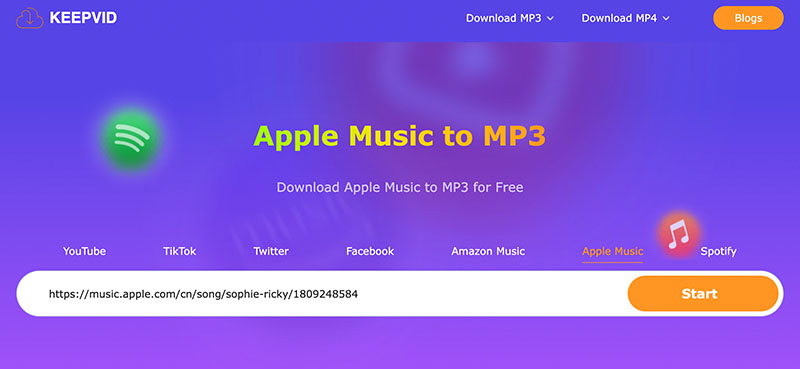
Step 1. Open KeepVid Apple Music to MP3.
Step 2. Input the link of the Apple Music track.
Step 3. Click on the Start button to download Apple Music to MP3.
Keepvid also supports Spotify music conversion. You can easily download Spotify playlist to MP3 free with it!
5. ACETHINKER Free Online Music Downloader
ACETHINKER’s Online Music Downloader is your all-in-one solution to download your favorite songs from the web. Similarly, you can instantly grab your favorite tracks, albums, or playlists from Apple and convert them to MP3 for free.
Reasons to Recommend:
- Convert any Apple Music track to MP3 in various quality settings.
- Download Apple Music to MP3 on your phone, tablet, or PC using any browser.
- Free music downloader for Windows & macOS available to download and convert Apple Music.
- Allow users to download any video for free online.
How to Download Apple Music to MP3
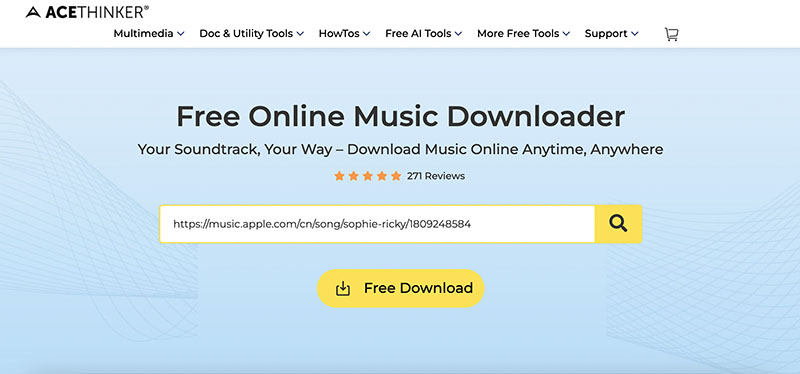
Step 1. Navigate to ACETHINKER Free Online Music Downloader.
Step 2. Paste the Apple Music link and click on the Search button.
Step 3. Choose your preferred audio settings to download a song from Apple Music.
Best Desktop Downloaders to Download Apple Music to MP3
Now you know how to download music from Apple Music to MP3 online for free! But if you prefer desktop software, here are two powerful tools for Windows and Mac.
Download Apple Music Songs to MP3 with Audacity
Audacity is a free and open-source audio editing software that also allows you to record songs from Apple Music into MP3 format. Though it doesn’t directly download Apple Music tracks like an online converter, it's a powerful alternative for recording and converting audio with full control over quality.
Supported Systems: Windows, macOS, Linux.
How to convert Apple Music to MP3 with Audacity
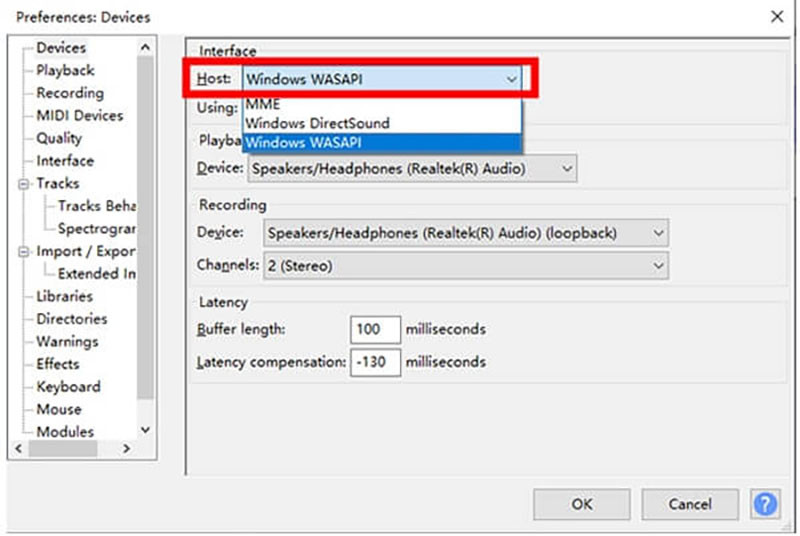
Step 1. Open Audacity. Go to Edit > Preferences > Audio Host, choose Windows WASAPI to set your system audio as the input source.
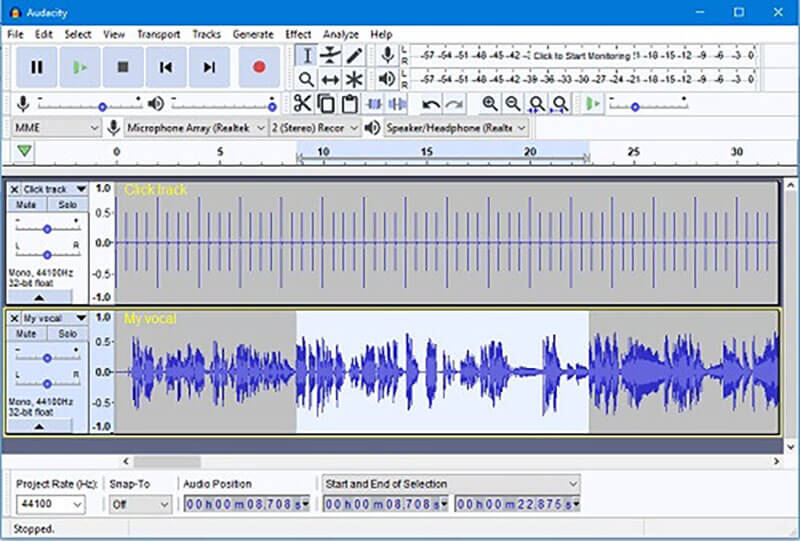
Step 2. Play your desired song from Apple Music. In Audacity, click on the red Record button to start capturing the audio.
Step 3. Go to File > Export > Export as MP3 to save the recorded Apple Music track.
Convert Apple Music to MP3 with Viwizard Audio Converter
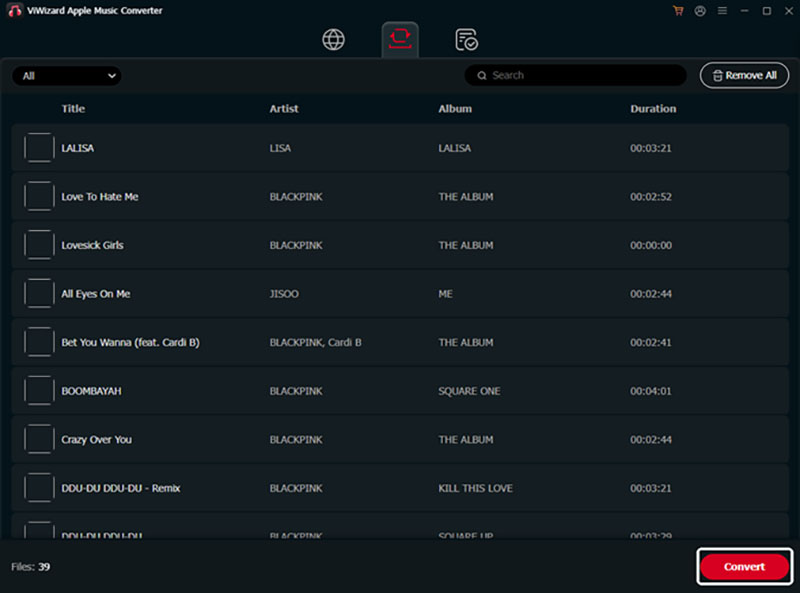
ViWizard Apple Music Converter lets you easily convert Apple Music songs, albums, and playlists to MP3 and other formats with lossless quality. Compatible with Windows and macOS, it offers fast, batch conversion and helps you keep your music forever for offline playback without restrictions.
Supported Systems: Windows, macOS.
How to download Apple Music playlist to MP3
Step 1. Launch ViWizard and log in with your Apple ID. Go to Preferences and select MP3 or another output format.
Step 2. Click the Plus icon to add songs, albums, or playlists from your library or Apple Music Web Player.
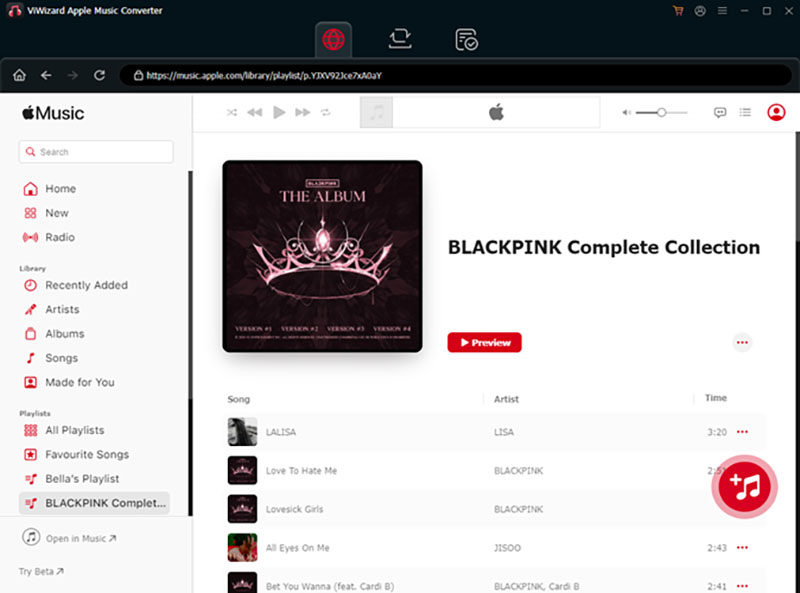
Step 3. Click Convert to download and convert the tracks.
Top Recommended Audio Recorder to Save Apple Music to MP3
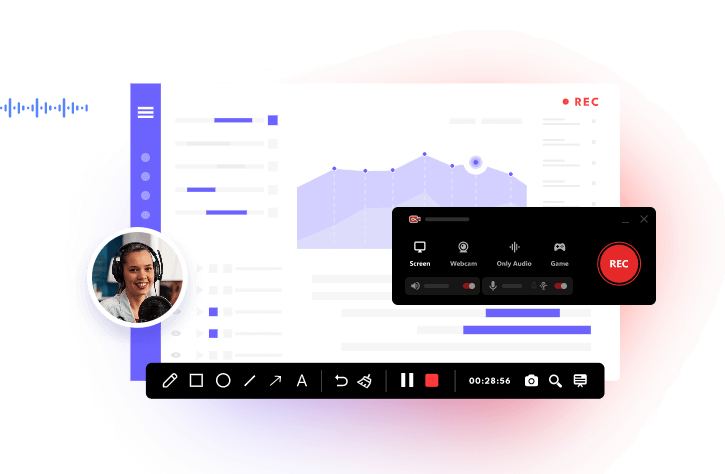
With the tools above, it can be fast and easy to download Apple Music to MP3. But when it comes to the top solution, the iTop Screen Recorder is what you need. It’s the best free screen and audio recorder for PC, which lets you record videos and audio from Apple Music effortlessly with premium quality.
Why Pick iTop Screen Recorder?
FREE Record Apple Music to MP3/Any Format
iTop Screen Recorder is 100% free to use. You can export recordings in MP3, WAV, FLAC, AAC, or other popular formats for playback on any device.
Record Apple Music Songs/Audios in HQ
This HD screen recorder captures your favorite Apple Music playlist, album, or single song with no quality loss. You can enjoy high-quality videos and crystal-clear audio recordings offline.
Capture Apple Music Videos No Restriction
iTop Screen Recorder can capture Apple Music videos, DJ sets, or live performances, even DRM-protected content without limits. Just see how to screen record protected videos with original quality.
Edit & Share Stunning Music Clips Anytime
Its built-in editor allows you to trim, cut, and enhance your Apple Music audio/clips easily. You can also quickly export and share your recordings on platforms like YouTube, TikTok, and Instagram with just a few clicks.
How to Record Apple Music to MP3 with iTop Screen Recorder
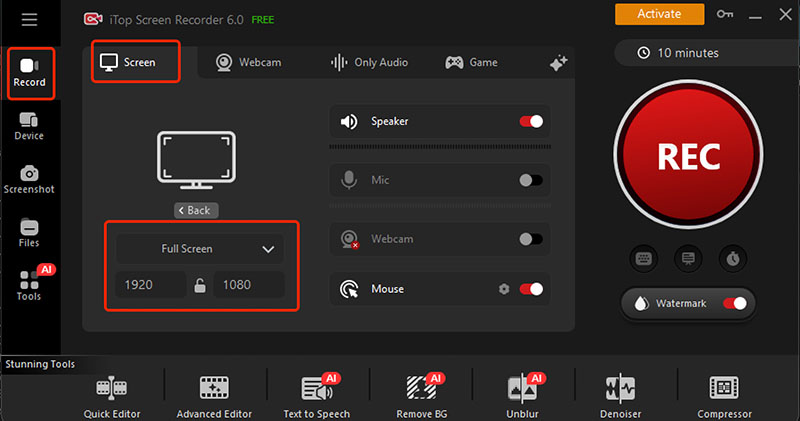
Step 1. Install and launch iTop Screen Recorder on your Windows.
Step 2. Choose Screen Mode to record Apple Music videos. Set your preferred recording area and hit REC to begin.
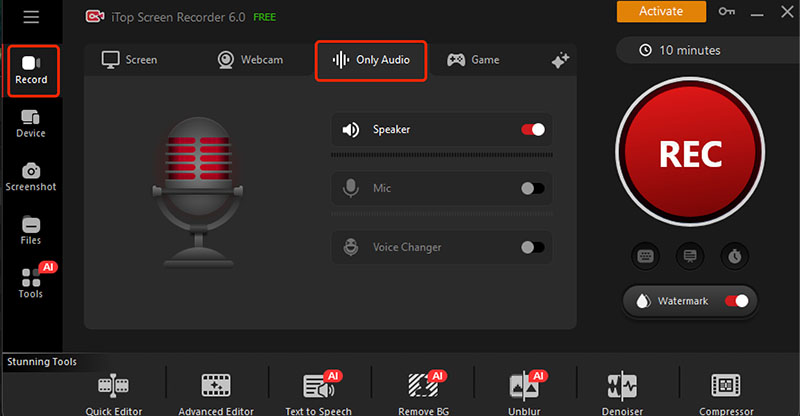
Step 3. Switch to Audio Only Mode to record Apple Music to MP3. Adjust the Speaker and Mic settings, then click REC to start audio capture.
That’s it! iTop Screen Recorder can literally capture anything on your computer. You can record TikTok live, gameplay, and Zoom meetings in high quality and without limits.
Convert Apple Music AAC Files to MP3 After You Buy
If you have purchased songs from Apple Music, you don’t need any third-party converter to download them. Purchased tracks are DRM-free AAC files, and you can easily convert them to MP3 using Apple Music or iTunes.
How to Save Paid Apple Music as MP3 from Apple Music
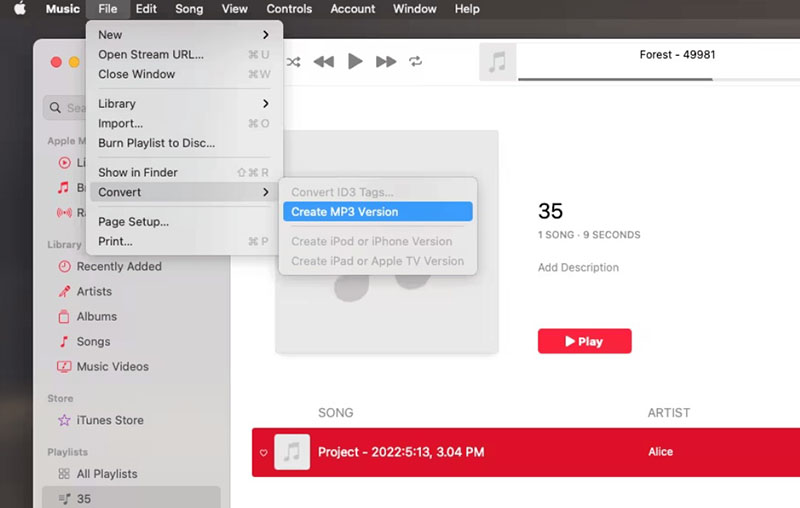
The Apple Music app on Mac lets you manage and convert purchased songs directly. Here’s how.
Step 1. Open the Apple Music app. Go to Music > Settings > Import Settings.
Step 2. Set the encoder to MP3 and adjust audio quality.
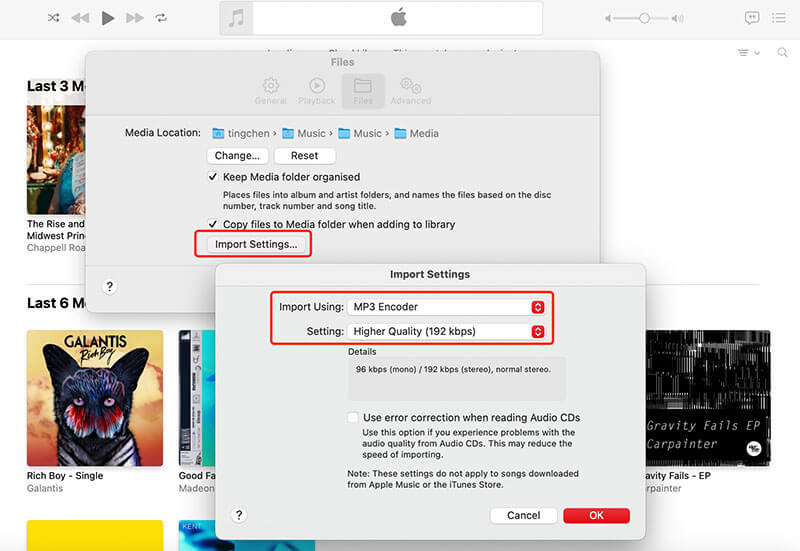
Step 3. Locate the purchased song and click File > Convert > Create MP3 Version.
How to Download Apple Music to MP3 Using iTunes
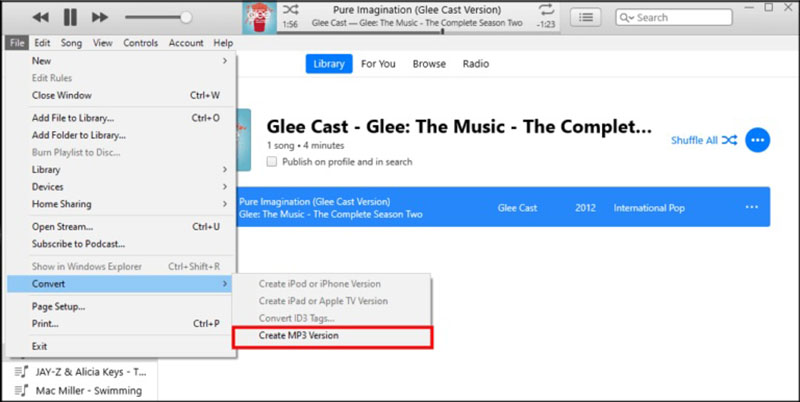
On Windows, iTunes provides similar features for converting purchased music.
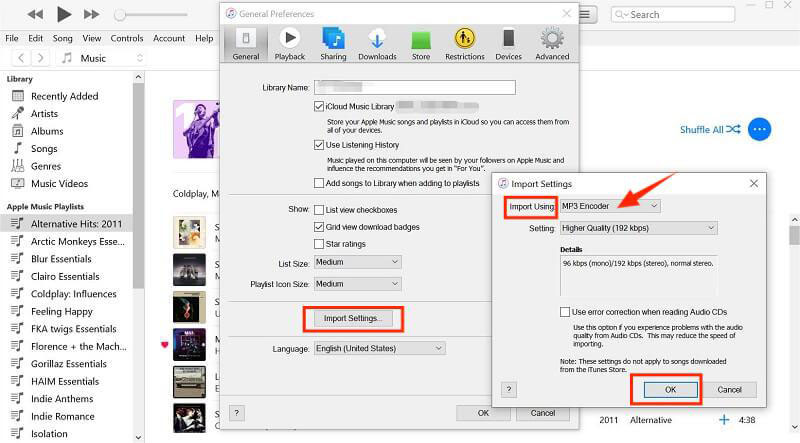
Step 1. Launch iTunes, go to Edit > Preferences > Import Settings.
Step 2. Set Import Using to MP3 Encoder and confirm.
Step 3. Select your purchased track, click File > Convert > Create MP3 Version.
Download Apple Music to MP3 FAQs
Still have questions about downloading Apple Music to MP3? Below are some of the most common concerns answered.
Is It Legal to Download Apple Music to MP3?
Yes, it should not be a big problem if you’re converting for personal use only. However, sharing, uploading, or distributing the downloaded MP3s can violate Apple’s copyright terms.
Can You Permanently Download Songs from Apple Music?
You can keep Apple Music songs permanently only if you purchase them or download them with third-party downloaders. Subscription-based downloads are temporary and disappear when your membership ends.
Can You Download Apple Music Playlist or Album for Free?
Yes. You can use third-party tools like music converters or screen recorders to save/download Apple Music to MP3 for free. However, this should be for personal use only and not for commercial or public distribution.
The Bottom Line
How to download Apple Music to MP3? It can be super easy with the 10 best free tools we've covered. Among them, iTop Screen Recorder stands out as the best Apple Music recorder for its HD quality, ease of use, and free access. As the best screen recorder Windows 10, it allows you to capture songs, playlists, or videos without limits. Just get it and start recording Apple Music to MP3 now!