Looking for apps like Bigo Live to meet new people, broadcast videos, or enjoy interactive entertainment? Bigo Live is popular for its live broadcasts, virtual gifts, and real-time conversations, but other platforms offer different experiences. Whether you prefer casual video chats, gaming streams, or creator communities, plenty of options are available. This guide explores seven popular platforms, compares their key features, and explains how to save your favorite streams using iTop Screen Recorder.
What to Look for in Apps Like Bigo Live?
Before choosing a streaming platform, consider what kind of experience you want. Some Bigo Live similar apps focus on meeting new people, while others prioritize gaming, creator communities, or interactive broadcasts.
Here are the key factors to consider:
- Live Streaming Features: Look for real-time broadcasting, audience comments, and interactive sessions.
- Video Chat Options: Choose platforms supporting private or group video conversations.
- Virtual Gifts: Check whether viewers can support creators through gifts or other monetization tools.
- Community Engagement: Explore features such as followers, chat rooms, and live events.
- Free Accessibility: Compare free features with subscriptions and in-app purchases.
- Privacy and Safety: Review moderation, reporting, blocking, and account security options.
Understanding these differences makes it easier to find a platform that matches your interests.
Top 7 Apps Like Bigo Live Worth Trying
If you enjoy Bigo Live but want something different, several platforms offer comparable social and entertainment features. The following Bigo Live alternatives cover everything from interactive broadcasts and random video chats to gaming communities. Each option has unique strengths and limitations, helping you choose the right streaming experience.
1. Tango Live – Best for Interactive Live Streaming
Best For: Users who enjoy watching and hosting interactive broadcasts.
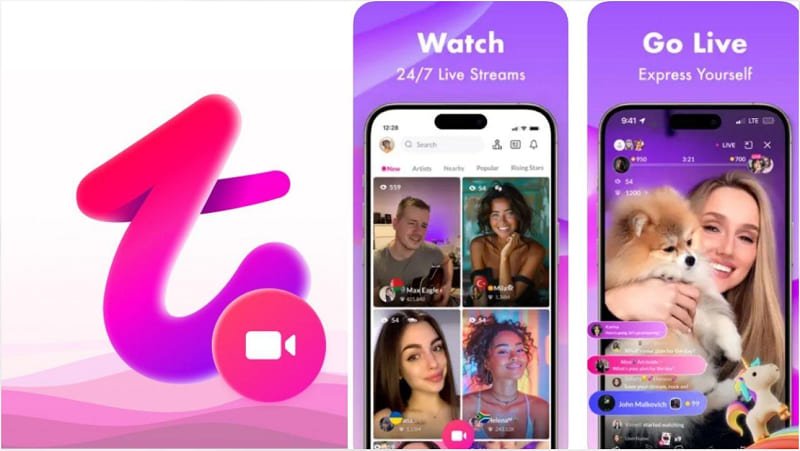
Tango Live is one of the closest apps like Bigo Live, offering interactive broadcasts, social engagement, and virtual gifting. It is particularly suitable for users who enjoy following creators and participating in live conversations.
Key Features:
- Live video broadcasting with audience interaction.
- Virtual gifts to support favorite creators.
- Creator profiles and follower communities.
- Live chat and social engagement tools.
Pros: Interactive streaming experience, creator monetization features, and an active social environment.
Cons: Virtual gifts can be expensive, and some features require payment.
2. LiveMe – Best for Social Broadcasting
Best For: Social broadcasters and viewers who enjoy interactive entertainment.
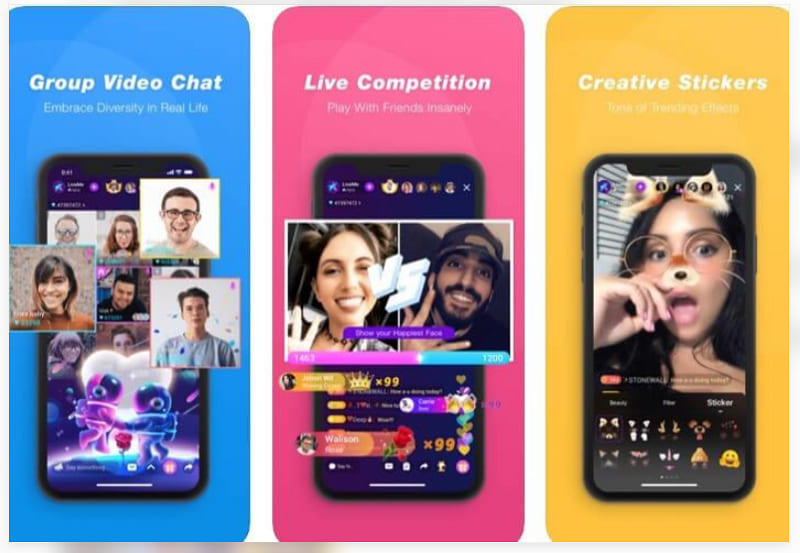
LiveMe combines live broadcasting with social networking features. Users can discover creators, participate in conversations, and interact through virtual gifts. Its community-oriented design makes it a suitable Bigo Live alternative for people who enjoy entertainment-focused streaming.
Key Features:
- Real-time video broadcasting.
- Audience comments and virtual gifting.
- Creator discovery and follower interactions.
- Interactive community events.
Pros: Easy creator discovery, engaging social features, and multiple interaction options.
Cons: In-app purchases may become costly, and stream quality varies.
3. YouNow – Best for Building Creator Communities
Best For: Creators interested in developing loyal communities.
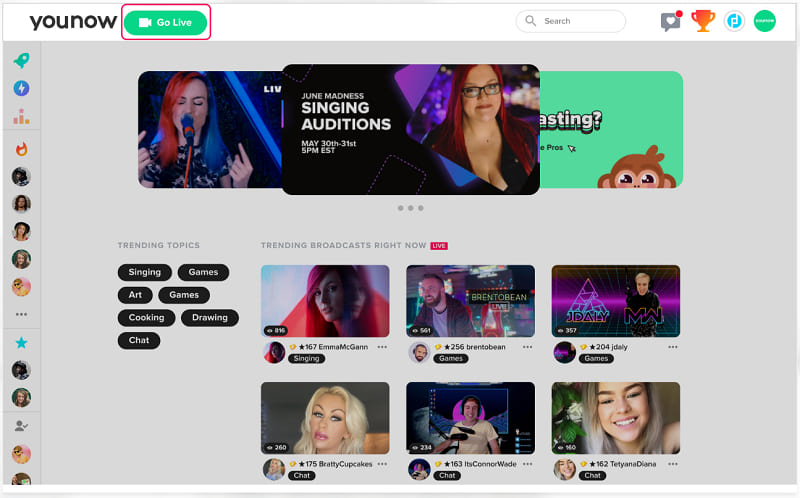
YouNow focuses on real-time creator-audience relationships. Broadcasters can share music, conversations, and everyday activities while viewers interact through live comments. It is a useful choice for creators seeking a more community-driven environment.
Key Features:
- Real-time broadcasts and viewer chat.
- Creator subscriptions and supporter features.
- Community-focused live entertainment.
- Browser-based viewing options.
Pros: Strong creator-audience engagement and convenient browser access.
Cons: Smaller audience reach than major streaming platforms.
4. Azar – Best for Meeting New People
Best For: Users interested in making new international connections.
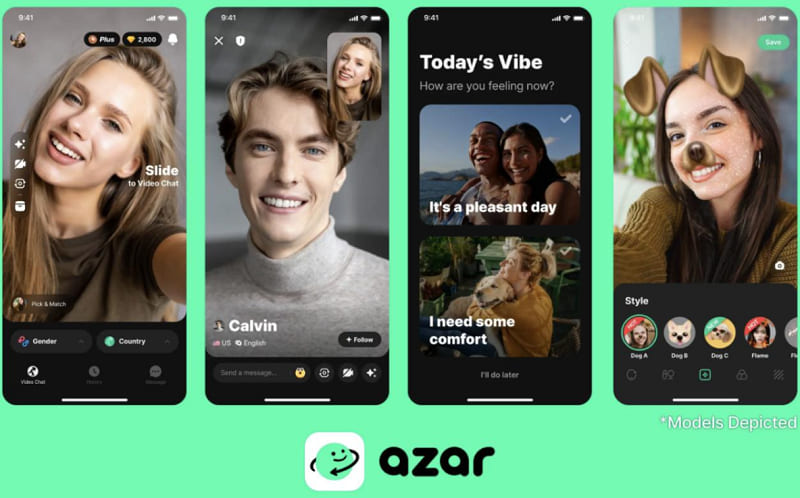
Azar emphasizes spontaneous video conversations rather than traditional public broadcasting. It connects users with new people through video matching, making it attractive to those who prefer direct social interaction over watching livestreams.
Key Features:
- One-on-one video matching.
- Regional and preference-based discovery options.
- Real-time translation features where supported.
- Blocking and reporting tools.
Pros: Simple video matching and opportunities for international conversations.
Cons: Certain matching filters require payment, and random chats can be unpredictable.
5. Twitch – Best for Gaming Livestreams
Best For: Gamers, esports fans, and content creators.
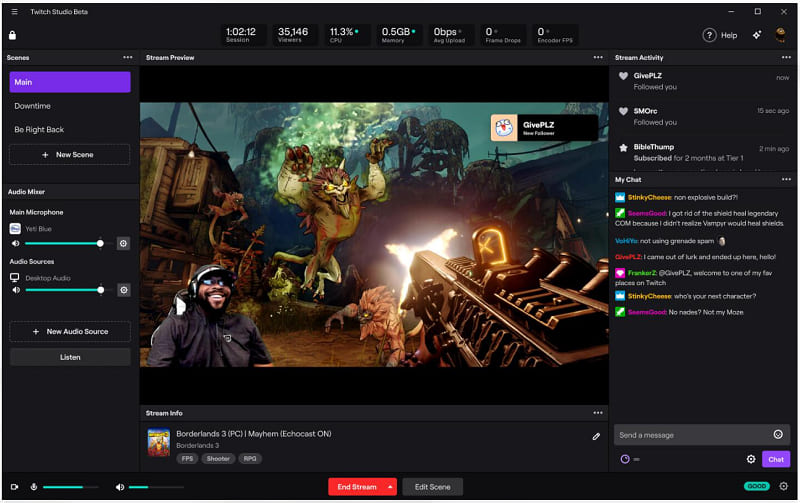
Twitch is a leading platform for gaming livestreams, esports, and creator-led entertainment. Unlike traditional social video chat services, Twitch emphasizes public broadcasts and audience participation through live chat.
Key Features:
- Live gaming and entertainment broadcasts.
- Real-time chat and channel moderation.
- Creator subscriptions and Bits.
- Clips and video-on-demand content.
Pros: Extensive gaming content, strong community tools, and free viewing options.
Cons: Less suitable for private video chatting and spontaneous matching.
6. TikTok LIVE – Best for Short Videos and Live Interaction
Best For: Short-video creators expanding into livestreaming.
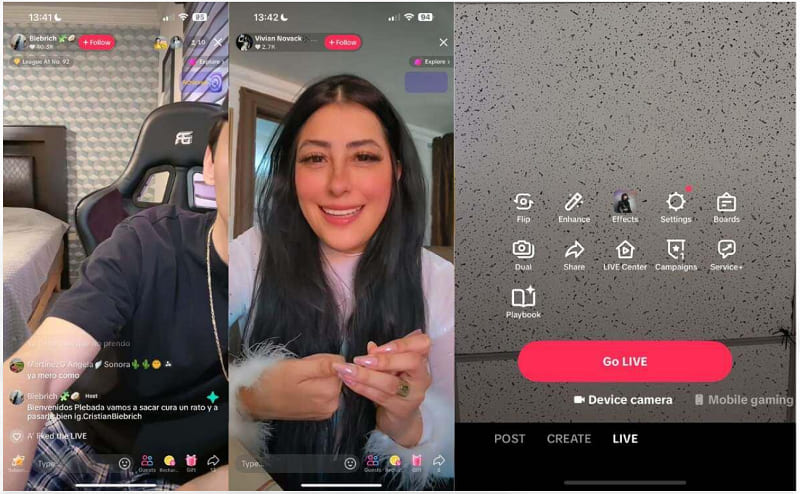
TikTok LIVE combines short-form video discovery with real-time creator interaction. Eligible creators can host livestreams, receive virtual gifts, and communicate directly with viewers.
Key Features:
- Live broadcasting for eligible accounts.
- Real-time comments and virtual gifts.
- Creator collaborations and guest features.
- Discovery through the TikTok ecosystem.
Pros: Large potential audience and strong content discovery.
Cons: LIVE eligibility restrictions and highly competitive visibility.
Also Read: How to Record TikTok Live on iOS/Android/Wins/Mac >>
7. Chamet – Best for Social Video Chat
Best For: Users seeking casual video conversations and social entertainment.
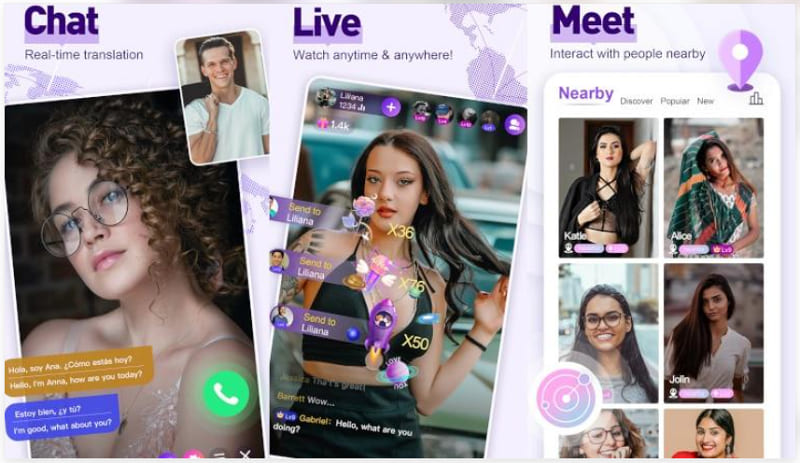
Chamet combines live social entertainment with video conversations. Its features emphasize meeting people, joining interactive sessions, and communicating through video, making it worth considering for users who enjoy Bigo Live's social elements.
Key Features:
- Live video chat and social discovery.
- Interactive broadcasts and group experiences.
- Virtual gifts and in-app rewards.
- Profile-based social connections.
Pros: Multiple ways to interact and an entertainment-oriented interface.
Cons: Paid interactions can be costly, and availability varies by region.
Quick Comparison of Bigo Live Similar Apps
The following comparison highlights the main differences between these seven platforms, making it easier to choose according to your preferred activities.
| Platform | Main Focus | Free Access | Virtual Gifts |
| Tango Live | Interactive streaming | Yes | Yes |
| LiveMe | Social broadcasting | Yes | Yes |
| YouNow | Creator communities | Limited | Yes |
| Azar | Random video chat | Yes | Not central |
| Twitch | Gaming livestreams | Yes | Bits and subscriptions |
| TikTok LIVE | Creator livestreaming | Yes | Yes |
| Chamet | Social video chat | Limited | Yes |
Free access does not mean every feature is free. Availability, eligibility, and payment options may vary by region.
How to Record Bigo Live Streams with iTop Screen Recorder
When exploring apps like Bigo Live, you may discover entertaining broadcasts, memorable conversations, or useful creator content worth saving. However, livestreams are not always available for replay. iTop Screen Recorder provides a practical way to capture permitted livestream content on a Windows PC, including video and audio, for later viewing.

Record Live and Streaming Videos in One Click
- Record TV shows, movies, live sports from any site.
- Record videos and live streams without quality loss.
- Record from YouTube, Netflix etc., without black screen.
- Record with mic/webcam to create reaction videos.
Why Choose iTop Screen Recorder for Live Streaming?
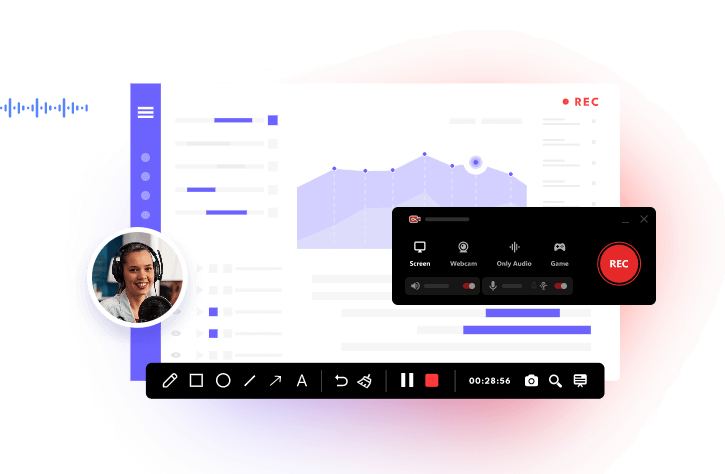
Unlike social broadcasting platforms, iTop Screen Recorder is designed to capture and manage screen recordings. It offers several features particularly useful for livestream viewers and creators:
- Record Livestreams with Audio: Capture supported video streams alongside system sound, whether you want to record Beyond Live broadcasts or save other permitted streaming content for later viewing.
- Flexible Recording Areas: Record the entire desktop, a selected region, or a specific application window.
- High-Quality Video Capture: Configure video resolution, frame rate, and output quality to suit your recording needs.
- Scheduled Livestream Recording: Use the Pro edition to schedule recordings for broadcasts you cannot watch live.
- Built-in Video Editing: Trim unnecessary sections and edit recorded content without switching to another application.
- Multiple Export Formats: Save recordings in formats such as MP4, AVI, and MKV for convenient playback.
- Webcam and Microphone Support: Record your own commentary or webcam alongside supported screen content.
If you want to record on Peacock or other streaming services, be aware that DRM protection and platform restrictions may prevent recording.
How to Record Live Streaming Videos
If you want to preserve content from streaming platforms or record Zoom meeting sessions, iTop Screen Recorder provides a straightforward recording solution. You can select a livestream or meeting window, capture system audio, and save recordings locally for later viewing. Make sure recording is permitted and respect participants' privacy and content rights.
Step 1. Download and install iTop Screen Recorder from its official website.
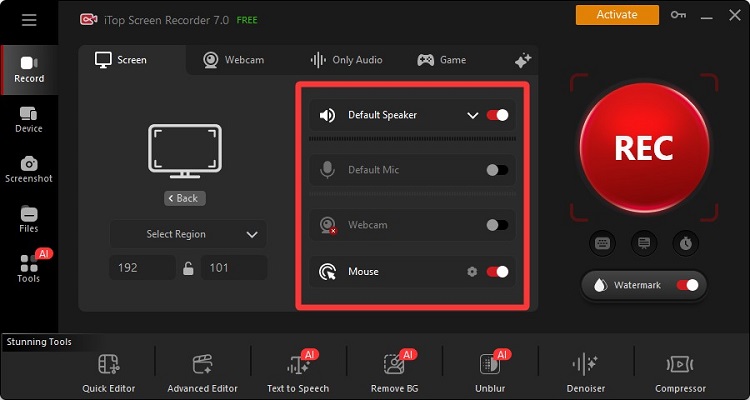
Step 2. Open the livestream you want to record in your browser or supported application. In iTop Screen Recorder, select Screen recording mode and choose Full Screen or a custom recording area to capture the video player.
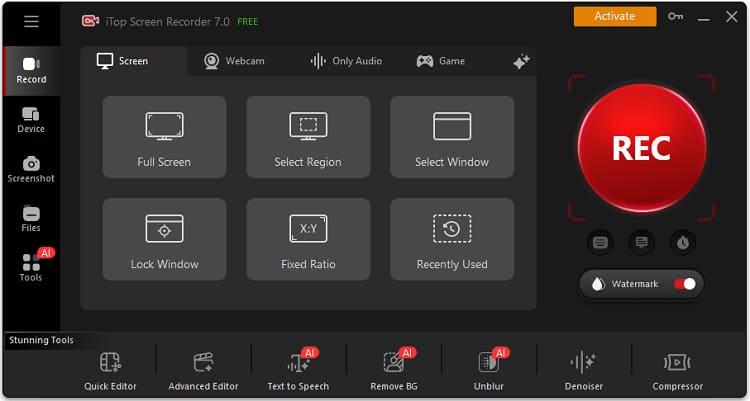
Step 3. Enable Speaker to capture the livestream's sound. Turn off Microphone if you don't need voice commentary. You can also open Settings to adjust the recording resolution, frame rate, and output format. Then, click REC to start recording.
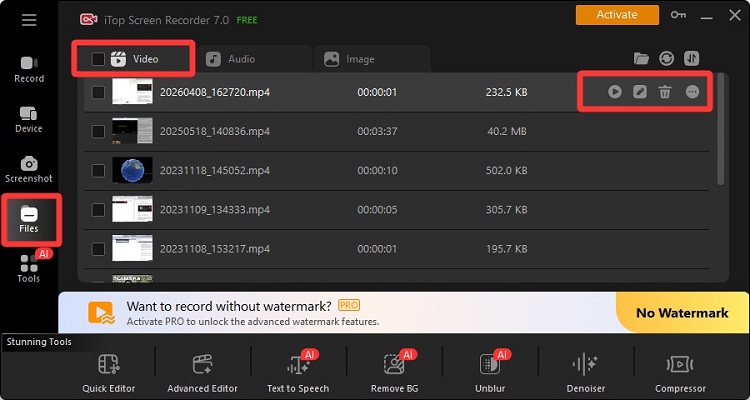
Step 4. Navigate to Files > Video in iTop Screen Recorder to find your recorded livestream. Preview the video, trim unwanted sections with the built-in editor if necessary, or open its saved location to access the file.
Also Read: How to Bypass Instagram Screen Record >>
FAQs About Bigo Live Alternatives
Are there apps like Bigo Live in India?
Yes. Platforms such as Twitch, YouTube Live, and Instagram Live provide livestreaming experiences for users in India. However, app availability and local restrictions can change, so check official app stores before installing.
What are the best apps like Bigo Live free to use?
Twitch, YouNow, TikTok LIVE, and LiveMe offer free access to certain viewing or broadcasting features. However, subscriptions, virtual gifts, and premium interactions may require payment.
What do users recommend when searching apps like Bigo Live Reddit?
Reddit discussions can help users compare streaming quality, moderation, creator communities, and in-app costs. Recommendations depend on whether users prefer random video chatting, gaming, or interactive livestreams.
Can I record livestreams on my computer?
Yes. iTop Screen Recorder can capture permitted browser-based livestreams on Windows PCs, including system audio. Recording quality and access depend on the platform's restrictions and your PC settings.
Conclusion
Choosing the right streaming platform depends on how you prefer to connect with others. Tango Live and LiveMe suit interactive broadcasting, Azar focuses on video conversations, and Twitch is ideal for gaming enthusiasts.
If you want to explore more apps like Bigo Live, compare their free features, community experiences, and privacy options before choosing. For recording permitted livestream content on Windows, iTop Screen Recorder is also a useful companion. Download iTop Screen Recorder to give it a try!