


iTop Screen Recroder
The Easiest Way to Record Your PC Screen


Buy iTop Screen Record PRO to Enjoy More
Create high-quality screen recordings and save big.
The Easiest Way to Record Your PC Screen
Share


Can I record DRM-protected videos without a black screen? How to screen record DRM protected videos? Is there any DRM screen recorder Android/iPhone available?
DRM-protected videos refer to videos protected by Digital Rights Management. DRM is used to prevent unauthorized copying or distribution. When you try to screen record those DRM-protected videos from streaming platforms, like Netflix or Amazon Prime, there will be a black screen instead of a video available to watch. How to record DRM-protected videos without a black screen? How to bypass DRM black screen iPhone and Android? By using a third-party screen recorder, like iTop Screen Recorder, you can record DRM-protected videos for personal use.
Those built-in screen recording tools may be detected, and you cannot successfully record DRM-protected videos with them. iTop Screen Recorder is a free third-party screen recording software that is designed to handle encrypted video playback. It allows you to capture high-quality streaming videos without lag or a black screen. Follow these easy steps to record DRM protected videos without a black screen on PC, iPhone, or Android with it:
1. Download and install iTop Screen Recorder on your PC

Record screen, webcam, audio and gameplay with ease. Create high-quality screen recordings with no lags and fps drops.
2. Go to Record and select the window you want to record.
3. Open the DRM-protected video and click REC to start recording.
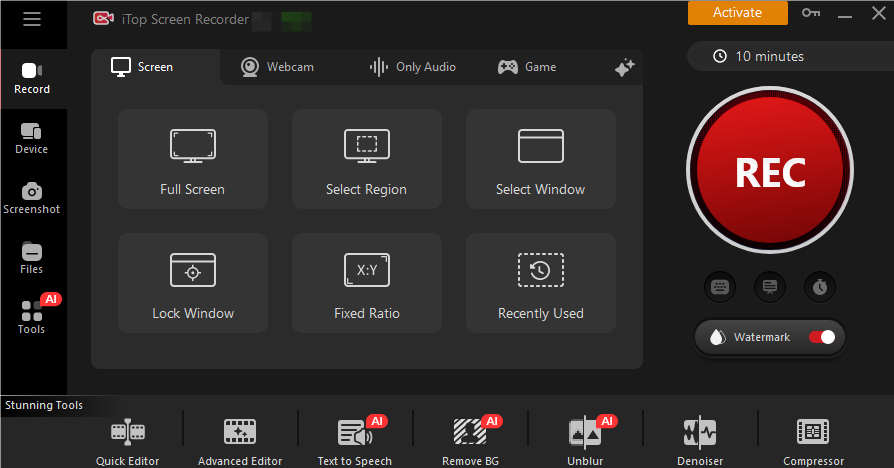
4. Stop the recording when finished and check the recorded video in the file.
You can also trim or edit the footage within the iTop Screen Recorder.
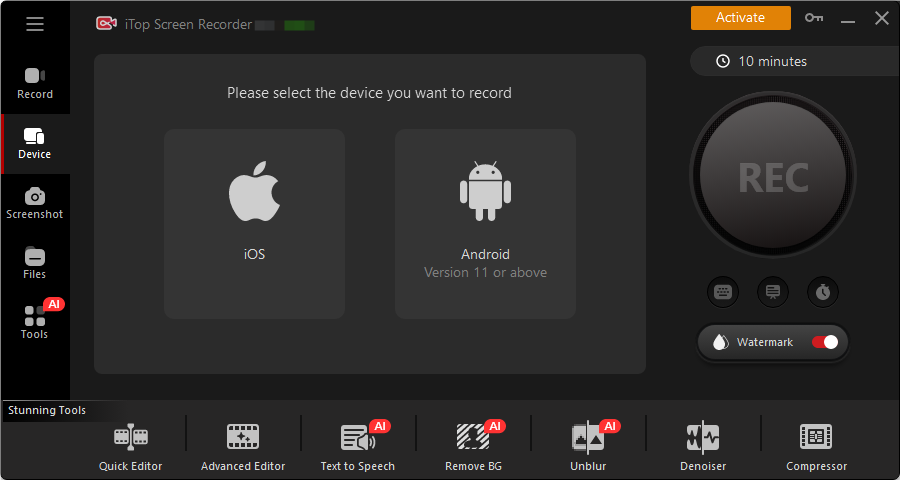
Recording DRM-protected videos without a black screen is always challenging. Thanks to a dedicated tool like iTop Screen Recorder, you can effortlessly record protected videos and watch them later. However, remember that those DRM-protected videos exist to protect copyright, so make sure you use those recorded videos for personal and lawful uses.
Yes No
Thanks for your feedback!Share
 Do you have any more questions? Share with us

Invalid email address
 Submitted successfully
 People Also Ask
Can you record on Apple TV, including screen recording, games, shows, or baseball? Here’s a clear guide to what’s actually possible.
I want to know how to take screenshot in FaceApp, but I'm worried there might be restrictions. What should I do? Is there any effective method?
There will be a black screen if I screenshot on the Picsart app. How to take a screenshot on Picsart without paying? Can I screenshot to save edited photos?
Want to watch a previous Twitch VOD, but find it has been deleted. Can I watch deleted Twitch VODs? Where to find deleted Twitch VODs and how to download them?
Hi, guys, is there a YouTube private video viewer to watch private YouTube videos? How to watch private YouTube videos with links or other methods?
I’ve got a black screen when taking a screenshot of Telegram. How to bypass Telegram screen block? Can I successfully take a screenshot of Telegram?
Subscribe to Our Newsletter
Subscribe to our newsletter to stay updated every moment.

Subscribe to Our Newsletter
Subscribe to our newsletter to stay updated every moment.
© 2026 iTop. All rights reserved.


