


iTop Screen Recroder
The Easiest Way to Record Your PC Screen


Buy iTop Screen Record PRO to Enjoy More
Create high-quality screen recordings and save big.
The Easiest Way to Record Your PC Screen
Share


I’ve got a black screen when taking a screenshot of Telegram. How to bypass Telegram screen block? Can I successfully take a screenshot of Telegram?
Does Telegram block screenshots? Many Telegram users complain that they cannot take screenshots in the Telegram app. They press the screenshot buttons, but they receive a Telegram black screenshot or the message saying it’s “blocked”. It’s due to privacy settings that prevent screen capturing in some situations (i.e., secret chats, secure views). To bypass Telegram screenshot block, you can use a third-party screenshot tool, like iTop Screen Recorder, which can take a screenshot of Telegram without a black screen.
Telegram will stop screen captures in certain circumstances, mostly in Secret Chats or view-once media, treating it as a privacy/security feature. In these modes:
The built-in screen capture feature on Android, iPhone, and computers will be strictly blocked. To bypass the Telegram screenshot block, you’d use third-party capture tools. Check how to successfully screenshot Telegram in the following.
How to get around Telegram screenshot block? You can use third-party screen capture tools that operate outside the system’s built-in screenshot API. One simple tool is iTop Screen Recorder, which allows you to easily capture the PC screen and mirror your iPhone and Android devices to take screenshots. Moreover, it can also screen record Telegram privately for free.

Record screen, webcam, audio and gameplay with ease. Create high-quality screen recordings with no lags and fps drops.
Follow these steps to bypass telegram screenshot block by taking a screenshot with iTop Screen Recorder:
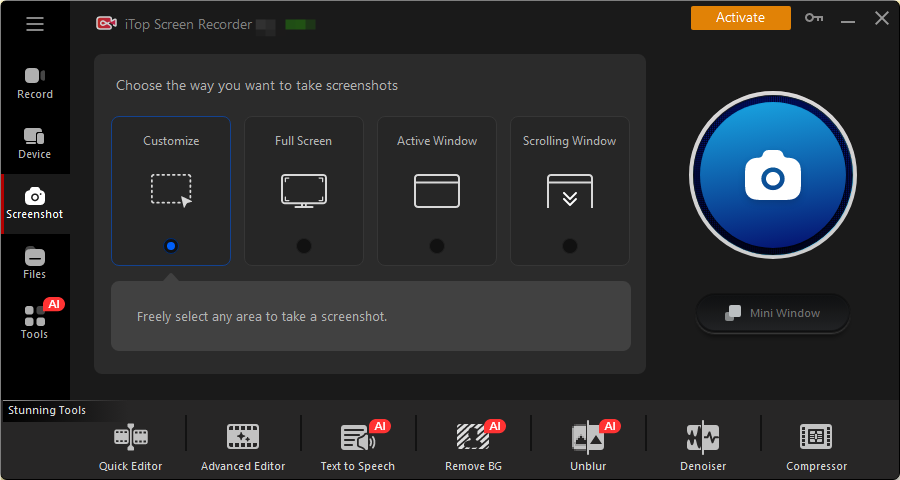
To take a screenshot in a Telegram private channel on Android and iPhone, follow these steps.
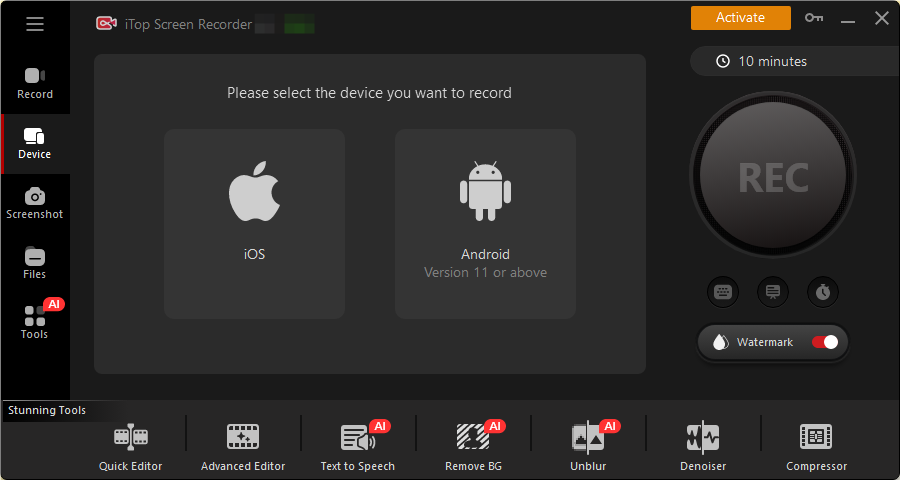
Note: Respect privacy — don’t capture or share sensitive Telegram content without consent.
In summary, can you screenshot Telegram disappearing photo? How to bypass Telegram screenshot block? With the help of an effective screen capture tool, iTop Screen Recorder, you can easily take a screenshot of Telegream without a black screen. It can bypass the monitor of Telegram and allow you to save private content on Telegram.
Yes No
Thanks for your feedback!Share
 Do you have any more questions? Share with us

Invalid email address
 Submitted successfully
 People Also Ask
Why can’t I screenshot Disney Plus? It is a black screen. How to screenshot Disney+ without a black screen?
I want to know how to take screenshot in FaceApp, but I'm worried there might be restrictions. What should I do? Is there any effective method?
There will be a black screen if I screenshot on the Picsart app. How to take a screenshot on Picsart without paying? Can I screenshot to save edited photos?
Learn how to identify music in YouTube videos using simple tools. Find out how to identify songs in YouTube videos quickly - even without lyrics.
Want to watch a previous Twitch VOD, but find it has been deleted. Can I watch deleted Twitch VODs? Where to find deleted Twitch VODs and how to download them?
How to view Twitter(X) anonymously? Is there a way to see tweets without an account? How can I ensure my safety and prevent privacy leaks on Twitter?
Subscribe to Our Newsletter
Subscribe to our newsletter to stay updated every moment.

Subscribe to Our Newsletter
Subscribe to our newsletter to stay updated every moment.
© 2026 iTop. All rights reserved.


