


iTop Screen Recroder
The Easiest Way to Record Your PC Screen
The Easiest Way to Record Your PC Screen
Share


Does TikTok notify screenshots story? If I screenshot someone’s TikTok story, will they know? Can I screenshot TikTok stories to achieve?
No. TikTok doesn’t notify users when you take a screenshot of others' TikTok stories. This also applies to other content of the TikTok app, including profile pictures, videos, chats, and live streams. TikTok doesn’t use a screenshot notification mechanism, like Instagram, Snapchat, etc., right now. You can screen capture TikTok stories without others knowing for saving inspiration, references, or memorable moments.
However, the platform policies can change, especially those of social media apps. TikTok may update its privacy features, like screenshot stories, someday in the future. To screenshot TikTok stories without a notification, you’d better use a third-party screenshot tool to bypass the censor mechanism.
To screenshot TikTok stories secretly, a reliable third-party screenshot tool, like iTop Screen Recorder, is a smarter option. It can not only take high-quality screenshots of TikTok stories, but also supports full-screen recording of TikTok videos, live streams, etc. With simple clicks, you can effortlessly save TikTok stories and other content without others knowing. It is a free, lightweight, powerful choice for new beginners.

Record screen, webcam, audio and gameplay with ease. Create high-quality screen recordings with no lags and fps drops.
Check how to screenshot a TikTok story with it on desktop, iPhone, or Android:
Step 1. Download and install iTop Screen Recorder on your computer.
Record screen, webcam, audio and gameplay with ease. Create high-quality screen recordings with no lags and fps drops.
Step 2. Launch the software and click Screenshot. Open the TikTok story page, then choose the window area to screenshot.
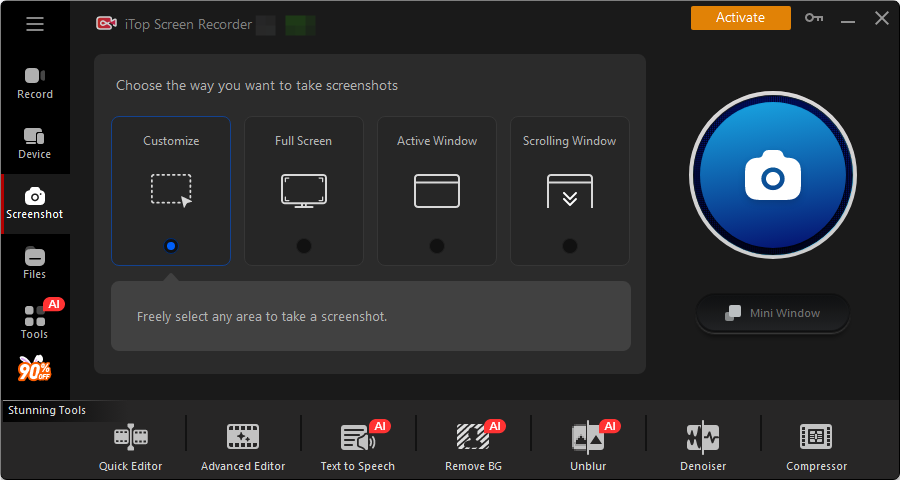
Step 3. Click the screenshot button to capture a TikTok story.
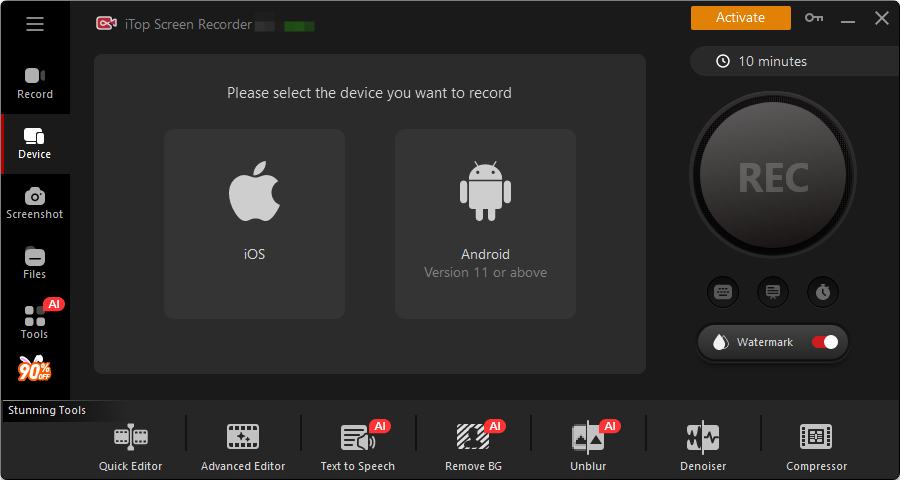
iTop Screen Recorder offers efficient and easy methods to screenshot TikTok stories for content creators, marketers, and other TikTok users.
In short, does TikTok notify screenshots story? While TikTok currently doesn’t notify screenshots, it is not sure in the future. Using a third-party screen capture tool, like iTop Screen Recorder, to prevent the platform rules from evolving. In addition, always respect others’ privacy, use screenshots responsibly, and avoid sharing content without others' permission.
Yes No
Thanks for your feedback!Share
 Do you have any more questions? Share with us

Invalid email address
 Submitted successfully
 People Also Ask
I want to know does Reddit notify screenshots to others? Can I take screenshots of posts, comments, or messages in chat on Reddit without others knowing?
There will be a black screen if I screenshot on the Picsart app. How to take a screenshot on Picsart without paying? Can I screenshot to save edited photos?
Hi, guys, is there a YouTube private video viewer to watch private YouTube videos? How to watch private YouTube videos?
Can I record Chaturbate? How to record Chaturbate videos or streams hassle free? Any solution is appreciated.
I’ve got a black screen when taking a screenshot of Telegram. How to bypass Telegram screen block? Can I successfully take a screenshot of Telegram?
Can I record DRM-protected videos without a black screen? How to screen record DRM protected videos? Is there any DRM screen recorder Android/iPhone available?
Subscribe to Our Newsletter
Subscribe to our newsletter to stay updated every moment.

Subscribe to Our Newsletter
Subscribe to our newsletter to stay updated every moment.
© 2026 iTop. All rights reserved.


