Vidnoz AI creates engaging videos with realistic AI avatars. Free, fast and easy-to-use.


It happens. You are streaming YouTube videos and stumble upon background music that touches your heart. The first thought that comes to mind is to grab the audio from the video. There are also some situations in which you want to record audio, for instance, to save important information from meetings, capture favorite music streams, etc. This is the time an MP3 grabber comes into play, which can help you save music or audio with high-quality sound while keeping file sizes relatively small.
With an MP3 grabber, you can grab audio from video and audio sources online, including music streams, movies, and more. However, it’s not easy to find a free MP3 grabber that works across the device. But fret not. This blog will introduce the best MP3 grabbers that allow you to save audio to MP3 for mobile, PC, and online. Don’t miss out.
How to Choose the Right MP3 Grabber
There are tons of MP3 grabbers online; the only problem is which one is the right fit. When choosing the best MP3 grabber, here are the things to consider.
Support device: An MP3 grabber that works across various device types can accommodate a wide range of use cases.
Sound quality: A good MP3 grabber should be able to save audio to high-resolution files.
File format: An MP3 grabber supports a wide range of file formats for input and output.
Ease of use: Whether it is easy to use or not needs to be considered when you choose the right MP3 grabber.
Time limits: A solid MP3 grabber should allow you to save audio without time limits for free.
Today, an MP3 audio grabber is widely used for saving meaningful audio, for instance, a piece of music played on your browser during streaming, or important information when you have online meetings on your mobile or PC, etc. Regardless of the scenarios, you need a powerful MP3 grabber that works. Just read on to find the best choices!
Top Free MP3 Grabbers for PC
Want to grab audio from video and audio files on your desktop computer? In this part, you can find the 2 best choices for PC. Just check them out.
iTop Screen Recorder
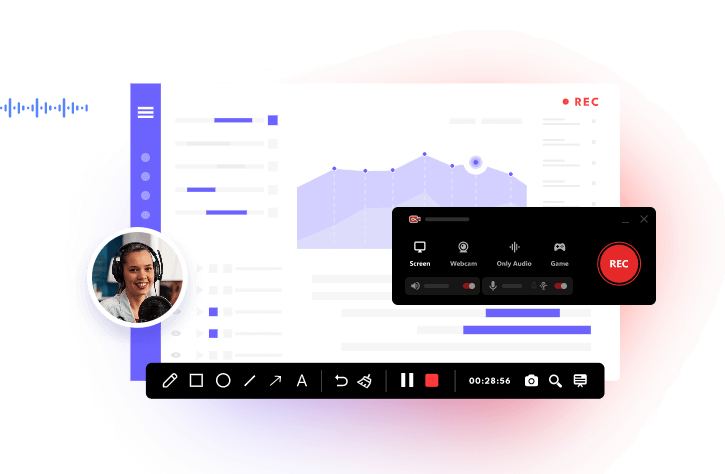
How to grab audio from YouTube for free? iTop Screen Recorder is the best free MP3 grabber that comes in handy. Supporting recording, editing, and compressing, iTop Screen Recorder is a multi-functional tool that allows you to capture all your computer activities easily.
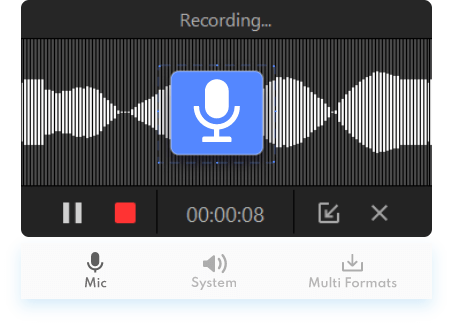
Key features:
- Best free screen recorder Windows 10 to grab audio from video and audio sources with lossless quality.
- Support 12 output formats such as MP3, AAC, WMA, etc. for video and audio recording.
- Easily grab audio/videos without time limits. Edit and compress recordings all in one place.
Pros:
- 100% free and simple screen recorder
- No time limits for recording
- One-stop solution for audio/video editing
- Powerful denoiser feature
Cons:
- MP3 grabber for Windows only
Audacity
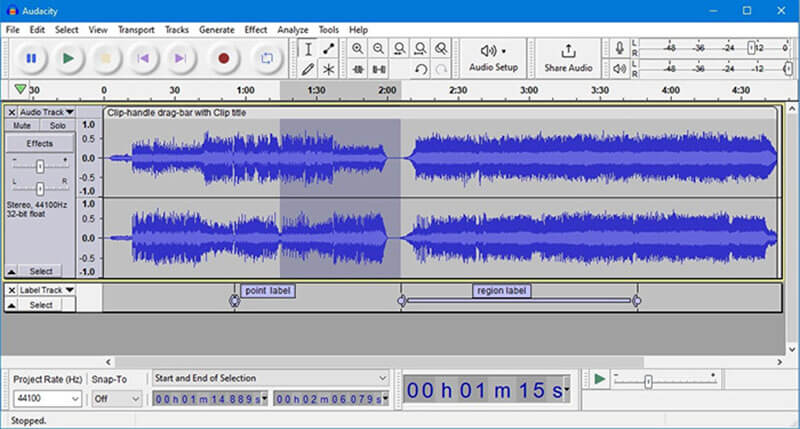
Audacity is a popular audio editing and recording app that can be used as an MP3 grabber for desktop computers. You can record audio, produce music, and take full control of your sound with a suite of editing features and unlimited sequential undo/redo. Adopting high-quality resampling and dithering for sample rates, Audacity is a solid MP3 grabber to create audio with the best sound quality possible.
Pros:
- Free & open source without time limits
- Compatible with Windows, Mac, and Linux
- Support a wide range of audio formats
- Good sound quality
Cons:
- Too difficult for beginners
- Complicated user interface
- No support for video recording
Best MP3 Grabbers for Mobile
With the MP3 grabbers above, you can record any audio on your computer for free. So what about mobile devices? Worry not. You can find the top options that let you grab MP3 audio on your phone easily.
AZ Screen Recorder
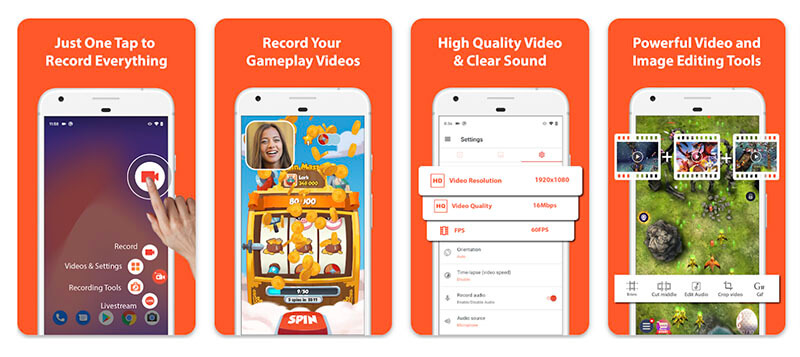
Compatible with Android, AZ Screen Recorder is a reliable MP3 grabber to record audio in high quality. You can record everything that appears on your screen, pause, and resume recording at any time. Whether you want to record SiriusXM podcasts, gameplay, or audio from online meetings, AZ Screen Recorder is a solid choice. In addition, AZ Screen Recorder also allows you to take screenshots and edit images easily.
Pros:
- Record audio with no time limit
- Easy to use
- Record videos to GIFs
Cons:
- No advanced editing features
Dolby On
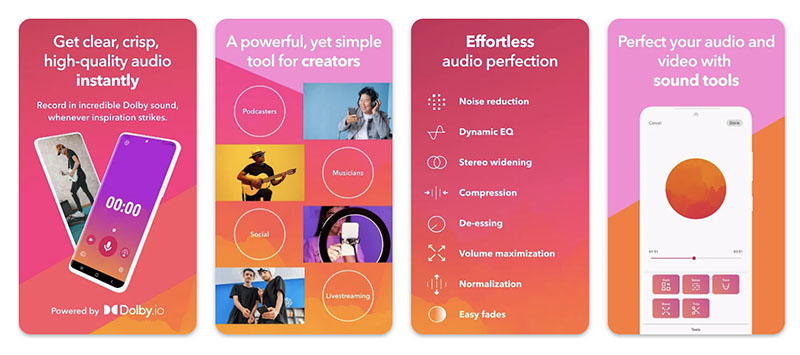
Packed with cutting-edge Dolby audio technology, Dolby On is a powerful recording app that can help you record live music, songs, and videos right on your phone. The MP3 grabber has a suite of automatic studio effects, for instance, noise reduction, spatial audio, EQ, and more. You can also edit your audio with a wide range of custom-designed styles. Supporting AAC, AIFF, AVI, MP3, and more, Dolby On lets you easily grab audio and videos, and share them anytime, anywhere.
Pros:
- Work on Android and iOS
- HD screen recorder available
- Export lossless audio
- Record without time limits
Cons:
- Slow customer support
- Limited free MP3 grabber
- Expensive subscriptions
Tested Free MP3 Grabbers Online
Want to record audio in Firefox/Chrome/Edge without software installation? All you need is a free MP3 grabber online. Just read on to find the 2 best free choices!
Volume Recorder Online
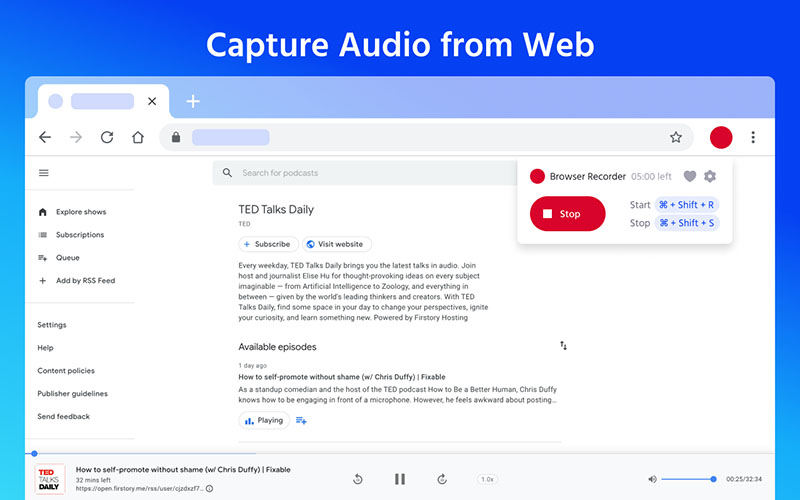
How to record YouTube audio right on your Chrome? Try Volume Recorder Online. The Chrome extension is a handy tool for users who want to record audio from their web browser effortlessly. The audio capture extension allows you to record audio within 20-minute time limits. Simply click on the Record button, and you can record podcasts, online course audio, streaming music, and more with premium sound quality.
Pros:
- Satisfy most audio recording needs
- Browser-based without software
- User-friendly MP3 grabber
- Free and easy to use
Cons:
- Record audio with time limits
- Basic audio capture tool
Free Online Audio Recorder (Apowersoft)
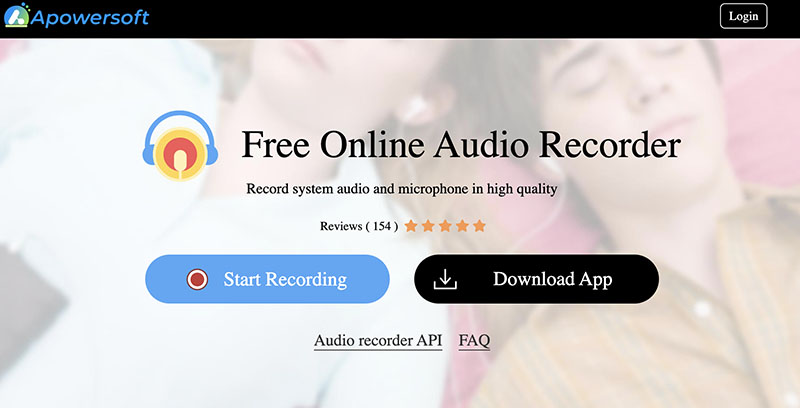
Another way to grab MP3 audio is to use a free online audio recorder, and Apowersoft offers a useful one that can satisfy all your needs. With HTML5 technology, the free audio recorder can record system audio and microphones with premium sound quality. Want to listen to SoundCloud offline? Apowersoft is the best MP3 grabber to use. You can also record podcasts, gaming sounds, or any audio to MP3 without compression.
Pros:
- Grab MP3 audio free without limits
- Intuitive user interface
- Support audio recorder API
- Software for Windows/Mac
Cons:
- Basic audio recording feature
- Not working on the browsers on Mac
How to Grab MP3 from YouTube?
With the 6 best free MP3 grabbers above, you can record audio on PC, mobile, and online hassle-free. But when it comes to the top choice, iTop Screen Recorder is the one that can satisfy all your needs. It’s not just a simple MP3 grabber but an all-in-one tool for audio and video editing.
Want to learn more? Just check out how to grab audio from YouTube with it in simple steps.
Step 1. Free download and install iTop Screen Recorder on your Windows PC.
Step 2. Select “Only Audio” as the recording mode from the tabs on top.
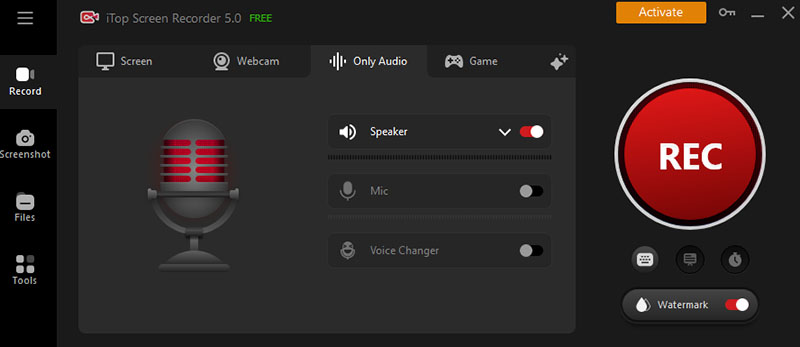
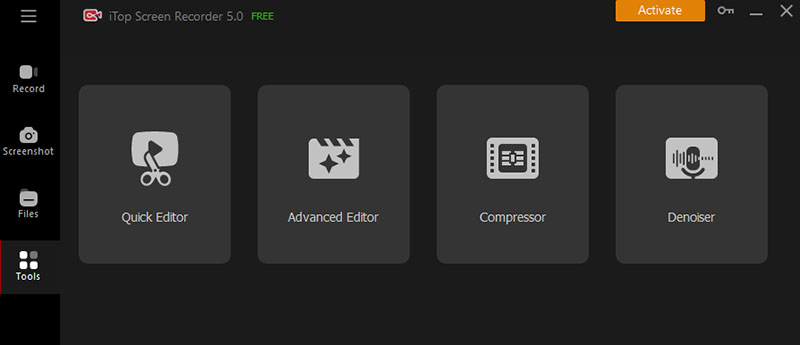
Step 3. Play the YouTube audio or video you want to grab audio. Click on the REC button to start recording. Go to the Tools tab on the left to edit, denoise, or compress the recordings.
Note: We have never advocated recording copyrighted content for commercial or illegal use. You are commended to record audio or videos with permission.
Conclusion
Whether you want to save streaming music or keep notes of important information from a meeting, just use any MP3 grabber introduced above and you can grab audio easily. But if you want to save audio with the best sound quality for free, iTop Screen Recorder is the right fit. With this multi-functional recorder, you can record, edit, and create audio and video all in one place. You can easily grab music from YouTube or any music streaming platform with it effortlessly. Just get it for free and check it out yourself!