


Deezer is a popular music streaming service that gives you access to millions of songs, podcasts, and radio stations. It offers various features such as curated playlists, personalized recommendations, and offline listening capabilities. While browsing its menu, you’re likely to come across tracks you love and want to download for offline listening. So, some tips for downloading Deezer music are needed. If this is what you want, check this guide to get some helpful methods to download Deezer music.
How to Download Deezer Music on Mobile (iOS & Android)
To download music from Deezer to your mobile, be it an iPhone or Android phone, you need to have a paid subscription (Premium, Student, Duo, or Family). Then, ensure you have sufficient storage space and follow these steps to download playlists, albums, or favorite tracks from Deezer.
Step 1. Sign Up or Log in to Deezer.
Step 2. Choose a Subscription Plan (To download music, you need a Deezer Premium, Deezer Family, or Deezer Student plan.)
Step 3. Enable Offline Mode. Activate this in settings to only show downloaded content, preventing mobile data usage.
Step 4. Navigate to the album, playlist, or podcast you wish to download. (Note that you cannot download individual songs unless they are added to a playlist or your library)
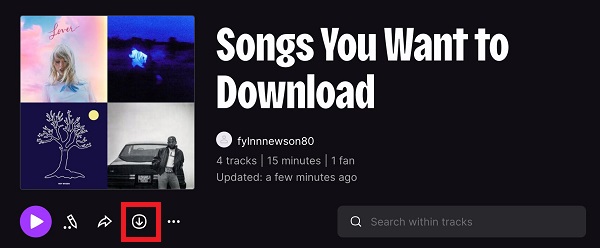
Step 5. Tap the Download button.
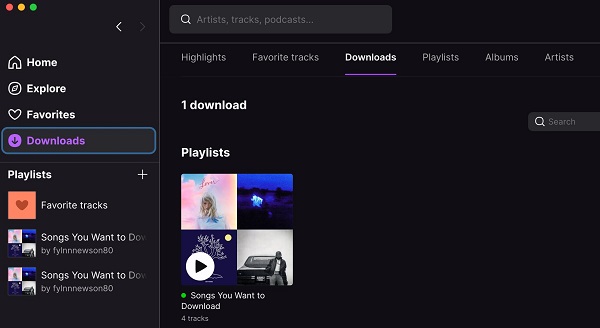
Step 6. Enjoy Your Offline Music in the Downloads file.
How to Download Deezer Music on Desktop (PC & Mac)
For computer users, it’s also easy to download Deezer music to PC or a Mac. No Deezer music downloader is required. You can just download the Deezer app and a Premium Deezer account. Deezer offers a seamless way to download music for offline listening on your desktop, but it's important to follow the correct steps and be aware of certain considerations. Here’s everything you need to know:
Step 1. Download and install the Deezer app for your operating system. Then, sign in to a premium account.
Step 2. Use the search bar or browse through the Deezer library to find the songs, albums, or playlists you wish to download.
Step 3. For albums or playlists, simply click the download icon. For individual tracks, you’ll need to go track-by-track or use the playlist option to bulk download.
Step 4. The download process will begin, and the progress will be shown on the app. Once completed, you’ll see your downloaded music in the "Downloads" section of the app.
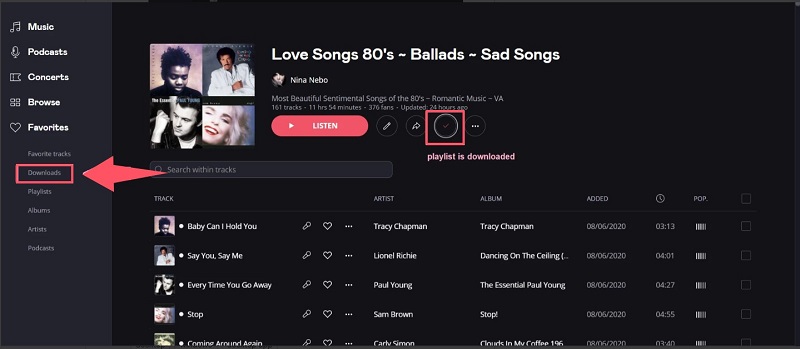
There are things to keep in mind when downloading Deezer music on a desktop.
- Offline mode is only available for premium plans.
- The downloaded audio is only available within the Deezer app.
- If you have a large number of downloads, make sure there is enough space on your device.
- The downloaded music will be removed after subscription cancellation.
How to Download Deezer Music Without a Subscription
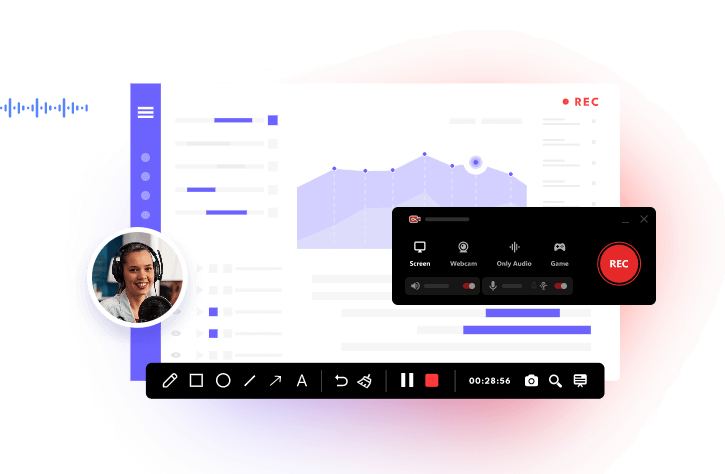
If you want to download from Deezer to MP3 without a subscription, another workaround is to record audio from Deezer streams. Since Deezer’s free tier does not support offline downloading and its content is protected by DRM, recording the audio through a screen recording tool like iTop Screen Recorder can be a feasible alternative. Once recorded, the audio can be exported in MP3 or WAV, which gives you great flexibility and compatibility. But this can be somewhat time-consuming and may potentially infringe upon Deezer's intellectual property rights. However, it doesn’t matter if you’re not using it for commercial purposes.
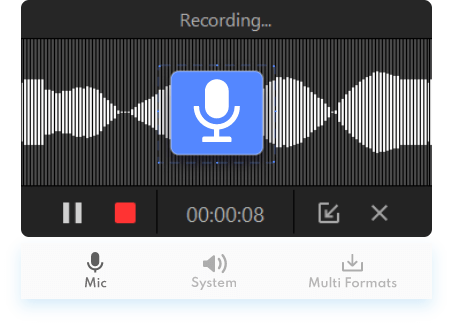
In addition to this, iTop Screen Recorder offers these conveniences compared to traditional download methods.
- More Recording Flexibility
iTop Screen Recorder gives you more control over the recording process compared to traditional download methods. You can choose when to start and stop the recording, skip unwanted tracks, and edit out sections you don’t need.
- No Need for Additional Software or Plugins
Some methods for downloading Deezer music may require additional software, browser extensions, or plugins that can be buggy or unreliable. iTop Screen Recorder, however, simplifies this by providing an all-in-one solution without needing extra tools. This also applies to screen record protected videos.
- Record Audio Only
iTop Screen Recorder allows you to record audio-only. This can be especially useful if you want to create a playlist or collection of tracks for offline listening without cluttering your storage with extra video files.
- More Customization Options
iTop Screen Recorder offers more customizable options, such as adjusting audio bitrate, selecting the audio source, and more. Also, it offers features for scheduling recordings, so you can set it to record music while you sleep or during specific time periods.
If you like this tool, follow these steps to record Deezer music.
Step 1. Free download this Deezer music downloader on your computer. Sign in to your Deezer account and play the Deezer track you wish to record.
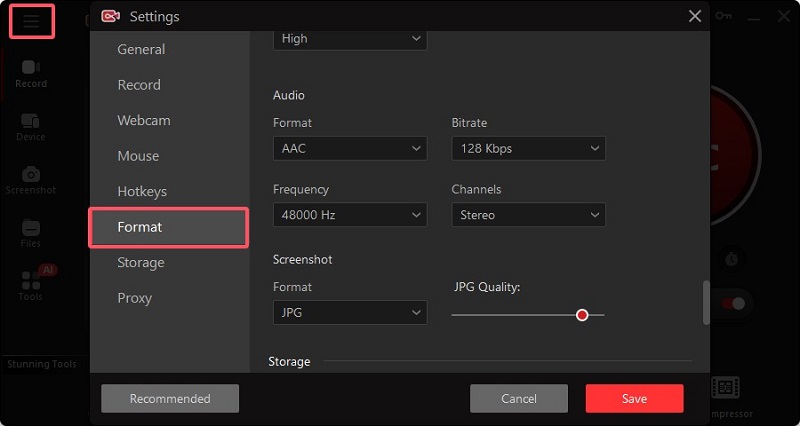
Step 2. Switch to iTop Screen Recorder and click Settings in the upper left corner. Click Format and scroll down to find the Audio section. Then, you can customize the output format, bitrate, and storage space. Once done, save your changes.
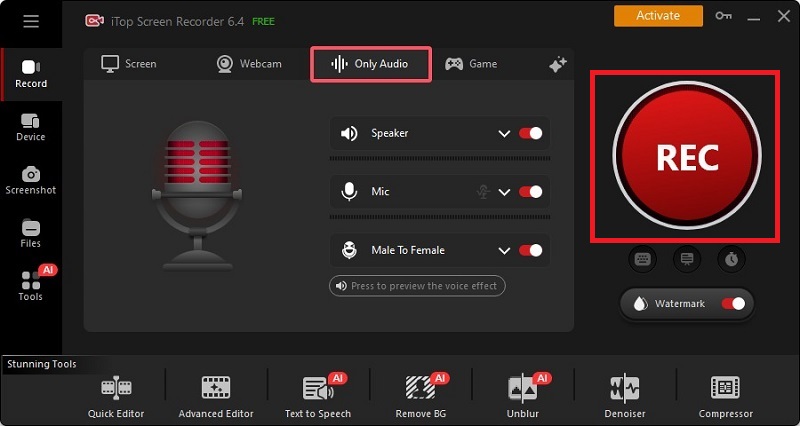
Step 3. Next, choose Only Audio from the home page of iTop Screen Recorder. Start playing the track you wish to record on Deezer and go back to the iTop Screen Recorder, click the red “REC” icon to start recording.
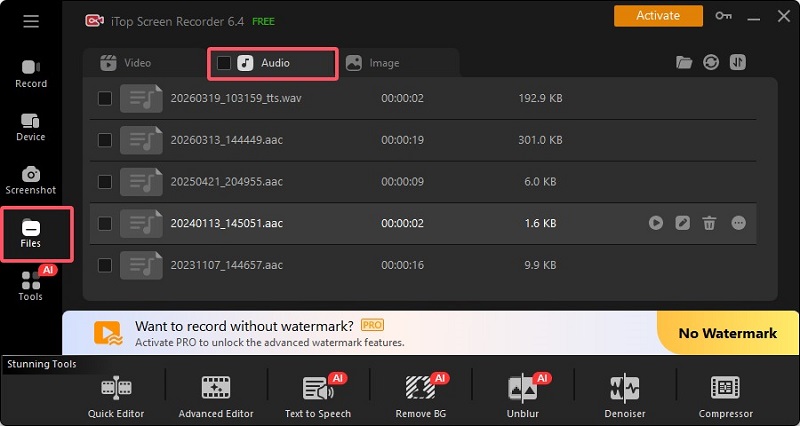
Step 4. Once finished, you can click on the end icon to stop recording. The recorded music is saved in Files > Audio.
Also Read: [4 Ways] How to Record Part of Screen on PC & Mac >>
How to Download Deezer Music Online Using Deezer’s Music Downloader
For those people who don’t want to use the Deezer app but want to save music, utilizing a third-party Deezer music downloader is recommended. This is straightforward and efficient. All you need is to copy and paste the URL into the download box and hit Download. However, it’s important to understand that using third-party tools to download music may violate Deezer’s terms of service and can potentially infringe on copyright laws depending on how the downloaded music is used.
Step 1. Find an online Deezer music downloader, such as Keepvid.com. Visit Keepvid.com on your computer.
Step 2. Open Deezer in your web browser and find the song, album, or playlist you want to download. Copy the URL of the music.
Step 3. Paste the Deezer URL into Keepvid’s download box and then click GO.
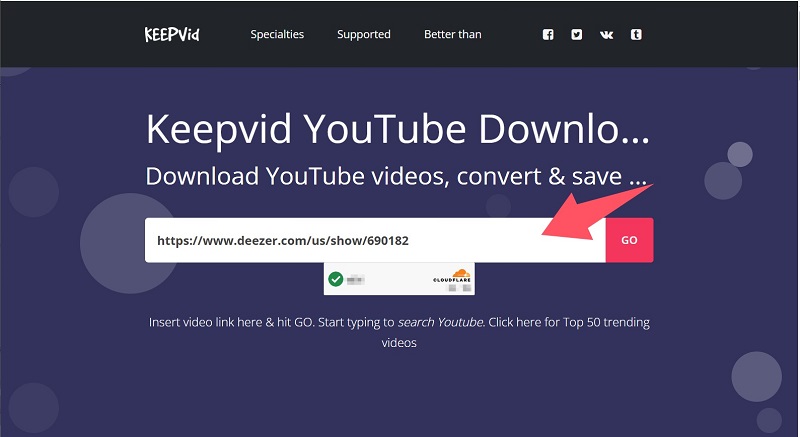
Step 4. Keepvid will start loading the URL and show you the audio download button. Just click “Download audio.”
Notice: Some KeepVid online options cannot download full albums or playlists, forcing you to download Deezer tracks one by one.
Common Issues About Downloading Deezer Music
During your Deezer music download process, you may encounter various problems. Here are three common problems, their causes, and solutions.
Deezer music is not downloading
Possible causes:
- Unstable internet connection
- Subscription issues
- App glitches or an outdated version
- Storage space limitations
How to fix:
- Check your internet connection and switch between Wi-Fi and mobile data if needed
- Make sure your Deezer Premium subscription is active
- Log out and back into the Deezer app
- Update the app to the latest version
- Free up storage space on your device
- Music stops after download
Possible causes:
- Corrupted downloaded files
- Background app restrictions (battery saver or system optimization)
- Outdated app version
- Data syncing issues
How to fix:
- Delete the affected songs and download Deezer songs again
- Disable battery optimization for Deezer in your device settings
- Ensure the app is updated
- Clear app cache (Android) or reinstall the app (iOS/Android)
- Keep your device’s operating system up to date
- Offline mode is not working
Possible causes:
- Subscription expired or not recognized
- Account not synced properly
- App bugs or login issues
- Downloaded content not fully synced
How to fix:
- Confirm your subscription is still active
- Toggle Offline Mode off and on again in Deezer settings
- Log out and log back in to refresh your account
- Connect to the internet briefly to allow Deezer to verify your subscription
- Re-download missing or unsynced tracks
Conclusion
It’s easy to download Deezer music by following the steps introduced in this guide. If you’re looking for more flexibility, such as saving music for personal use, capturing audio, or creating your own offline library beyond app limitations, iTop Screen Recorder is a great option. It allows you to record high-quality audio directly from your system, giving you greater control over how you store and enjoy your favorite songs. Moreover, it also enables you to screen record Instagram DM and any other activities that happen on your screen. So, don’t miss this powerful tool and download iTop Screen Recorder to give it a try!





