


iTop Screen Recroder
The Easiest Way to Record Your PC Screen


Buy iTop Screen Record PRO to Enjoy More
Create high-quality screen recordings and save big.
The Easiest Way to Record Your PC Screen
Share


Grindr prevents users from taking screenshots of some content. How to bypass Grindr screenshot block? Is it still possible to screenshot Grindr?
Grindr builds an entertaining online community for LGBTQ+ people to meet up for dates, friendships or casual hookups. In some cases, users want to take screenshots on Grindr, from sharing funny, meaningful conversations to keeping records of potential safety threats or scammers. But the question is, sometimes, you can't screenshot Grindr.
Yes. Grindr enforces screenshot blocking for certain content:
In January 2026, Grindr rolled out a stricter protection to prevent users' photos from being captured on mobiles. The screenshot of a photo appears blacked out on iOS and is entirely blocked on Android.
Tip: You can normally screenshot text chats without photos. Grindr will not notify others when you screenshot.
If you have to screenshot restricted content on Grindr, there are some workarounds to bypass the block.
You can take a photo of your screen with a second device with a camera. It is the simplest and most reliable way to screenshot Grindr. However, the image quality may be compromised, making some details less clear.
Grindr Web is a browser-based version, helping subscribers get access to the app via desktop for a better viewing experience. Since web browsers on desktop do not enforce mobile OS policies, this method enables you to bypass Grindr screenshot block seamlessly.
You can use native screenshot shortcuts (like Win+Shift+S on Windows or Cmd+Shift+4 on Mac) or a reliable third-party screen recorder to capture content viewed on Grindr Web.
Notice: Some features are only available in the Grindr app, for example, viewing expiring photos/videos. If you want to bypass the block and screenshot expiring photos, try other ways.
Screen mirroring routes the phone’s display feed to a computer monitor so that you can take a Grindr screenshot on a PC, circumventing mobile OS-level restrictions.
iTop Screen Recorder is an intuitive tool that allows you to screenshot and screen record mobile devices. It builds in a screen mirroring feature and then captures your phone screen on PC easily.

Record screen, webcam, audio and gameplay with ease. Create high-quality screen recordings with no lags and fps drops.
1. Launch the program and go to Device.
2. Open Grindr on your device.
3. Select iOS/Android. Follow the on-screen instructions to mirror your device screen.
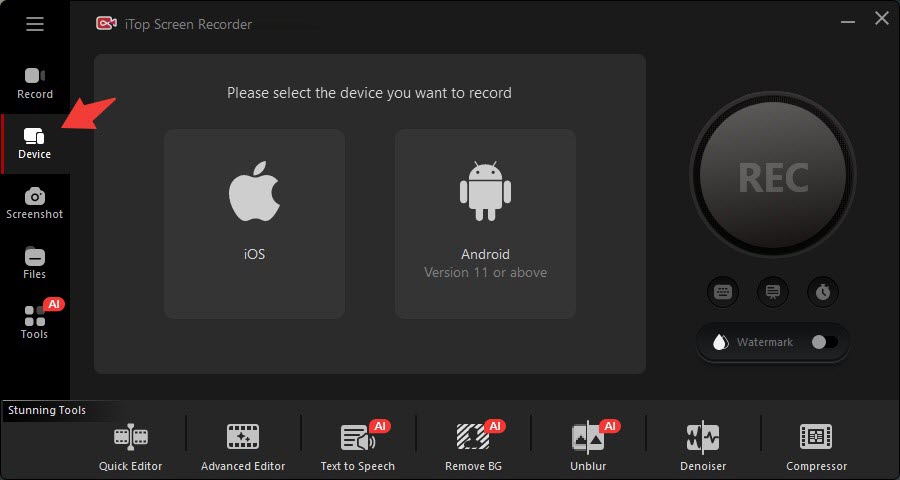
4. After your phone is mirrored on PC, go to Screenshot and capture what you want.
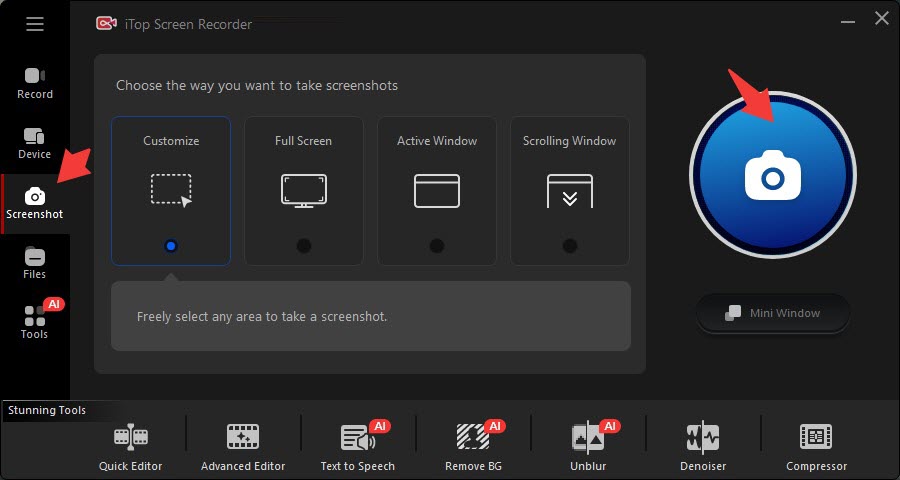
Notice: On newer versions of Android, strict application security may still output a black screen over mirrored connections if the app marks the specific window surface as secure.
Disclaimer:
Yes No
Thanks for your feedback!Share
 Do you have any more questions? Share with us

Invalid email address
 Submitted successfully
 People Also Ask
As far as I know, Telegram has some limitations on screenshots. Are there any effective methods to achieve Telegram screenshot disappearing photos?
I’ve got a black screen when taking a screenshot of Telegram. How to bypass Telegram screen block? Can I successfully take a screenshot of Telegram?
Can you screenshot view once on Instagram? Does Instagram block screenshots of one time photo/video? How to take screenshot on Instagram view once?
Subscribe to Our Newsletter
Subscribe to our newsletter to stay updated every moment.

Subscribe to Our Newsletter
Subscribe to our newsletter to stay updated every moment.
© 2026 iTop. All rights reserved.


