


iTop Screen Recroder
The Easiest Way to Record Your PC Screen


Buy iTop Screen Record PRO to Enjoy More
Create high-quality screen recordings and save big.
The Easiest Way to Record Your PC Screen
Share


How to screenshot bank app on desktop and mobile devices? iTop Screen Recorder allows PC & mobile banking screenshot without black screen.
Taking a screenshot of your banking app is the fastest and easiest way to keep a record of a transaction, save a digital receipt, or track your personal finances. But your capture may have failed due to built-in security features. How to screenshot bank app? Check the step-by-step guide!
How to screenshot on bank app on PC desktop? iTop Screen Recorder is a powerful screen recorder that offers free built-in screenshot features without restrictions or black screens. Whether you’d like to capture the full screen, active window, scrolling window or customized window as you need, it will deliver high-quality screenshots quickly.

Record screen, webcam, audio and gameplay with ease. Create high-quality screen recordings with no lags and fps drops.
Step 1. Free download and install iTop Screen Recorder on PC.
Step 2. Open your bank app in the web browser or desktop app. Navigate to the screen or transaction statement you want to capture.
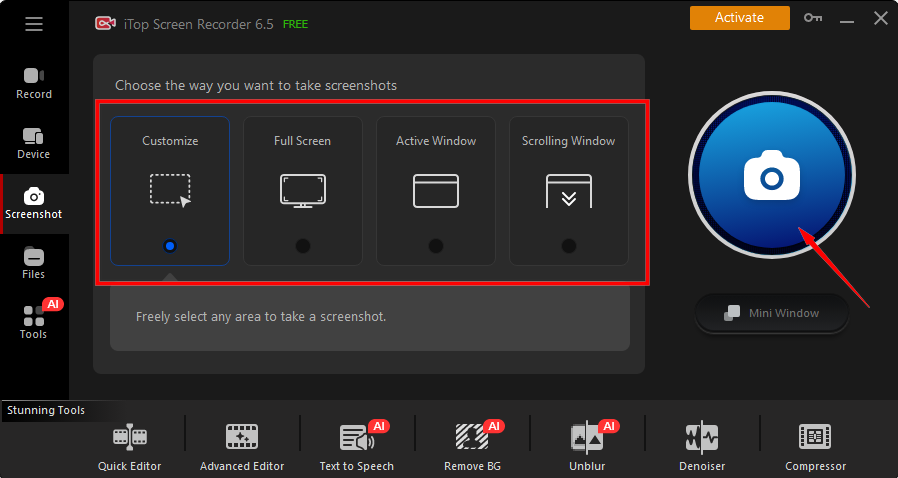
Step 3. Go back to the screen recorder, click “Screenshot” and select a mode, click on the camera icon to take a screenshot on back app.
Can you take mobile banking screenshot with the screen recorder for restricted apps? Simple. You’re allowed to capture the screen on mobile bank apps through mirroring your phone to PC. Then, you can do anything on your phone without logging into the app, no restrictions.
Here’s how to screenshot banking app Android and iPhone by mirroring mobile to PC:
Step 1. Launch iTop Screen Recorder, go to the “Device” tab.
Step 2. Now, select your mobile device, iOS or Android.
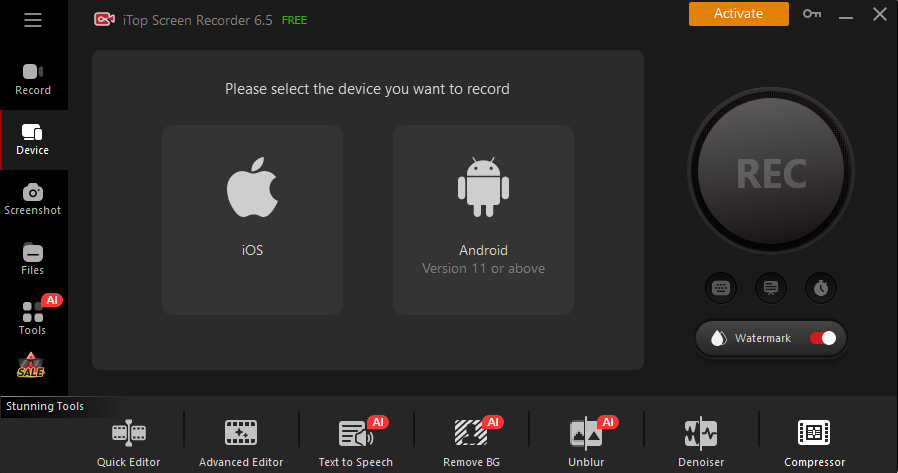
Step 3. Follow the on-screen guide to get connected and start your screenshot in your banking app.
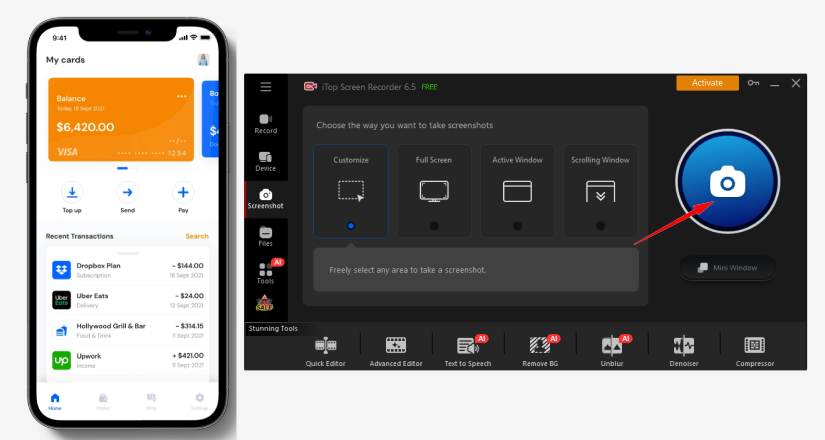
What if I get a black screen while taking screenshot on bank app? If the browser screen turns black while screenshot on PC, go to your browser settings (Settings > System) and turn off "Use graphics acceleration when available", then restart the browser and capture the screenshot.
That’s all about how to screenshot my bank app on PC and mobile devices. Free download iTop Screen Recorder now!
Yes No
Thanks for your feedback!Share
 Do you have any more questions? Share with us

Invalid email address
 Submitted successfully
 People Also Ask
Can you screenshot view once on Instagram? Does Instagram block screenshots of one time photo/video? How to take screenshot on Instagram view once?
Hi, I’d like to view Facebook Stories anonymously without appearing on the viewer list. Is this possible? How can I do it? Do I need Facebook Story viewers?
Hi, I’d like to view Telegram Stories anonymously. Is that possible, and if so, how can I do it? Do I need a Telegram story viewer? I need a safe method.
Subscribe to Our Newsletter
Subscribe to our newsletter to stay updated every moment.

Subscribe to Our Newsletter
Subscribe to our newsletter to stay updated every moment.
© 2026 iTop. All rights reserved.


